
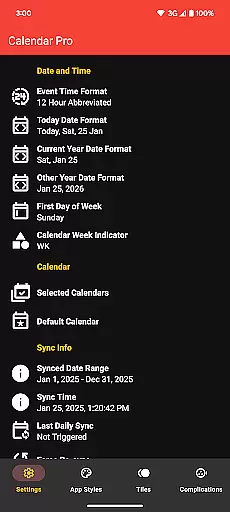
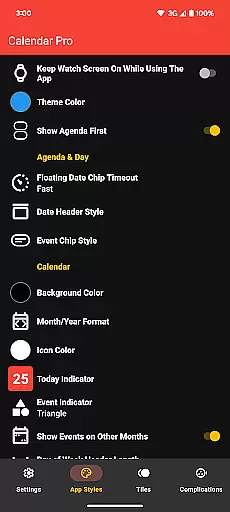
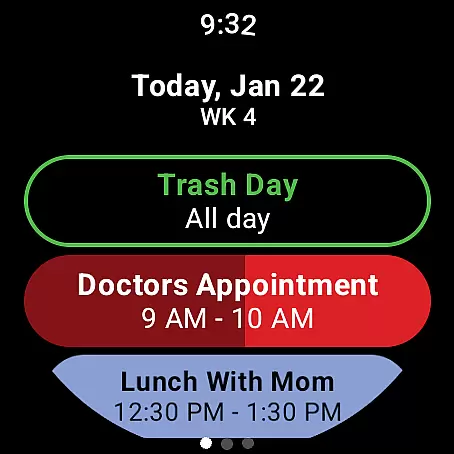
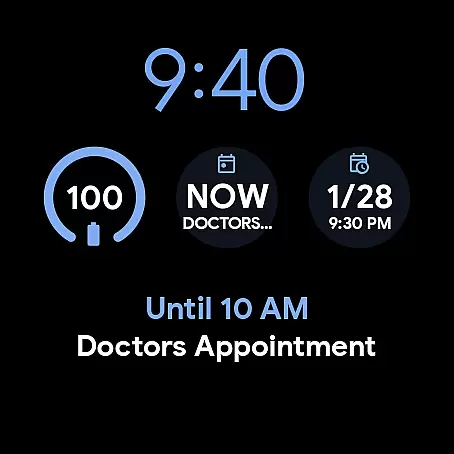
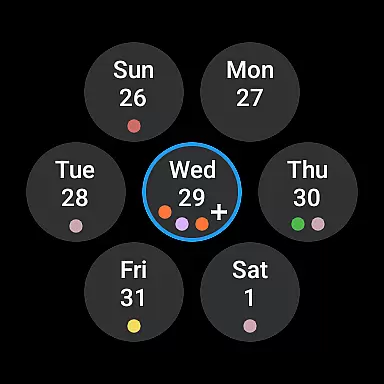
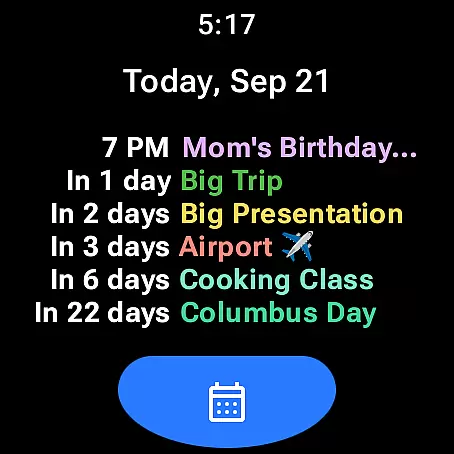
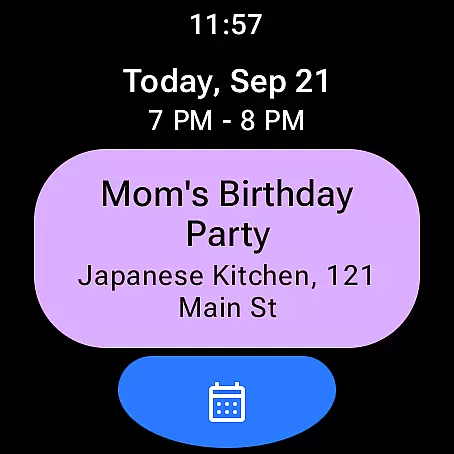
Calendar Pro for Wear OS is a comprehensive calendar solution designed specifically for wearable devices. This productivity app allows users to seamlessly sync all their phone calendars directly to their Wear OS smartwatch, ensuring they never miss an important event while on the go.
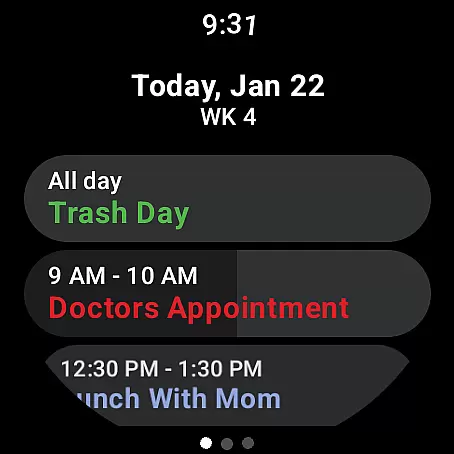
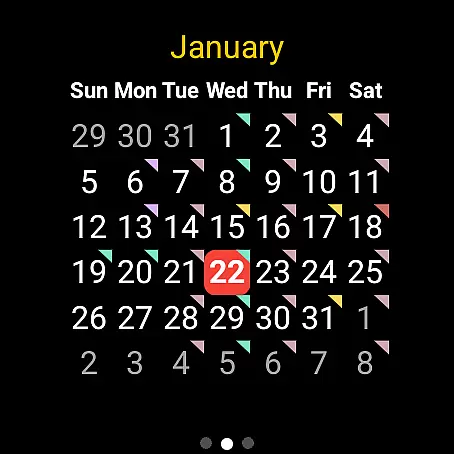
The application stands out with its robust feature set that includes viewing, adding, editing, and deleting events directly from the watch interface. Its customizable month calendar, agenda views, and various watch tiles provide users with multiple ways to stay organized. The app supports major calendar services like Google Calendar, Outlook, and Samsung Calendar, making it a versatile tool for busy professionals who need instant access to their schedules.
Whether you're managing work commitments or personal appointments, Calendar Pro's intuitive interface and powerful customization options make it an indispensable companion for your Wear OS device. The one-time purchase model provides excellent value by unlocking all features without requiring subscriptions.
Calendar Pro distinguishes itself through its extensive customization capabilities and seamless integration with multiple calendar services. The app's signature feature is its ability to sync up to 12 months of events to your Wear OS watch, providing unprecedented access to your schedule.
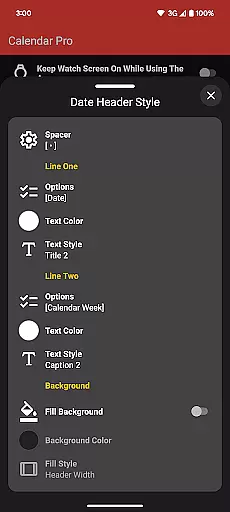
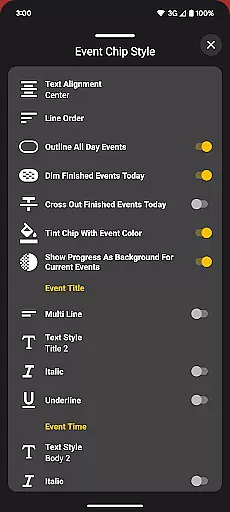
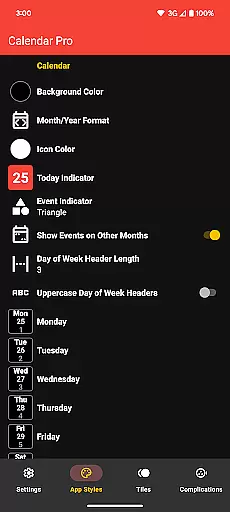
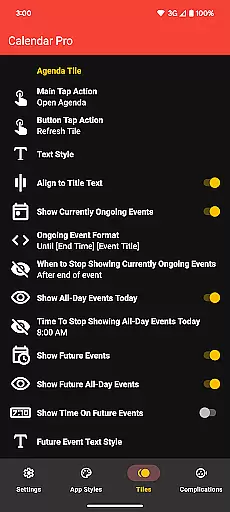
Users can personalize their experience through various customizations including month calendar themes, agenda views, and tile layouts. The app offers multiple theme colors, detailed event indicators, and advanced styling options for different calendar components. These include background colors, date header styles, and event chip designs, allowing users to tailor the interface to their preferences.
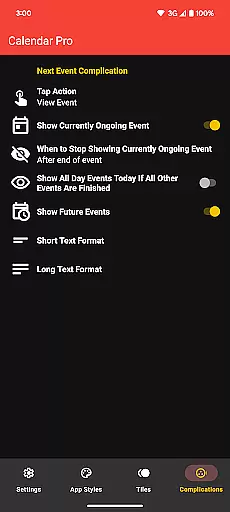
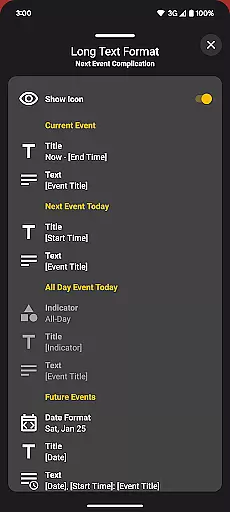
The inclusion of specialized watch complications and tiles - such as Next Event, Agenda, Week, and Month views - ensures quick access to essential information. The Next Event complication is particularly noteworthy, offering flexible display options and customizable tap actions. These features collectively enhance productivity by delivering relevant calendar information at a glance, optimized for wearable devices.
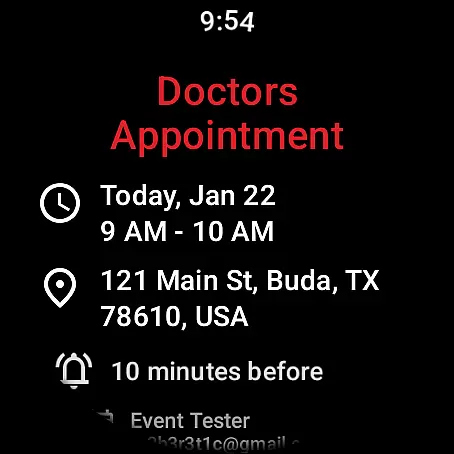
Calendar Pro for Wear OS excels in core task management by offering users the ability to add, edit, and delete events directly from their Wear OS watch. This seamless interaction ensures that managing your schedule is not confined to your phone or computer, providing unmatched convenience.
The app syncs the next 12 months of events to your watch, ensuring all critical information is accessible at a glance. With customizable month calendars and agenda views, users can tailor the interface to suit their preferences, enhancing the efficiency of their task management process.
By integrating with Google Calendar, Outlook Calendar, Samsung Calendar, DAVxu2075, and ICSxu2075, Calendar Pro consolidates all your scheduling needs into one platform. This comprehensive support allows for a unified task management experience, streamlining how you organize your personal and professional life.
Cross-device synchronization is a cornerstone of Calendar Pro's functionality, ensuring that every update you make on your Wear OS watch is reliably reflected across all linked devices. This synchronization extends to various calendar services, including Google Calendar and Outlook Calendar, maintaining consistency and accuracy in your schedule.
The app requires both the watch and phone applications to be installed, establishing a robust connection between devices. This dual-installation requirement guarantees that data flows seamlessly, providing real-time updates and notifications irrespective of which device you use to modify your calendar.
With features like Next Event complications and multiple customizable tiles, Calendar Pro ensures that you are always aware of your upcoming commitments. These functionalities, backed by dependable cross-device synchronization, empower users to manage their time effectively without worrying about data discrepancies.
Seamless calendar synchronization
Extensive customization options
Supports multiple calendar services
No subscription required
Comprehensive event management
Requires phone app installation
Limited to Wear OS devices
Complex setup process
Premium price point
Device compatibility issues

A Revolutionary All-in-One Artificial Intelligence Tools
 3.80
3.80
QuickBooks Workforce lets teams view pay info and track time in one place.
4.70
A lightweight JSON & XML files creator, editor and viewer (Premium Version)
4.40
Stay on top of your to-dos with Google Tasks, part of Google Workspace.
4.60
Code on-the-go with VScode for Android. Edit,debug and collaborate from mobile!!
3.10
Great calculator for Android named one of USA TODAY's "25 Essential Apps".
4.90
Experience and share your SolidWorks designs on your Android® phone and tablet.
2.50
Access your phone's notifications, calls, apps, photos & texts on your PC
3.90
Note taking, handwriting, record audio, PDF annotation, planner & journal
4.20
Native client for Forgejo and Gitea
5.00
Secure, fast, open-source, Remote Desktop Client for Windows and Linux with SSH
4.60
App Lock with fingerprint, password: Lock apps & hide photos with lock screens
4.60
A simple Whisper AI keyboard for reliable speech transcription and rewording
4.60
Subscribe to Webcal & .ics calendars and keep them up-to-date!
4.50
This small app MUST BE INSTALLED after purchase, else license won't work
4.40
Secure your apps with lock screens, use custom themes and different features.
4.40
Create and edit presentations with Google Slides, part of Google Workspace.
4.00
Ultimate Virtual AI Character for immersive Roleplay Chat. Perfect Companion
3.90
Create study competitions, track your hours, and stay consistent with friends
4.5


User Reviews