
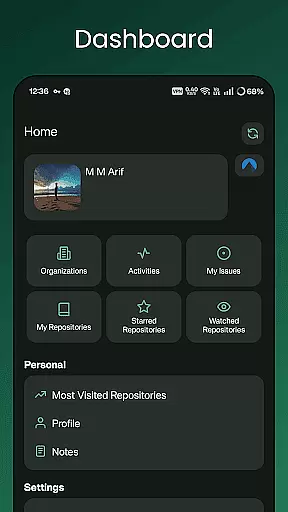
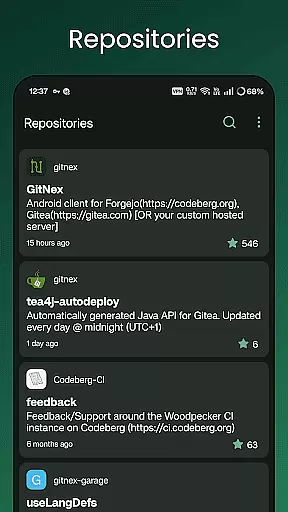
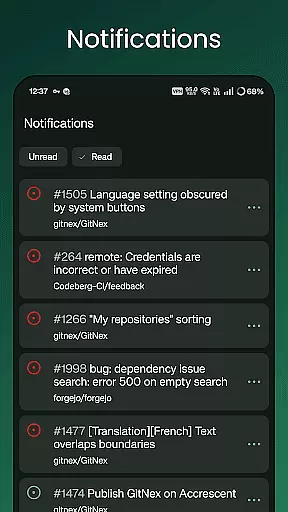
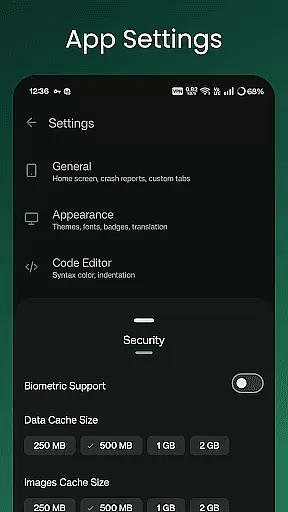
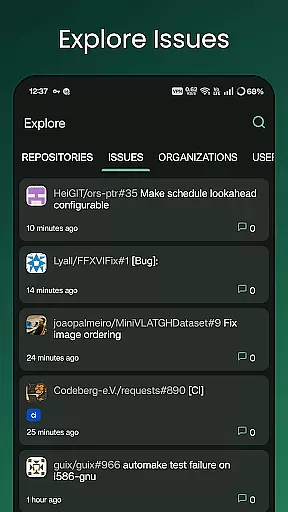
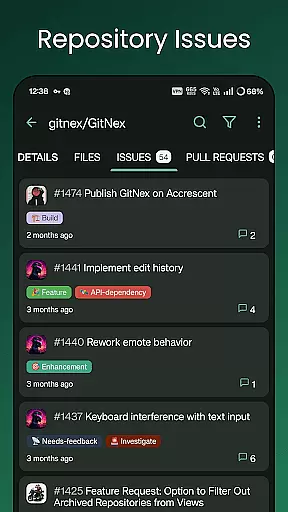
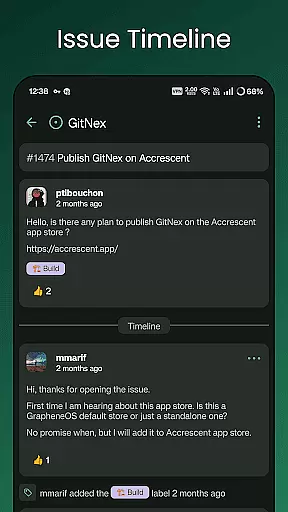
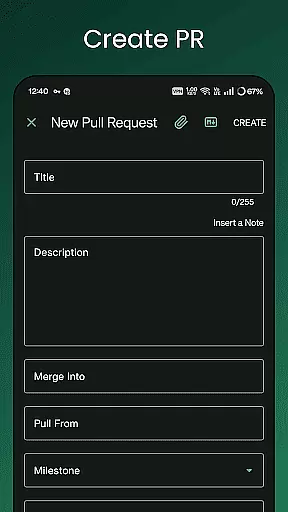
GitNex is a powerful open-source Android client designed for managing Git repositories on Forgejo and Gitea. This productivity-focused app allows users to efficiently handle multiple accounts, browse files and directories, and create various repository elements such as issues, pull requests, wikis, and more.
With its extensive feature set, GitNex supports repository exploration, issue tracking, milestone management, and release handling. The app also provides markdown and emoji support, notifications, and self-signed certificate compatibility, making it an ideal tool for developers seeking a mobile solution for Git management.
GitNex offers a comprehensive suite of features tailored for productivity. It enables users to manage multiple Git accounts seamlessly, providing tools for browsing files, viewing repository details, and creating essential elements like issues, pull requests, and wikis.
The app stands out with its extensive settings options, themes, and markdown support, allowing for a customizable user experience. Additionally, features like self-signed certificate support, repository commits tracking, and an intuitive file viewer make GitNex a versatile tool for both individual developers and teams working on collaborative projects.
GitNex for Forgejo and Gitea offers robust core task management features that are essential for developers and project managers alike. The app allows users to create, manage, and track issues, pull requests, milestones, and labels directly from their mobile devices. This functionality ensures that project tasks are organized efficiently and are easily accessible on the go.
The application supports multiple accounts, which means users can manage tasks across different repositories or even different Git platforms without needing to log in and out constantly. With an intuitive interface, users can browse files and directories, view repository commits, and explore various project elements seamlessly. These capabilities make it easier to stay updated with project progress and contribute effectively.
Additionally, GitNex provides extensive settings and themes, allowing users to customize their experience according to their preferences. Whether it's adjusting notification settings or choosing a theme that suits your style, GitNex ensures that managing tasks is not only efficient but also enjoyable. This level of customization enhances productivity by tailoring the app to individual workflows.
Cross-device synchronization is a critical feature for any productivity tool, and GitNex excels in this area. By ensuring reliable synchronization across devices, GitNex allows users to access their repositories, issues, and other project elements from any device at any time. This reliability is vital for teams that work remotely or use multiple devices throughout their day.
One of the standout aspects of GitNex is its support for self-signed certificates, which adds an extra layer of security during data transmission. This feature ensures that all communications between the app and the server remain secure, protecting sensitive project information. Furthermore, real-time notifications keep users informed about updates and changes, making sure no important detail is missed.
Moreover, GitNex's ability to handle extensive settings and themes contributes to a consistent user experience across devices. Users can expect the same look and feel regardless of whether they're using a phone, tablet, or another Android device. This consistency helps maintain workflow efficiency and ensures that users can transition smoothly between devices without losing momentum or context.
User-friendly interface
Multiple account support
Extensive customization
Open-source development
Active community support
Limited iOS availability
Complex for beginners
Occasional bugs
No offline mode
Heavy on resources

Experience Reading - Night Mode for Documents
 4.40
4.40
The long-awaited modern gallery app for your Nextcloud server
4.70
Total remote control for your Android device, PC and cloud services (IFTTT)!
4.20
Wake up & get tasks done! Add alarms & reminders on the Clock Launcher.
4.00
Automates browsing any website and notifies you of important changes or events
4.30
Make your handwriting beautiful, even more than pen on paper.
3.60
Font maker keyboard with your own handwriting
4.10
A simple Whisper AI keyboard for reliable speech transcription and rewording
4.60
Put a lock on your cloud: Take the security of your data into your own hands
3.70
Great calculator for Android named one of USA TODAY's "25 Essential Apps".
4.90
Android Wallet Password Manager
4.80
App lock - lock apps with fingerprint, password, pin or pattern, protect privacy
4.70
Enjoy classic gameplay with customizable features and retro-style graphics.
4.30
Unlock AutoNotification
4.00
Access your phone's notifications, calls, apps, photos & texts on your PC
3.90
Find and delete junk files & block unwanted notifications & manage files
3.70
Auto-shutoff Alarm with Sunrise, Sunset & Fixed Options.
3.50
Create study competitions, track your hours, and stay consistent with friends
4.5
A comprehensive suite of tools designed specifically for Lactation Consultants
4.5


User Reviews