
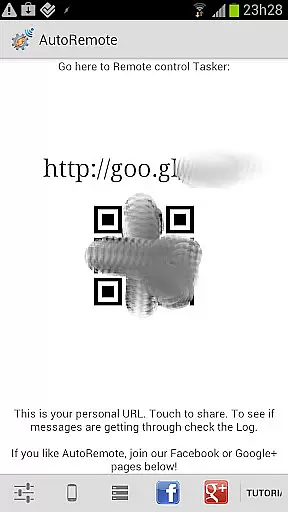
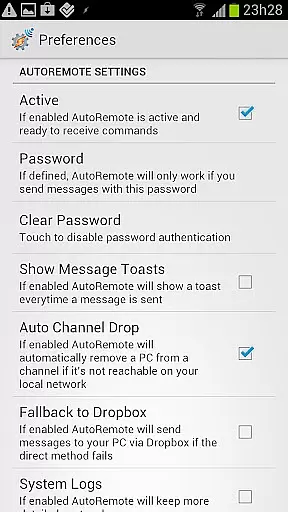
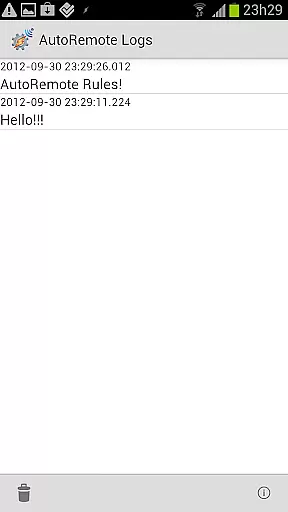
AutoRemote is a powerful productivity tool that allows users to remotely control their devices, including phones, PCs, and web services. With seamless IFTTT integration, it enables you to send push notifications between devices and trigger actions through Tasker or standalone apps. The app offers unprecedented flexibility, letting you control your Android device from anywhere, manage your PC or Chrome browser remotely, and even connect with hundreds of web services like Facebook or Twitter.
The true value of AutoRemote lies in its versatility. Whether you're automating tasks between devices, sharing links or text via the Android Share menu, or setting up advanced bi-directional messaging, this app adapts to your needs. For instance, you can request your phone's location and view it on a map on another device. Its customizable command system ensures that your imagination is the only limit to what you can achieve.
AutoRemote stands out with its robust feature set tailored for productivity enthusiasts. One of its core capabilities is device-to-device and PC-to-device messaging, enabling full bi-directional control. You can send messages from a web browser, desktop, or even services like Zapier, and have Tasker profiles react to these messages on your Android device. This creates endless automation possibilities, such as triggering alerts or performing specific actions based on received commands.
Another remarkable feature is its advanced matching options and flexible command system. Users can create custom commands like 'Where are you?' to locate a misplaced phone or 'shop=:=carrots and ice cream' to receive spoken reminders at a set time. Additionally, AutoRemote supports direct sharing of links or text between devices, making it easy to transition content from a smaller screen to a larger one. These features collectively enhance workflow efficiency and device management.
At the heart of AutoRemote lies its robust core task management system, designed to streamline how you interact with your devices. This feature allows users to create and manage tasks that can be triggered remotely, offering unparalleled flexibility in controlling multiple devices from a single point.
The application leverages Tasker or standalone AutoRemote apps to execute commands sent via push notifications. Users can set up profiles within Tasker to react to these messages, effectively turning their smartphones into powerful remote controls for various gadgets including PCs and web services.
This level of control is not just about sending commands; it's about crafting a personalized automation experience. Whether you're looking to request your phoneu2019s location or share content between devices, AutoRemote ensures that each task is executed precisely as intended, enhancing productivity by simplifying complex workflows.
Cross-device synchronization is a critical component of AutoRemote, ensuring that all linked devices communicate seamlessly and reliably. By integrating with Tasker, AutoRemote provides a stable platform for bi-directional messaging, allowing users to control one device from another regardless of physical location.
Imagine being able to send an AutoRemote message from a web browser or desktop and having it instantly recognized by your Android device. This reliable communication channel supports real-time interactions, such as opening a YouTube video on your tablet directly from your phoneu2019s Share menu.
Furthermore, this synchronization extends beyond mere command execution. It encompasses advanced matching options and flexible command systems, enabling sophisticated use cases like creating custom commands for specific needs. For instance, setting up a 'lost-my-phone' command could help locate misplaced devices quickly.
User-friendly interface
Highly customizable commands
Seamless IFTTT integration
Robust cross-device support
Flexible automation options
Requires Tasker for full functionality
Steep learning curve for beginners
Limited native iOS support
Occasional connection issues
Premium features come at a cost

When you Focus, so will your Bean in this cozy focus timer
 4.30
4.30
Mind Map and brainstorm, note taking and idea collection
4.80
Pwnagotchi companion app
4.20
All in One PDF Reader: Manage, Read and Edit your Documents
4.20
Font maker keyboard with your own handwriting
4.10
Share files & memories safely. Keep your photos and videos secure.
4.40
Ultimate Virtual AI Character for immersive Roleplay Chat. Perfect Companion
3.90
Daily processing of PDF documents.
4.40
Seamlessly read, manage, and organize all your PDF files solution in one place
4.40
Multilingual translator for text, voice, and image translation!
4.90
Protect and view your important info on your phone and tablet with eWallet®
4.80
We're working to become the best machining app on the market! www.cncdirt.com
4.80
Stay on top of your to-dos with Google Tasks, part of Google Workspace.
4.60
The AI assistant that thinks with you - write, code, and solve complex tasks
4.60
Tally and goal counter for Wear OS & mobile
4.50
Automates browsing any website and notifies you of important changes or events
4.30
Easily read and manage all your PDF files
4.10
Make apps & sites with natural language prompts
4.10
Cloud storage, automatic phone backup, and more.
4.10


User Reviews