
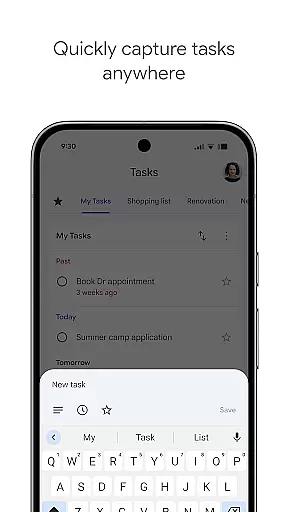
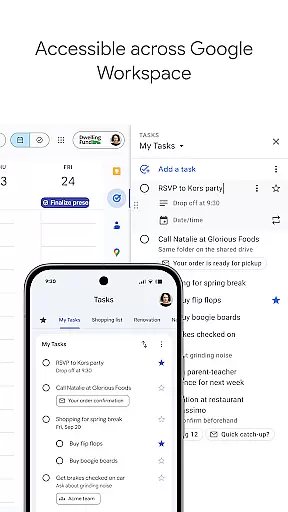
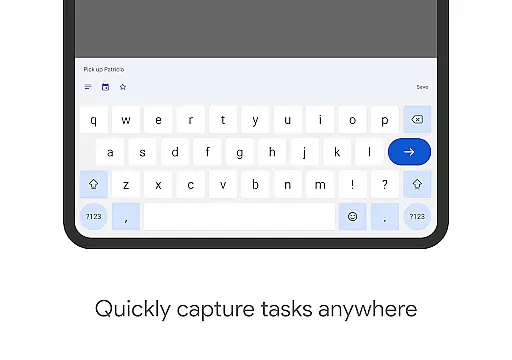
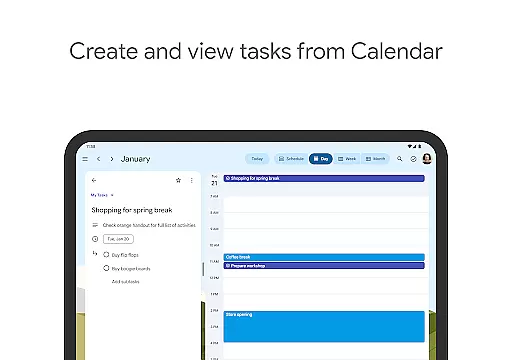
Google Tasks is a productivity app designed to help users manage their to-do lists efficiently. The app allows you to capture, organize, and track tasks from any location and at any time. With seamless synchronization across all devices, Google Tasks ensures that your to-dos are always up-to-date whether you're using a phone, tablet, or computer.
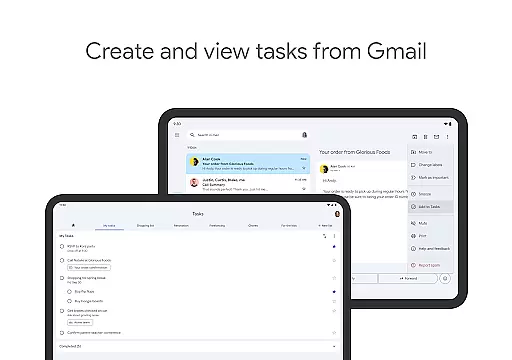
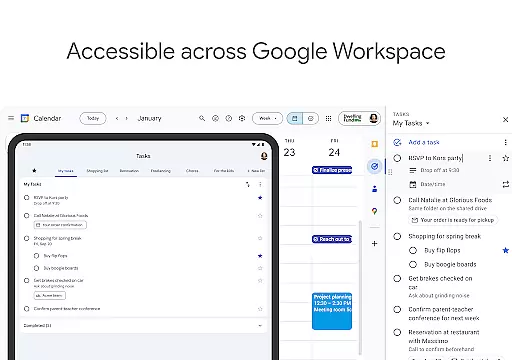
One of the standout features of Google Tasks is its integration with Gmail and Google Workspace. This allows users to create tasks directly from emails and access them alongside their other Google apps. Whether you need to set reminders, prioritize tasks, or break down complex projects into subtasks, Google Tasks provides an intuitive interface that helps you stay organized and get things done faster.
The app is particularly useful for professionals and students who need to juggle multiple responsibilities. By setting due dates and receiving timely notifications, users can ensure they never miss important deadlines. Its simple yet powerful functionality makes Google Tasks an essential tool for anyone looking to improve their productivity.
Google Tasks offers a robust set of features that cater to both personal and professional task management needs. One key feature is the ability to create multiple task lists, which helps users categorize their to-dos based on topics, priorities, or projects. This organizational capability ensures that users can maintain clarity and focus even when managing numerous tasks.
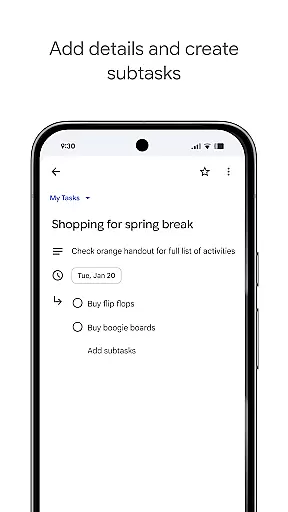
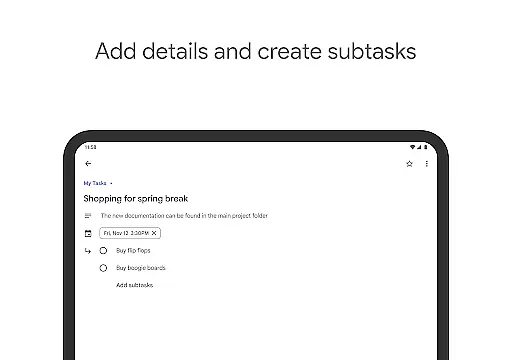
Another notable feature is the drag-and-drop functionality, which allows users to easily reorder tasks based on urgency or importance. Additionally, users can mark critical tasks with a star to make them stand out. For more complex assignments, Google Tasks supports subtasks, enabling users to break down larger tasks into manageable steps. This hierarchical structure is especially beneficial for tracking multi-step projects.
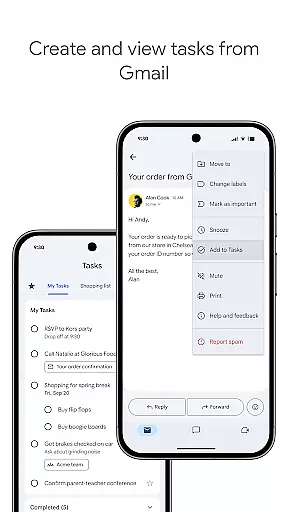
Integration with Gmail is another significant advantage of Google Tasks. Users can quickly convert emails into tasks without leaving their inbox, and each task includes a convenient link back to the original email for reference. The app also provides timely reminders and notifications, ensuring that deadlines are met. These comprehensive features make Google Tasks a versatile tool for enhancing productivity in various aspects of life.
Google Tasks offers a robust core task management system that ensures users can efficiently handle their to-do lists. The app allows you to view, create, edit, and manage tasks from any location and at any time, providing unparalleled flexibility.
One of the standout features is the ability to organize tasks into different lists based on topics or priorities. This helps users categorize their responsibilities effectively, ensuring nothing gets overlooked. Additionally, prioritization is made easy through drag-and-drop functionality, allowing users to reorder tasks effortlessly.
For complex projects, Google Tasks supports subtasks, breaking down larger objectives into manageable components. This feature not only aids in tracking multi-step tasks but also enhances productivity by clarifying the steps needed for completion.
Cross-device synchronization is a critical feature of Google Tasks, ensuring that your to-do lists are always up-to-date across all your devices. Whether you're using a smartphone, tablet, or computer, your tasks sync seamlessly, providing real-time updates wherever you go.
This reliable synchronization extends to integrations with Gmail and Google Workspace, streamlining workflows and helping you accomplish tasks faster. By creating tasks directly from emails in Gmail, you can conveniently link back to the original message for quick reference, enhancing your productivity.
The assurance that your data is consistently synchronized means you can trust Google Tasks to keep your information secure and accessible. This reliability empowers users to focus on their work without worrying about data discrepancies or loss.
User-friendly interface
Seamless cross-device sync
Effective Gmail integration
Customizable task lists
Timely reminders and notifications
Limited advanced features
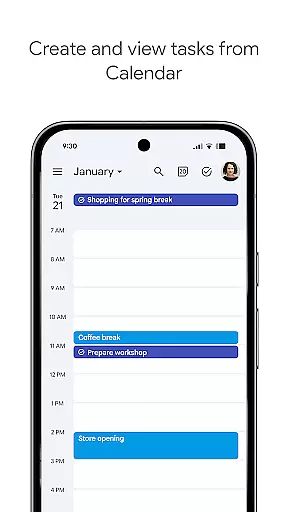
No built-in calendar view
Basic design aesthetics
Occasional sync delays
Fewer third-party integrations

Total remote control for your Android device, PC and cloud services (IFTTT)!
 4.20
4.20
Mega cloud explorer plugin for Solid Explorer
3.80
Make your handwriting beautiful, even more than pen on paper.
3.60
IP Camera Viewer - Android TV : RTSP Surveillance camera viewer for Android TV
4.4
Make apps & sites with natural language prompts
4.10
PDF scanner & converter for files, photos, lottery, QR codes. One swipe away!
4.50
Find and delete junk files & block unwanted notifications & manage files
3.70
Tally and goal counter for Wear OS & mobile
4.50
Scientific calculator for Android - looks and operates like the real thing!
4.90
Scan paperwork into PDF/JPG, generate your own e-signature and send fax or email
4.70
The Pro Version of Android's tiniest Notepad app. Just 0.3MB but feature-packed!
4.60
The AI assistant that thinks with you - write, code, and solve complex tasks
4.60
All document reader, all in one file viewer read PDF, DOCX, XLS, PPT, TXT files.
4.60
Experience Reading - Night Mode for Documents
4.40
Pwnagotchi companion app
4.20
Easily read and manage all your PDF files
4.10
Access your phone's notifications, calls, apps, photos & texts on your PC
3.90
Ultimate Virtual AI Character for immersive Roleplay Chat. Perfect Companion
3.90
ID.me Authenticator is a simple and free Two Factor Authentication solution
3.50


User Reviews