
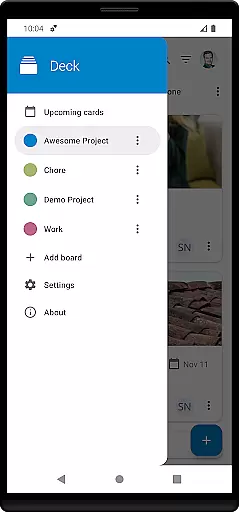
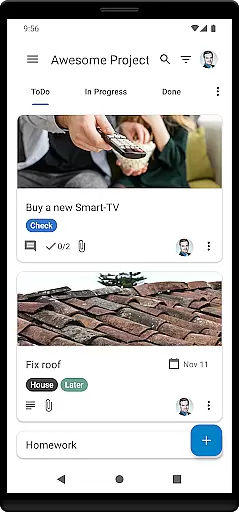
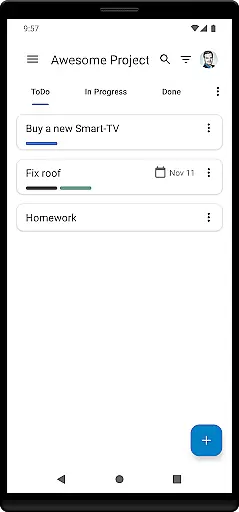
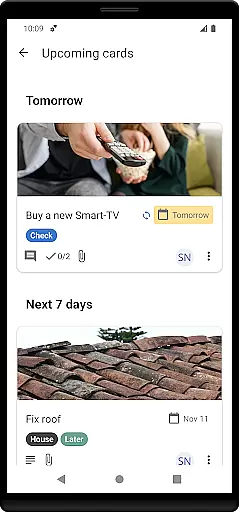

Nextcloud Deck is a productivity-focused application designed to streamline task management and team collaboration. This app allows users to create, organize, and manage cards, lists, and boards efficiently, making it ideal for both personal task tracking and team-based projects.
One of the standout features of Nextcloud Deck is its offline functionality, ensuring that users can continue managing their tasks even without an internet connection. Additionally, the app supports attachments, activities, and comments, providing a comprehensive platform for communication and document sharing. With dark mode and multi-language support, Nextcloud Deck offers a customizable and accessible user experience tailored to individual preferences.
Nextcloud Deck boasts a variety of features that enhance productivity and collaboration. The app supports multiple accounts, allowing users to manage different projects or teams from a single interface. Its offline capabilities ensure uninterrupted access to critical data, which is particularly beneficial for users who travel frequently or work in areas with limited connectivity.
Users can manage tags, attachments, activities, and comments within the app, facilitating detailed task organization and seamless communication. The inclusion of dark mode not only reduces eye strain but also enhances readability in low-light environments. Furthermore, Nextcloud Deck is translated into many languages, broadening its accessibility and appeal to a global audience. These features collectively contribute to a robust platform that meets diverse user needs while maintaining ease of use.
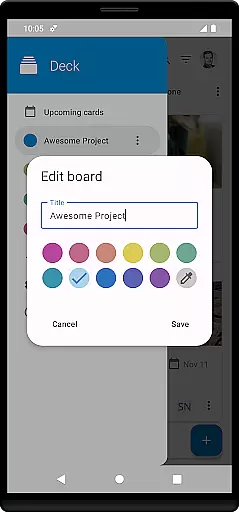
Nextcloud Deck offers a robust platform for managing tasks through its card, list, and board system. This structure allows users to organize their projects efficiently by categorizing tasks into manageable units.
The app supports multiple accounts, enabling users to handle various projects or collaborate with different teams from a single interface. Its offline functionality ensures that productivity is not hindered by lack of internet connectivity, allowing access and editing of tasks anytime, anywhere.
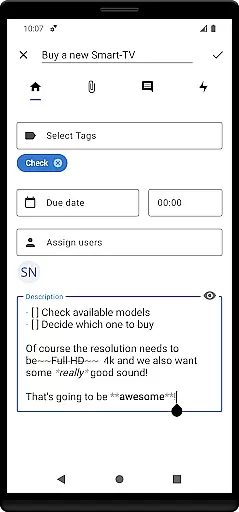
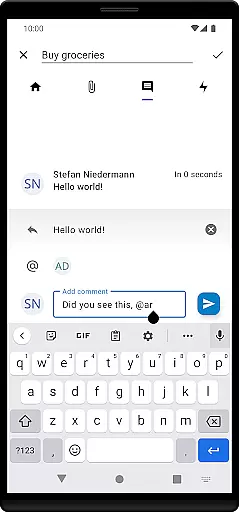
Tags and attachments enrich task details, providing context and necessary resources directly within the cards. Activities and comments foster team collaboration by keeping all communication and updates centralized, ensuring everyone stays informed and engaged.
Cross-device synchronization is a cornerstone of Nextcloud Deck's productivity enhancement features. The app seamlessly integrates with Nextcloud, ensuring that any changes made are updated across all devices in real time.
This synchronization extends to the Android app, offering users a consistent experience whether they are on mobile or desktop. This ensures that work progress is continuously saved and accessible, eliminating the risk of data loss and enhancing workflow continuity.
With support for dark mode and translations in many languages, the app provides a personalized and accessible experience across devices. These features contribute to a comfortable and efficient working environment tailored to individual preferences and needs.
User-friendly interface
Offline functionality
Multi-account support
Comprehensive task management
Global language support
Requires Nextcloud setup
Limited standalone use
No built-in calendar
Dependent on third-party apps
Advanced features need technical know-how

Send files, sync SMS, notifications & clipboard across devices via local network
 4.40
4.40
Easiest event planning, volunteer signups & parent teacher conference scheduling
2.20
App lock - lock apps with fingerprint, password, pin or pattern, protect privacy
4.70
App Lock with fingerprint, password: Lock apps & hide photos with lock screens
4.60
Simple and reliable communication between inmates, friends and family
3.20
Cloud storage, automatic phone backup, and more.
4.10
A simple Whisper AI keyboard for reliable speech transcription and rewording
4.60
This small app MUST BE INSTALLED after purchase, else license won't work
4.40
Simple notepad & memo. Take notes, to-do list, shopping list with reminders.
4.80
8 custom complications. Custom Time Fonts. Beautiful color schemes. A++ Design.
5.00
Best Tool for the professionals Electrician, Electrical contractors, etc.
4.90
Seamlessly integrate data and reports to build your presentation to impress
4.80
Use powerful, industry-leading AI tools to generate visual charts from any data
4.80
Secure, fast, open-source, VNC and SSH Remote Desktop for Windows, Linux and Mac
4.70
When you Focus, so will your Bean in this cozy focus timer
4.30
Professional calendar app for Google Calendar, MS Outlook & Exchange
4.20
Easily read and manage all your PDF files
4.10
Code on-the-go with VScode for Android. Edit,debug and collaborate from mobile!!
3.10
Experience and share your SolidWorks designs on your Android® phone and tablet.
2.50


User Reviews