
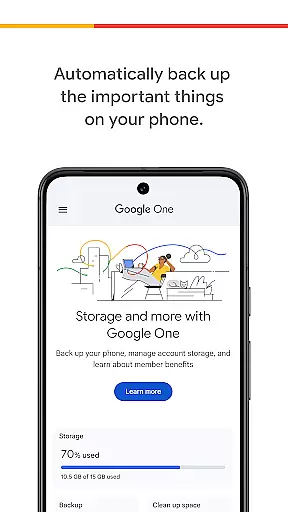
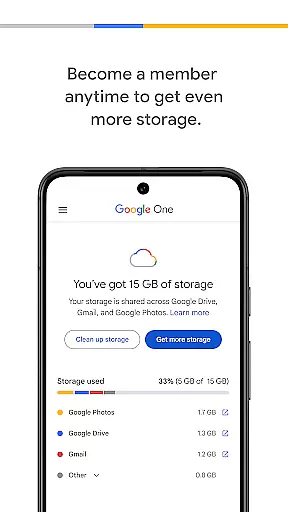
Google One is a productivity app that offers users the ability to automatically back up their phone data and efficiently manage Google cloud storage. The app provides 15 GB of free storage for every Google account, allowing users to safeguard essential items such as photos, contacts, and messages. This ensures that in the event of device damage, loss, or upgrade, all content can be seamlessly restored on a new Android device.
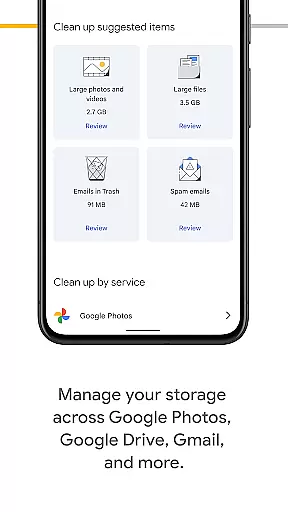
In addition to basic backup features, Google One enables users to oversee their existing Google account storage across key services like Google Drive, Gmail, and Google Photos. For those needing more space, upgrading to a Google One membership provides expanded storage options tailored to individual needs, making it an ideal solution for anyone looking to protect and organize their digital life.
Google One stands out with its automatic backup feature, which simplifies the process of securing personal data without manual intervention. Users can easily restore their information when switching devices, providing peace of mind and convenience. The app's integration with Google Drive, Gmail, and Google Photos allows for centralized management of cloud storage, streamlining how users interact with these services.
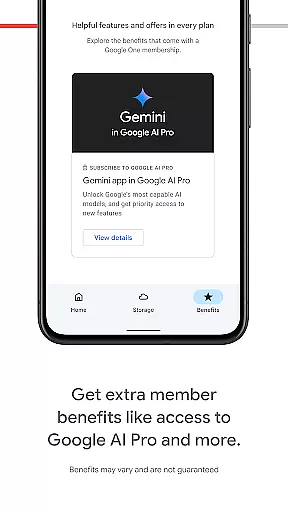
Another notable feature is the option to upgrade to a Google One membership, where users can access higher storage capacities to accommodate growing digital libraries. With plans designed to fit various needs, Google One not only enhances productivity but also empowers users to take control of their online presence by offering flexible solutions for managing important files and memories.
Google One excels in core task management by offering users seamless control over their digital assets. The app provides automatic backup solutions for essential data such as photos, contacts, and messages, ensuring that nothing important is lost.
With 15 GB of free storage included with every Google account, users can easily manage their files across Google Drive, Gmail, and Google Photos. This centralized approach to storage management simplifies the process of organizing and accessing personal data.
The app's intuitive interface allows users to upgrade their membership effortlessly, providing access to expanded storage plans tailored to individual needs. This flexibility ensures that users only pay for the storage they require.
By streamlining the management of digital files and offering scalable storage options, Google One empowers users to stay organized and focused on their productivity goals without worrying about storage limitations.
Cross-device synchronization is a cornerstone of Google One's functionality, enabling users to maintain consistency across multiple devices. Whether switching from an old phone to a new Android device, the app ensures that all data is accurately restored.
This reliable synchronization extends beyond just mobile devices, encompassing tablets and computers as well. Users can access their backed-up files from any platform, making it easy to transition between work and personal environments seamlessly.
Google One employs advanced cloud technology to guarantee that updates are instantaneous and data integrity is preserved. This means that changes made on one device are immediately reflected on all others linked to the same account.
By prioritizing synchronization reliability, Google One ensures that users can depend on having their most up-to-date information available wherever they go, enhancing both convenience and peace of mind.
Automatic backup
Free 15GB storage
Cross-service management
Flexible membership plans
Seamless restoration
Limited free storage
Paid membership required
Android-focused
No advanced editing tools
Occasional sync issues

AI Video AI Image Private LLM AI Browser Llama Gemma Ollama Connect LLM Studio
 4.1
4.1
Mind Map and brainstorm, note taking and idea collection
4.80
Pwnagotchi companion app
4.20
Functional QR scanner and barcode reader that requires little storage space.
4.60
Create and edit presentations with Google Slides, part of Google Workspace.
4.00
Code on-the-go with VScode for Android. Edit,debug and collaborate from mobile!!
3.10
Okta MFA
4.70
Browse and view your photos and videos from the phone with photo & video hide.
4.10
QuickEdit is a fast, stable and full featured text and code editor.
4.20
Best Tool for the professionals Electrician, Electrical contractors, etc.
4.90
Scientific calculator for Android - looks and operates like the real thing!
4.90
Android Wallet Password Manager
4.80
PDF scanner & converter for files, photos, lottery, QR codes. One swipe away!
4.50
A customizable calendar for your Wear OS watch
4.20
Activate Two Factor Authentication (2FA or Multi OTP), Password manager and more
4.10
Unlock AutoNotification
4.00
Customizable calendar widget for seamless event sync, planning & scheduling.
4.00
Simple and reliable communication between inmates, friends and family
3.20
Create study competitions, track your hours, and stay consistent with friends
4.1


User Reviews