
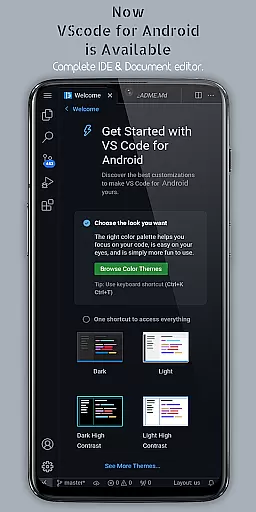
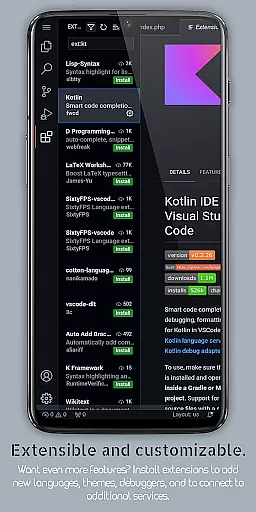
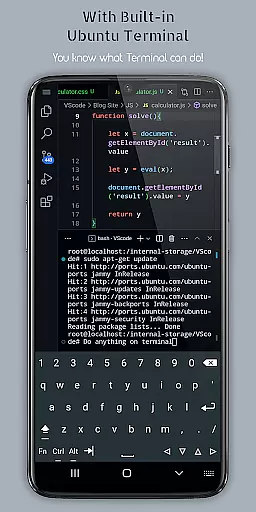
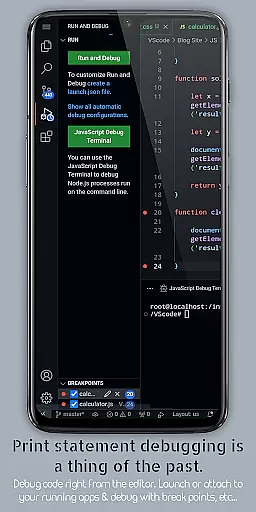
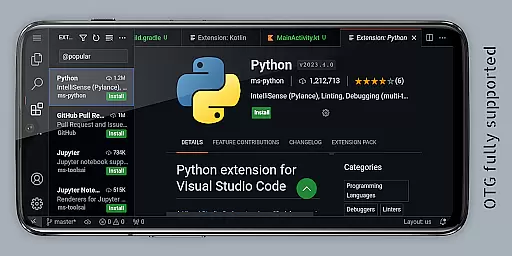
VScode for Android brings the powerful functionality of Visual Studio Code to mobile devices, allowing developers to write, edit, and debug code on-the-go. With support for a wide range of programming languages and file types, this app is designed to provide an immersive coding experience anywhere in the world.
The app features customizable themes, extensions, IntelliSense, debugging tools, and built-in Git support, making it easier than ever to code professionally from your mobile device. Its fullscreen mode offers an uninterrupted coding session by hiding system bars, while remote access capabilities let users connect via a web browser using their phone's IP address and port 8080.
Whether you're working on HTML, Python, Java, or other popular languages, VScode for Android supports your development needs with advanced features like multi-cursor editing, split view, and integrated terminal access. This makes it an essential tool for productivity-minded coders who require flexibility and comprehensive functionality in their mobile editor.
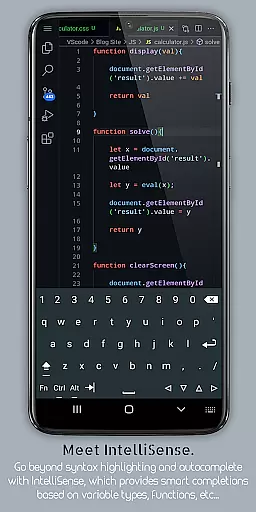
VScode for Android stands out with its robust feature set tailored for developers. The app includes a built-in debugger to find and fix errors efficiently, syntax highlighting for various programming languages, and IntelliSense for intelligent code completion that speeds up coding tasks significantly.
Additional features include support for reusable code snippets, embedded Git for version control operations, customizable keyboard shortcuts, and immersive fullscreen mode. Users can also benefit from multi-cursor editing, split view editing, and an integrated task runner that automates common tasks, enhancing overall productivity.
With language-specific settings and workspace management capabilities, developers can optimize their workflow per project requirements. Remote access through a web browser adds another layer of convenience, ensuring that coders have the flexibility they need to work effectively from any location using just their mobile device.
VScode for Android revolutionizes the way developers handle task management on mobile devices. The app brings essential productivity features typically found in desktop environments to your fingertips.
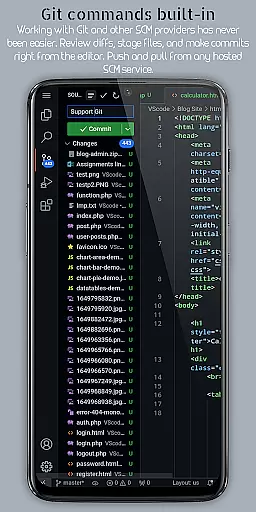
With built-in support for Git and other version control systems, users can efficiently manage their coding projects. This includes performing common version control operations directly from the editor, streamlining collaborative work.
The integrated task runner automates routine tasks, allowing coders to focus more on writing code rather than managing their development environment. These automation capabilities significantly enhance workflow efficiency.
Additionally, the workspace management feature enables seamless organization and switching between different projects. This ensures that productivity remains high, even when working on multiple tasks or projects simultaneously.
One of VScode for Android's standout features is its reliable cross-device synchronization. Developers can now access their coding environment from anywhere using just a web browser and their phone's IP address with port 8080.
This remote access capability ensures that users can continue their work seamlessly across different devices without losing progress or configuration settings. The synchronization maintains consistency in themes, extensions, and custom keyboard shortcuts.
The app also supports multi-cursor editing and split view editing, which remain consistent across devices. This means users can make multiple changes simultaneously and work on various files side-by-side regardless of the device they're using.
Furthermore, language-specific settings and customizable preferences are reliably synced, providing a uniform coding experience across all devices. This level of synchronization reliability empowers developers to work efficiently, whether they're on a mobile device or desktop.
Powerful code editor
Wide language support
Customizable interface
Built-in debugger
Remote access capability
Complex for beginners
Requires internet
Limited mobile optimization
Occasional bugs
Not officially by Microsoft

A Revolutionary All-in-One Artificial Intelligence Tools
 3.80
3.80
Direct Chat without saving contacts & Dual WA Account on Single Device
4.70
Planet Free VPN - The best Fast Unlimited and Secure VPN Without Logs
4.50
Make apps & sites with natural language prompts
4.10
Secure, open-source, SPICE and SSH Remote Desktop for QEMU KVM virtual machines
4.00
Calendar 2023 widget for Android. Appointment scheduler, planner, and reminder
4.60
To do list widget with a notebook organizer, checklist, simple shopping list
4.60
Share files & memories safely. Keep your photos and videos secure.
4.40
Put a lock on your cloud: Take the security of your data into your own hands
3.70
Multilingual translator for text, voice, and image translation!
4.90
We're working to become the best machining app on the market! www.cncdirt.com
4.80
Secure, fast, open-source, Remote Desktop Client for Windows and Linux with SSH
4.60
Docker, Kubernetes management over Portainer Mobile
4.40
Font maker keyboard with your own handwriting
4.10
Customizable calendar widget for seamless event sync, planning & scheduling.
4.00
Access your phone's notifications, calls, apps, photos & texts on your PC
3.90
Make your handwriting beautiful, even more than pen on paper.
3.60
Auto-shutoff Alarm with Sunrise, Sunset & Fixed Options.
3.50
A simple, portable logger for POTA, SOTA, Field Day, and more
4.3


User Reviews