
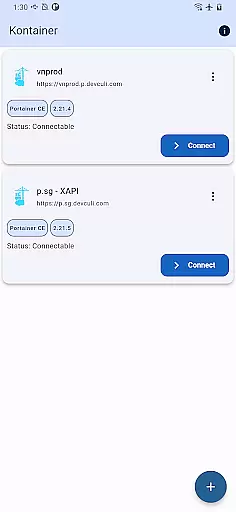
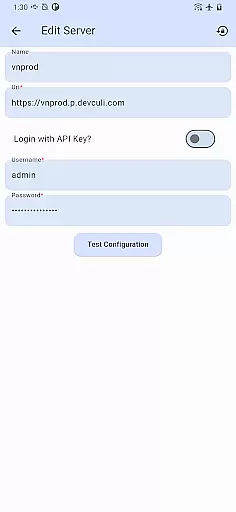
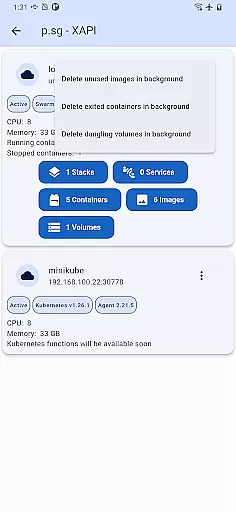
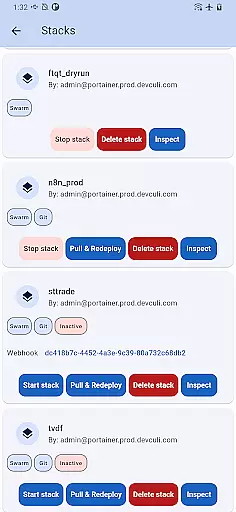
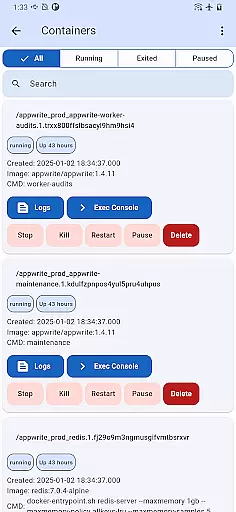
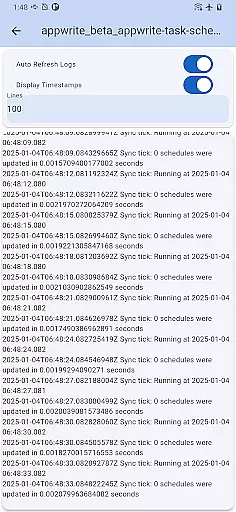
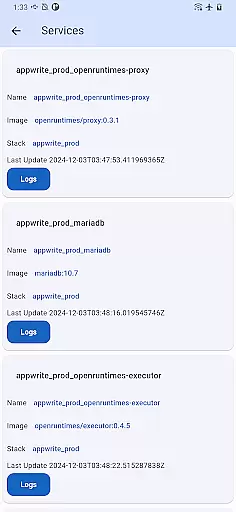
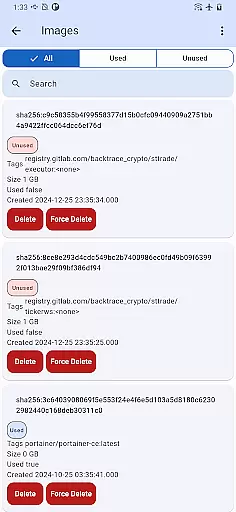
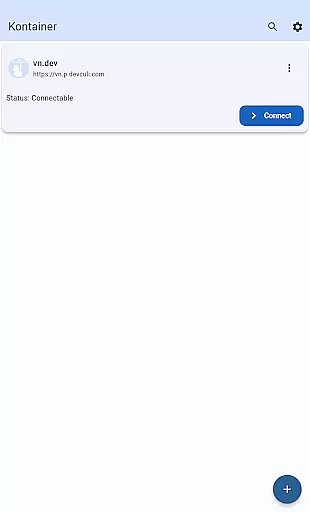
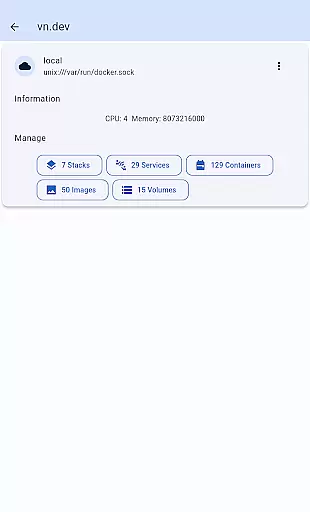
Portainer Mobile is a powerful productivity app designed to simplify container management for Docker and Kubernetes environments. With this application, users can manage their Portainer deployments from any location, providing flexibility for both hybrid and multi-cloud setups.
The app's core functionality lies in its ability to offer multi-cluster and multi-device management through a unified interface. This allows users to monitor, configure, and optimize container operations across various endpoints—all from the convenience of their mobile device. Whether you're overseeing developer laptops, data centers, or cloud-based environments, Portainer Mobile ensures seamless control over your containerized infrastructure.
For IT professionals and DevOps teams, this app streamlines deployment processes, enhances operational efficiency, and maintains secure management practices while on the go. Its intuitive design makes it an essential tool for modern container management needs.
Portainer Mobile stands out with its robust feature set tailored for efficient container management. One of its key capabilities is the unified interface that consolidates Docker and Kubernetes endpoints into a single view. This innovative approach eliminates the need to switch between multiple tools, saving time and reducing complexity.
Another notable feature is the app's support for multi-cluster and multi-device management. Users can easily oversee hybrid and multi-cloud environments, ensuring consistent performance and configuration across all deployments. The app also emphasizes security, allowing professionals to maintain best practices while managing their container operations remotely.
Additionally, Portainer Mobile is designed to boost productivity by streamlining deployment workflows. Its mobile-first design ensures that users can perform critical tasks—such as monitoring resource usage, adjusting configurations, and optimizing deployments—from anywhere at any time, making it indispensable for agile development teams.
Effective task management is crucial for maintaining productivity, especially when overseeing complex containerized environments. Kontainer provides a streamlined solution for managing Docker and Kubernetes deployments across multiple clusters and devices.
The app's unified interface allows users to monitor, configure, and optimize their container operations from a single view. This comprehensive visibility ensures that administrators can efficiently handle tasks such as deployment updates, resource allocation, and performance monitoring without switching between different tools or platforms.
With Kontainer, users gain the ability to manage hybrid and multi-cloud environments effortlessly. The app supports seamless integration with various endpoints, empowering teams to maintain control over their infrastructure while boosting overall efficiency.
This level of task management not only simplifies daily operations but also enhances security and flexibility, allowing businesses to adapt quickly to changing demands in their containerized ecosystems.
In today's fast-paced IT environment, reliable cross-device synchronization is essential for ensuring consistent management of containerized applications. Kontainer excels in this area by providing real-time updates and synchronization across all connected devices.
Whether you're using a smartphone, tablet, or any other mobile device, Kontainer ensures that your data is always up-to-date and accessible. This reliability is particularly important when managing Docker and Kubernetes environments, where timely interventions can prevent potential issues.
The app's robust synchronization capabilities allow administrators to make changes on-the-go, knowing that these updates will be immediately reflected across all platforms. This feature eliminates the risk of working with outdated information and helps maintain operational consistency.
By offering dependable cross-device synchronization, Kontainer empowers IT professionals to manage their containerized deployments with confidence, regardless of their location or the device they are using.
User-friendly interface
Multi-cluster support
Unified endpoint view
Enhanced security features
Mobile accessibility
Limited advanced K8S functions
Requires stable internet
Premium feature costs
Occasional sync delays
Steep learning curve

AI Video AI Image Private LLM AI Browser Llama Gemma Ollama Connect LLM Studio
 4.2
4.2
Professional calendar app for Google Calendar, MS Outlook & Exchange
4.20
Mind Map and brainstorm, note taking and idea collection
4.80
Make your handwriting beautiful, even more than pen on paper.
3.60
All document reader, all in one file viewer read PDF, DOCX, XLS, PPT, TXT files.
4.60
Access, manage and transfer files on Android, PC, Mac, NAS and cloud storages.
4.30
A beautiful digital clock with autostart and many other functions
4.70
Okta MFA
4.70
Browse and view your photos and videos from the phone with photo & video hide.
4.10
Native client for Forgejo and Gitea
5.00
Great calculator for Android named one of USA TODAY's "25 Essential Apps".
4.90
Use powerful, industry-leading AI tools to generate visual charts from any data
4.80
Direct Chat without saving contacts & Dual WA Account on Single Device
4.70
The AI assistant that thinks with you - write, code, and solve complex tasks
4.60
PDF scanner & converter for files, photos, lottery, QR codes. One swipe away!
4.50
Secure your apps with lock screens, use custom themes and different features.
4.40
All in One PDF Reader: Manage, Read and Edit your Documents
4.20
Device's storage information in a simple and clear graphical form (infographics)
4.10
A comprehensive suite of tools designed specifically for Lactation Consultants
4.3


User Reviews