
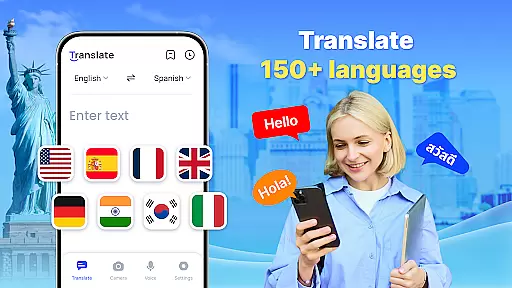



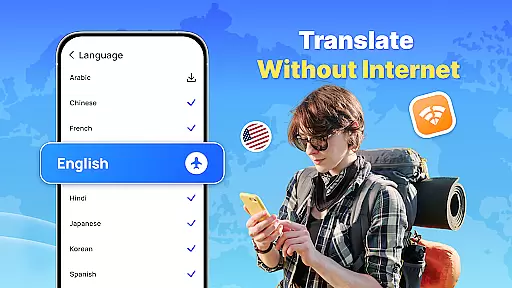
Translate - Translator is a versatile productivity app designed to break language barriers through its comprehensive translation capabilities. This free translator app supports text, voice, and photo translation across 150+ languages, making it an essential tool for travelers, students, and professionals. The app's standout feature is its offline functionality, allowing users to translate languages without an internet connection, which is particularly useful in areas with weak signals or during international travel.
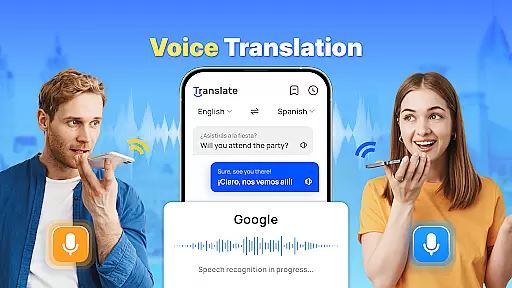
In addition to basic text translation, the app offers advanced features like real-time voice translation using intelligent voice recognition technology, AI-powered photo translation for capturing foreign language materials, and a floating ball for quick full-screen translations. Users can also create translation collections to save important translations for future reference. Whether you're communicating with foreign friends, learning new languages, or conducting business negotiations, this app provides accurate and fast translations to ensure smooth cross-cultural interactions.
Translate - Translator stands out in the productivity category due to its diverse and innovative features. One of the key highlights is the instant text translation functionality that supports over 150 languages, catering to various needs such as travel, business, and education. The app intelligently auto-detects input languages and allows reverse translations, ensuring flexibility and convenience for users who work with multiple languages.
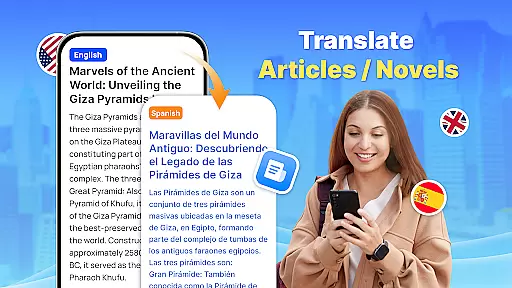
The app's real-time voice translation feature uses advanced voice recognition technology to facilitate smooth communication with foreigners. Additionally, the AI-powered photo translation tool enables users to capture and translate images containing foreign text, such as menus or product descriptions. Extracted text can be copied and shared instantly. Another notable feature is the offline translation mode, which ensures uninterrupted service even without an internet connection. These robust features collectively make Translate - Translator an indispensable tool for anyone needing reliable language support on the go.
Core task management in a productivity app refers to the ability to efficiently organize, prioritize, and track tasks. For Translate - Translator, this functionality is manifested through its diverse translation features that help users manage their language translation needs effectively.
The app offers text, voice, and photo translation capabilities, supporting over 150 languages, which allows users to tackle various translation tasks with ease. Whether it's typing out text, speaking into the app for real-time voice translation, or using the camera to translate images containing text, these features ensure that language barriers do not impede the user's communication or learning processes.
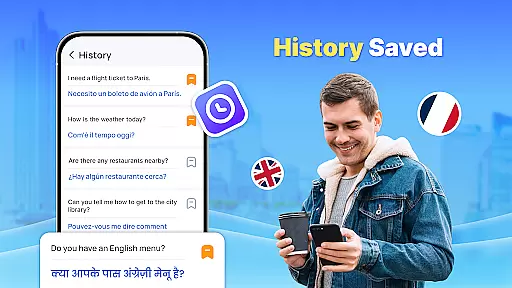
Users benefit from the app's capacity to save and share translations, create collections of frequently used phrases, and access translations offline. This comprehensive approach to task management ensures that whether traveling, conducting business, or learning new languages, users have the tools they need at their fingertips.
Translate - Translator stands out by providing an all-in-one solution for language translation tasks, making cross-cultural interactions seamless and enhancing productivity in multilingual environments.
Cross-device synchronization reliability ensures that users can access their data and continue their tasks seamlessly across different devices. In the case of Translate - Translator, while it may primarily be used on mobile devices, the importance of reliable synchronization cannot be overstated for users who rely on consistent access to translations.
Although explicit details about cloud-based synchronization are not provided, the app does allow users to save important translations for quick access, suggesting a level of local storage reliability. Saved translations, commonly used phrases, and personalized settings enhance the continuity of the user experience when switching between devices or reinstalling the app.
For users, this means having critical translations available at a moment's notice, without the need for an internet connection. The convenience of accessing previously translated content, such as travel conversations or business expressions, provides peace of mind and supports productivity regardless of device availability.
While Translate - Translator focuses on providing robust translation features, ensuring reliable synchronization remains a key aspect of delivering a dependable and user-friendly productivity tool.
User-friendly interface
Fast and accurate
Offline functionality
Voice recognition
Photo translation
Limited advanced options
Occasional inaccuracies
Ads in free version
Requires permissions
Large file size

Experience Reading - Night Mode for Documents
 4.40
4.40
Direct Chat without saving contacts & Dual WA Account on Single Device
4.70
⏰ Finally a timer app which can run multiple timers simultaneously on your watch
3.90
aCalendar+ makes your day, week and month
4.70
CalenGoo is a very flexible and feature-rich calendar app
4.40
Access, manage and transfer files on Android, PC, Mac, NAS and cloud storages.
4.30
Access your phone's notifications, calls, apps, photos & texts on your PC
3.90
Set up, print, and get support—in one place
4.20
2026 USPS Alpha/Color coded calendar Sunday/Rotating day off schedules
4.2
Use powerful, industry-leading AI tools to generate visual charts from any data
4.80
Understand anything with a personalized AI research assistant
4.80
Secure, fast, open-source, VNC and SSH Remote Desktop for Windows, Linux and Mac
4.70
App lock - lock apps with fingerprint, password, pin or pattern, protect privacy
4.70
Stay on top of your to-dos with Google Tasks, part of Google Workspace.
4.60
Automates browsing any website and notifies you of important changes or events
4.30
Enjoy classic gameplay with customizable features and retro-style graphics.
4.30
Font maker keyboard with your own handwriting
4.10
Activate Two Factor Authentication (2FA or Multi OTP), Password manager and more
4.10
ID.me Authenticator is a simple and free Two Factor Authentication solution
3.50


User Reviews