
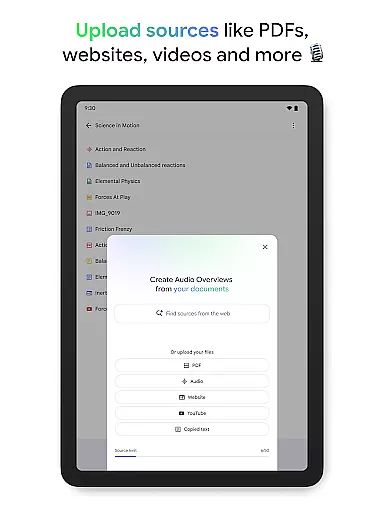
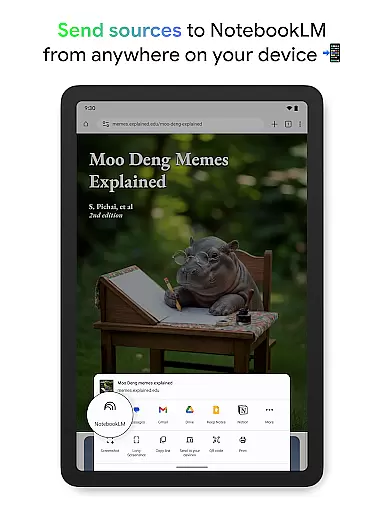
NotebookLM is a productivity-focused AI assistant designed to simplify complex information processing. This app allows users to upload various sources such as PDFs, websites, and videos, transforming them into easily digestible formats. By creating expert summaries and connections between uploaded materials, it serves as a reliable knowledge companion for students, professionals, and researchers.
The app's key strength lies in its ability to generate trustworthy insights while maintaining source citations. Users can access their notebooks anytime, ask questions through natural language queries, and even enjoy Audio Overviews in podcast format. The offline support and background playback features make it particularly useful for learning on the go.
Whether you're conducting research, preparing presentations, or exploring new topics, NotebookLM streamlines your workflow by converting dense information into manageable formats tailored to your preferred learning style.
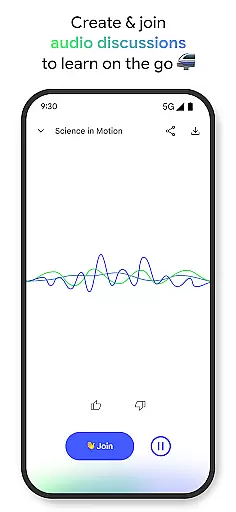
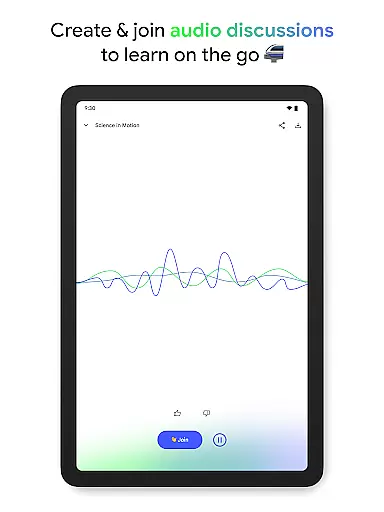
NotebookLM distinguishes itself through several innovative features that enhance productivity. The app's source analysis capability creates detailed summaries and draws meaningful connections between different documents, making research more efficient. Its unique Audio Overview function transforms written content into engaging podcast-style discussions with AI hosts, allowing users to learn while commuting or exercising.
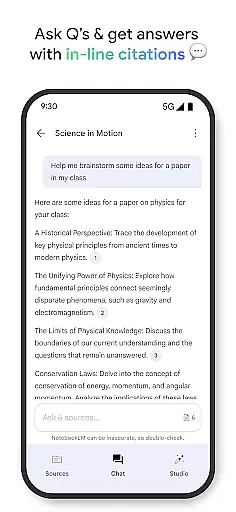
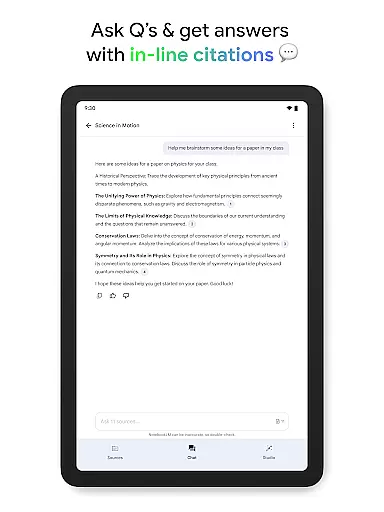
The application maintains academic integrity by providing in-line citations for all generated insights, ensuring users can verify information directly from original sources. The intuitive interface enables seamless switching between different content formats, while the robust offline functionality ensures uninterrupted access to critical information regardless of internet connectivity.
Additional features include natural language question-answering, customizable learning formats, and interactive audio sessions where users can participate in discussions. These capabilities collectively create a versatile productivity tool that adapts to various professional and educational needs.
Effective task management is essential for productivity applications, serving as the backbone for organizing and executing tasks efficiently. NotebookLM excels in this area by transforming complex information into manageable insights.
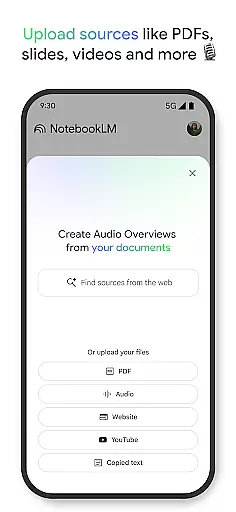
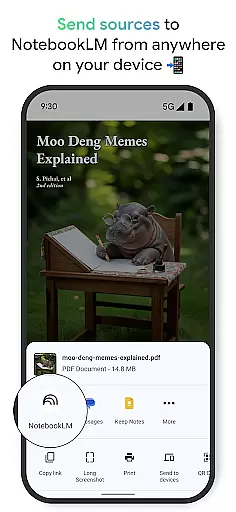
The app allows users to upload various sources such as PDFs, websites, and videos, turning them into structured notebooks. This feature supports the user's ability to dissect and reformat extensive materials into digestible content tailored to their learning preferences.
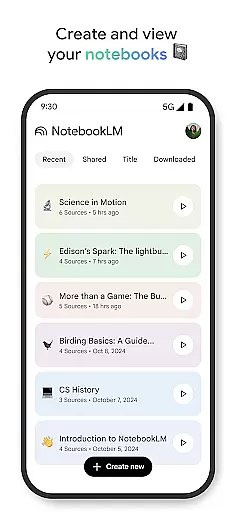
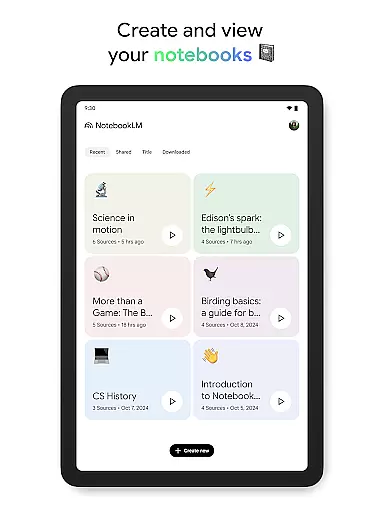
Users benefit from a streamlined workflow where they can create, access, and manage notebooks with ease. The convenience of asking questions and receiving cited responses ensures that information is not only accessible but also reliable and trustworthy.
Ultimately, NotebookLM's task management capabilities empower users to save time, enhance learning, and accomplish more by simplifying complexity and providing tools that adapt to individual needs.
In today's interconnected world, reliable cross-device synchronization is crucial for maintaining productivity and ensuring seamless access to information across different platforms. NotebookLM addresses this need by offering robust synchronization features.
With the ability to create and access notebooks from any device, users can effortlessly transition between their desktop and mobile environments. This flexibility is enhanced by background playback and offline support, allowing uninterrupted engagement with Audio Overviews even without an active internet connection.
The app ensures that all uploaded sources and generated insights are consistently updated and readily available, regardless of the device being used. This reliability fosters a dependable ecosystem where users can focus on their tasks without worrying about data discrepancies or accessibility issues.
By prioritizing synchronization integrity, NotebookLM provides a cohesive user experience that supports productivity and learning, enabling users to stay informed and efficient wherever they go.
Trusted source citations
Offline playback support
Interactive audio learning
Multi-format content handling
Expert-level summarization
Limited free tier
Occasional processing delays
Requires Google account
Learning curve for new users
Internet needed for uploads

Client for Nextcloud Deck
 4.60
4.60
Wake up & get tasks done! Add alarms & reminders on the Clock Launcher.
4.00
Mind Map and brainstorm, note taking and idea collection
4.80
Secure, fast, open-source, Remote Desktop Client for Windows and Linux with SSH
4.60
⏰ Finally a timer app which can run multiple timers simultaneously on your watch
3.90
Easiest event planning, volunteer signups & parent teacher conference scheduling
2.20
The ultimate file manager for rooted devices. The original and still the best.
4.00
Access your phone's notifications, calls, apps, photos & texts on your PC
3.90
Intelligent AI Assistant
4.10
Multilingual translator for text, voice, and image translation!
4.90
Simple notepad & memo. Take notes, to-do list, shopping list with reminders.
4.80
Direct Chat without saving contacts & Dual WA Account on Single Device
4.70
Planet Free VPN - The best Fast Unlimited and Secure VPN Without Logs
4.50
CalenGoo is a very flexible and feature-rich calendar app
4.40
Professional calendar app for Google Calendar, MS Outlook & Exchange
4.20
Font maker keyboard with your own handwriting
4.10
* block pre-roll ads, pop-up and forced redirect ads * Samsung certification app
4.00
Take control of your clipboard with Clipper!
3.90
Smart PDF reader & editor to view, organize and manage PDF documents easily.
3.70


User Reviews