


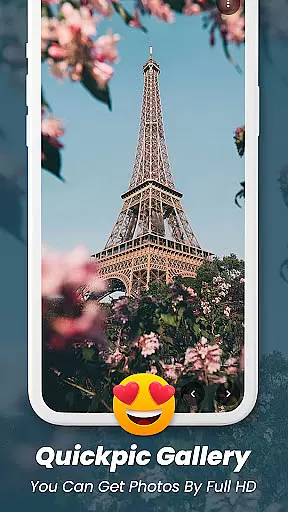
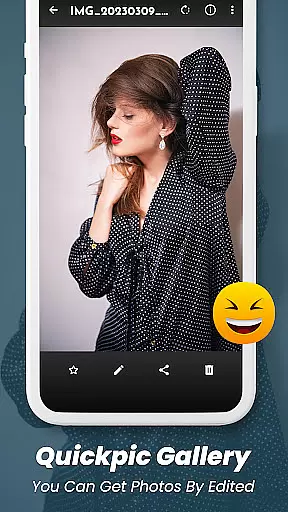
Quickpic Gallery Pro is a powerful productivity app designed to streamline photo and video management on Android devices. As a feature-rich gallery application, it offers advanced tools for organizing, editing, and protecting digital media files. Users can easily manage their multimedia content through an intuitive interface that supports various file formats including images, videos, and GIFs.
The app's standout features include a customizable UI, allowing users to tailor the appearance and functionality to their preferences. Its advanced photo editor enables quick modifications such as cropping, rotating, and applying filters. Privacy-conscious users will appreciate the robust security measures, including PIN, pattern, and fingerprint protection for sensitive files.
Whether you're a professional photographer or simply looking to better organize your personal media collection, Quickpic Gallery Pro provides the necessary tools to efficiently manage your digital assets while ensuring their safety and accessibility.
Quickpic Gallery Pro stands out as a comprehensive solution for managing digital media files. The app supports an extensive range of file formats including JPEG, PNG, MP4, MKV, RAW, SVG, GIF, and more, providing users with unparalleled flexibility in handling different types of media.
One of the key highlights is its advanced photo editor that allows users to crop, flip, rotate, and resize images with simple gestures. The inclusion of filters adds a creative touch to photo editing, making it easy to enhance visual content instantly. Additionally, the app's privacy features are robust, offering PIN, pattern, and fingerprint security options to protect sensitive media files.
The app also includes practical features like a recycle bin for recovering deleted files, a dedicated video player, and a sleek dark mode interface. These functionalities, combined with its user-friendly design, make Quickpic Gallery Pro an ideal choice for both casual users and professionals seeking efficient media management solutions.
At the heart of Quickpic Gallery Pro lies its robust core task management system, designed to streamline how users interact with their multimedia files. This gallery app allows for effortless organization, enabling users to copy, move, rename, and hide images and videos with ease.
The app's intuitive interface empowers users to create new files and folders, delete unnecessary ones, and modify existing files through editing, renaming, or complete removal. These capabilities ensure that managing your digital assets is not only efficient but also tailored to fit individual preferences and needs.
Quickpic Gallery Pro stands out by offering advanced features such as photo editing, which includes adding text, stickers, filters, cropping, and more. This functionality transforms the app into a comprehensive tool for enhancing and personalizing your media, making it much more than just a gallery app.
While Quickpic Gallery Pro focuses on providing an exceptional single-device experience, its potential for cross-device synchronization reliability should not be overlooked. The app ensures that your cherished memories are securely stored and easily accessible, regardless of which device you use.
With dedicated security features like app lock with pin, password, and fingerprint protection, Quickpic Gallery Pro safeguards your private photos, videos, and files. This level of security extends to the app itself, allowing users to place locks on specific functions, ensuring peace of mind when managing media across multiple devices.
Moreover, the inclusion of a recycle bin feature means that any accidentally deleted photos or videos can be quickly recovered. This functionality, combined with the app's ability to organize files into favorites, timelines, and panoramic views, makes Quickpic Gallery Pro a reliable companion for preserving and enjoying your digital memories across all your devices.
Supports multiple formats
Advanced editing tools
Robust privacy features
User-friendly interface
Regular updates
Limited iOS support
Occasional bugs
Ads in free version
Large app size
Complex UI for beginners

Native client for Forgejo and Gitea
 5.00
5.00
8 custom complications. Custom Time Fonts. Beautiful color schemes. A++ Design.
5.00
⏰ Finally a timer app which can run multiple timers simultaneously on your watch
3.90
Customizable calendar widget for seamless event sync, planning & scheduling.
4.00
aCalendar+ makes your day, week and month
4.70
Simple and reliable communication between inmates, friends and family
3.20
Code on-the-go with VScode for Android. Edit,debug and collaborate from mobile!!
3.10
Access, manage and transfer files on Android, PC, Mac, NAS and cloud storages.
4.30
Set up, print, and get support—in one place
4.20
Best Tool for the professionals Electrician, Electrical contractors, etc.
4.90
Simple notepad & memo. Take notes, to-do list, shopping list with reminders.
4.80
The Pro Version of Android's tiniest Notepad app. Just 0.3MB but feature-packed!
4.60
Send files, sync SMS, notifications & clipboard across devices via local network
4.40
Device's storage information in a simple and clear graphical form (infographics)
4.10
The ultimate file manager for rooted devices. The original and still the best.
4.00
All in one sketching tool. Technical and General drawing. Online Maps support.
3.70
Make your handwriting beautiful, even more than pen on paper.
3.60
Auto-shutoff Alarm with Sunrise, Sunset & Fixed Options.
3.50
ID.me Authenticator is a simple and free Two Factor Authentication solution
3.50


User Reviews