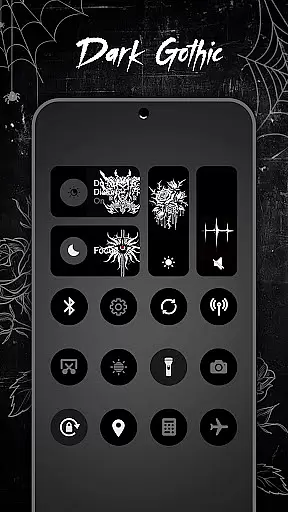
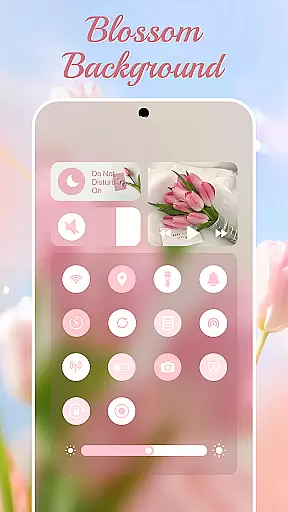
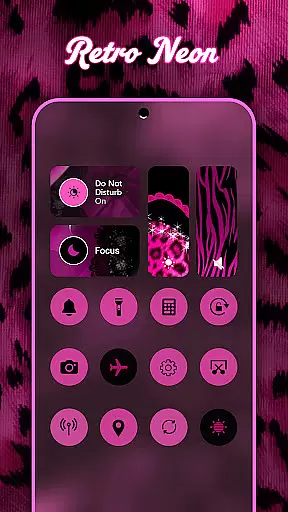
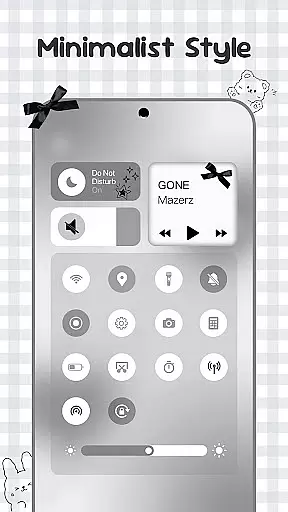
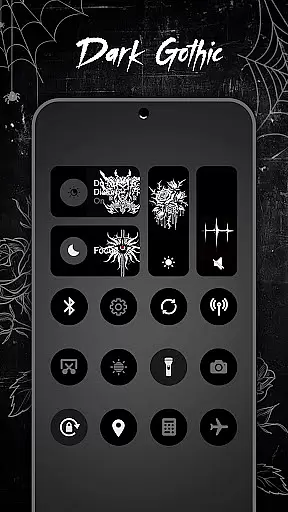
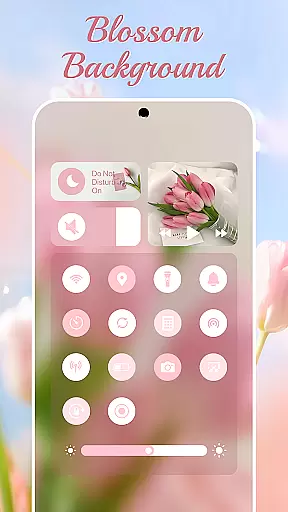
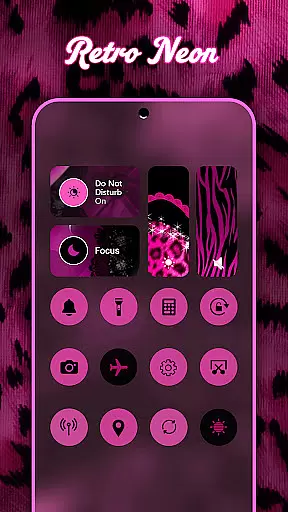
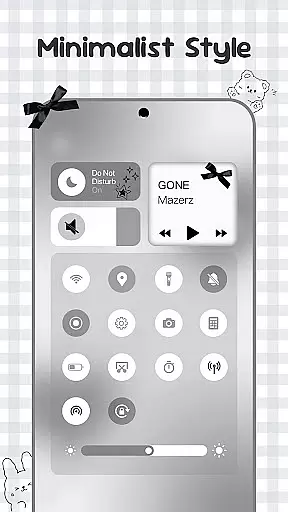
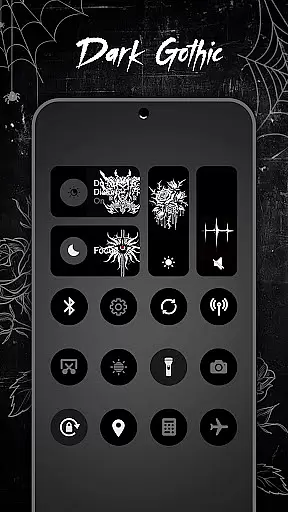
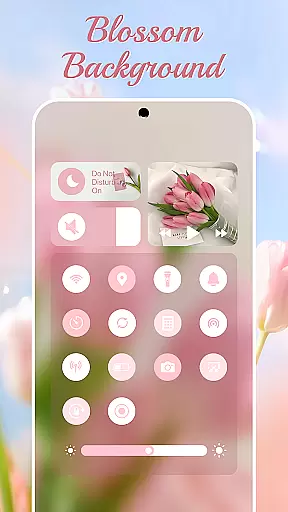
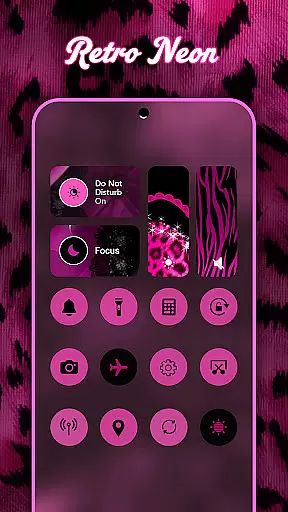
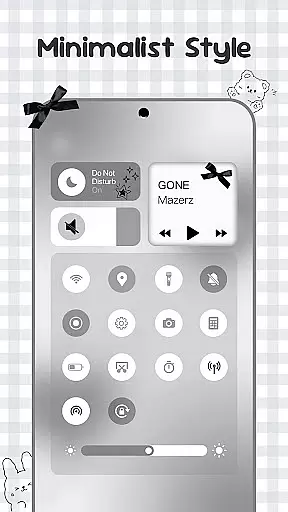
Control Widget is a highly customizable quick settings panel for Android devices, offering users both functional control and aesthetic personalization. This app allows you to manage essential device functions such as Wi-Fi, Bluetooth, brightness, and volume through beautifully designed interfaces.
What sets Control Widget apart is its extensive theme library featuring thousands of design options including anime, K-pop, neon gradients, and more. These themes enable users to match their device's appearance with their personal style or mood. Additionally, the app provides practical tools like screenshot capture, screen recording, and flashlight activation, all accessible with simple taps.
Whether you're looking to streamline your daily device interactions or seeking to personalize your Android's look, Control Widget serves as an all-in-one solution that combines usability with creative freedom.
Control Widget stands out with its rich feature set tailored for both functionality and customization. The app offers a comprehensive control panel that includes essential tools such as brightness adjustment, volume control, Wi-Fi and Bluetooth toggles, and Do Not Disturb mode activation.
Beyond basic controls, it introduces advanced features like one-tap flashlight activation, screen rotation lock, and seamless screen recording capabilities. Each tool is thoughtfully integrated into sleek interfaces that are not only efficient but also visually appealing.
The true innovation lies in its theming system. Users can choose from thousands of aesthetic themes ranging from minimalistic designs to vibrant collections inspired by pop culture. With live updates and instant transformations, the app ensures your device remains a reflection of your unique style while maintaining optimal usability.
Control Widget offers an extensive range of customization options that allow users to tailor their Android device's control panel to match their personal style and mood. With thousands of aesthetic themes available, including Anime, K-pop, neon gradients, minimalism, and more, users can curate a unique look that resonates with their preferences.
The app provides live style updates, enabling users to switch panels effortlessly whenever they wish to refresh their device's appearance or align it with their current home screen setup. This flexibility ensures that the control panel is not just a tool for device management but also an extension of the user's personality and creativity.
One of the standout features is the one-tap transformation capability, which allows the entire control panel to change instantly, offering a seamless experience where what you see is truly what you get. This instant theming empowers users to express themselves without any technical barriers, making customization both accessible and enjoyable.
Theme compatibility in Control Widget ensures that every chosen design integrates smoothly with the user's Android device, maintaining visual consistency across wallpapers, icon packs, and other widgets. The app is crafted to complement any aesthetic, whether it's sleek and modern or vibrant and playful, providing a harmonious visual experience.
Users can enjoy peace of mind knowing that each theme is designed to work seamlessly with their existing setup. This compatibility extends to functional elements as well, ensuring that all controls remain intuitive and accessible regardless of the selected theme. Such attention to detail enhances usability while preserving the deviceu2019s stylish appearance.
Furthermore, Control Widget supports custom theme requests, allowing users to actively participate in the design process. This level of personal involvement not only guarantees satisfaction but also fosters a deeper connection between the user and their device, making every interaction with the control panel a delightful and personalized experience.
Highly customizable
Extensive theme library
One-tap access tools
Sleek modern interface
Regular feature updates
Requires accessibility permissions
Some features need foreground service
Themes may vary in quality
Occasional performance lags
Limited iOS compatibility

Unique Android Launcher
 4.60
4.60
AI-powered Copilot. Personalized keyboard with gifs, stickers & themes
4.40
Transfer your live wallpapers from Windows to Android using Wallpaper Engine!
4.00
Turn text & photos into stunning AI videos, art, and creative visual stories.
4.50
⭐ OneUI inspired Fluffy Icon Pack – Soft. Stylish. Standout. ⭐
4.1
Adaptive Dot Style IconPack with Light & Dark Theme.
3.70
HappyLighting is a Bluetooth lamp control software.
3.40
Transform your device in a game console
4.40
set a new experience for the Android mobile phone
4.20
Enjoy a variety of amazing live wallpapers and colorful EDGE lighting borders!
4.80
Shimeji adds cute animated characters to your screen, lively and fun.
4.70
Nothing Icon pack with more than 3750+ highly crafted icons.
4.70
Want to make your phone more special than ever?
4.60
Ultimate Gallery Lock App - Hide Pictures, Videos and Lock Apps Instantly!
4.60
Beautiful realistic hybrid watch face with numerous customization options.
4.50
Transform your phone with Launcher iOS 26 - Smooth & elegant iOS experience
4.50
Launcher OS™ Pro without ads help make your phone simple and pretty
4.30
Magic fluids wallpaper 4D: Relax with stunning fluid simulation wallpaper app
4.20
Design your screen with unique, vibrant clocks
3.80


User Reviews