
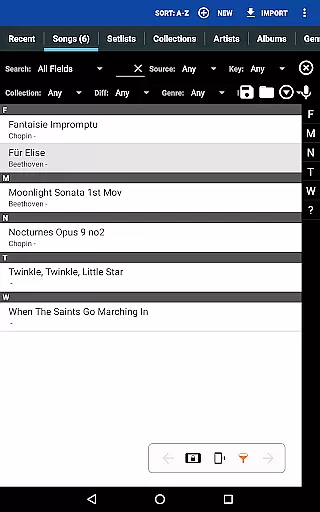
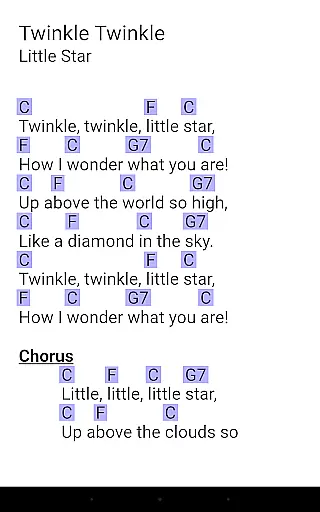
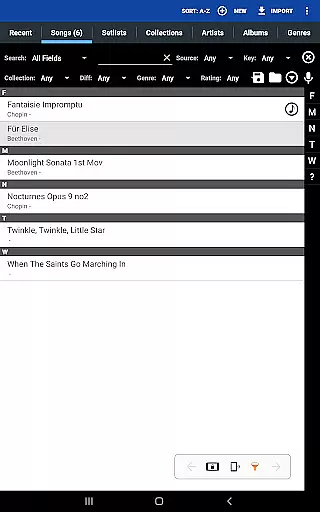
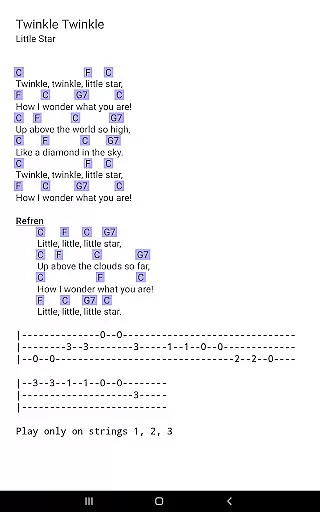
MobileSheets is a premier sheet music viewer designed specifically for Android tablets, offering musicians an efficient and versatile solution for managing their music library. The application eliminates the need for physical sheet music by providing instant access to any score within your digital collection. With support for multiple file types including PDFs, images, and chord pro files, MobileSheets ensures that all your music is organized and readily available at your fingertips.
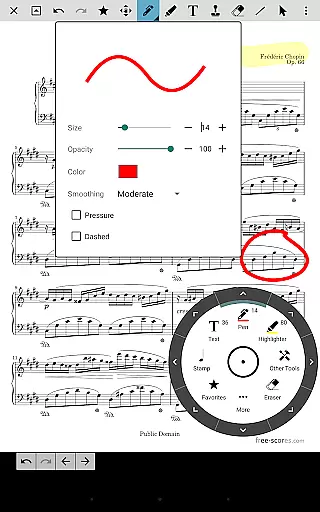
Beyond its core functionality as a sheet music viewer, MobileSheets boasts a range of powerful features tailored to enhance the musician's experience. These include hands-free page turning through Bluetooth or USB devices, automatic scrolling, and even face gestures. Additionally, users can annotate their scores with freeform drawing tools, create bookmarks for quick navigation, and utilize a metronome with customizable sound effects. The app also supports setlists, collections, and MIDI communication, making it an indispensable tool for practice and performance.
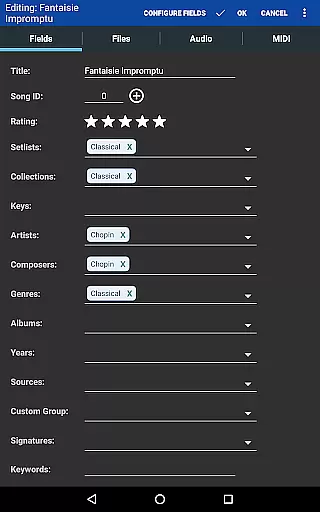
Designed for 7" and larger tablets, MobileSheets is optimized for musicians who require quick and intuitive access to their sheet music. Whether you're a professional performer or a dedicated hobbyist, this app streamlines your workflow by integrating advanced library management features and companion PC software for seamless song editing. By combining practicality with innovation, MobileSheets empowers musicians to focus on their art without being encumbered by traditional paper scores.
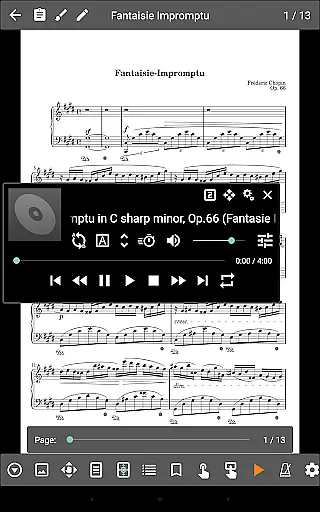
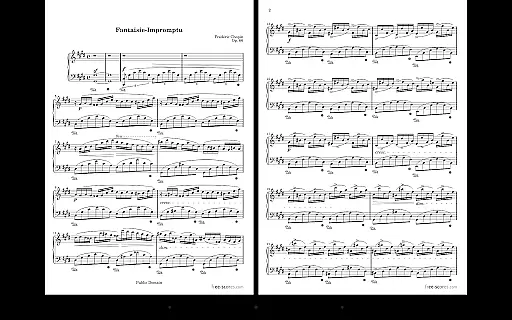
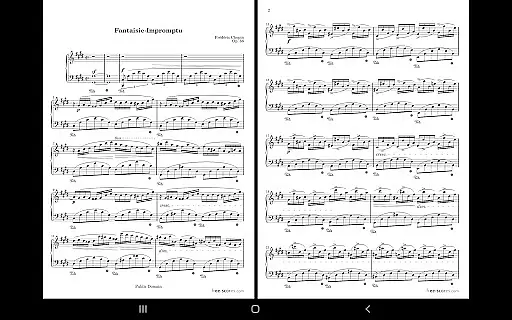
MobileSheets distinguishes itself through a comprehensive suite of features designed to meet the diverse needs of musicians. One standout capability is its support for multiple modes of operation, allowing users to view two pages side-by-side, scroll vertically, or use half-page turns depending on their preference. This flexibility ensures that musicians can customize their reading experience to suit different types of sheet music and performance settings.
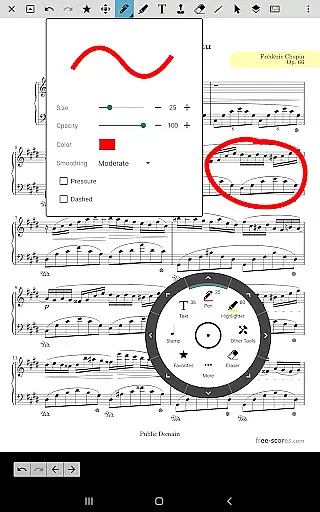
In addition to its viewing options, MobileSheets offers robust annotation tools that enable users to mark up their scores with precision. Freeform drawing, basic shapes, text overlays, and stamps provide a variety of ways to personalize music sheets. Furthermore, the app includes a custom audio player with A-B looping functionality, which is ideal for practicing specific sections of a piece repeatedly. Advanced features such as smart buttons allow users to configure actions like page turns or metronome adjustments directly from the score interface, enhancing convenience during performances.
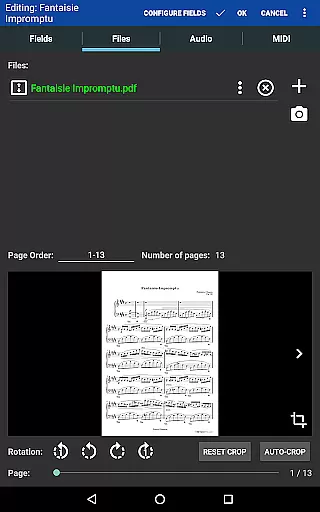
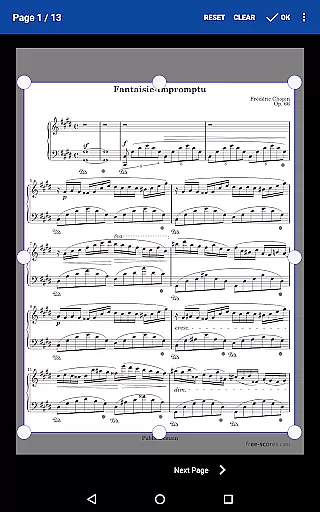
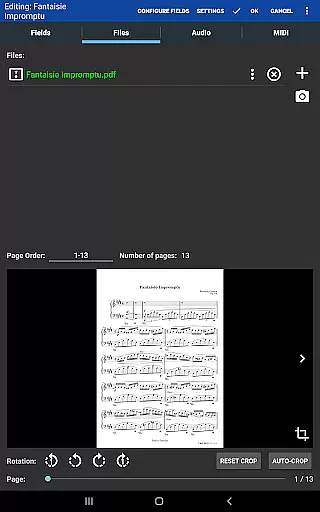
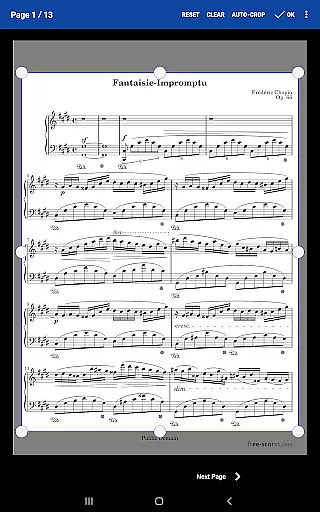
Another key advantage of MobileSheets is its ability to integrate seamlessly with external devices. Musicians can connect MIDI equipment over USB to trigger actions or load songs automatically. The app also supports importing CSV index files to break down large PDF songbooks into individual tracks, while manual cropping tools help eliminate unnecessary margins from scanned documents. With these capabilities, MobileSheets not only simplifies music management but also elevates the overall user experience by catering to both amateur enthusiasts and seasoned professionals alike.
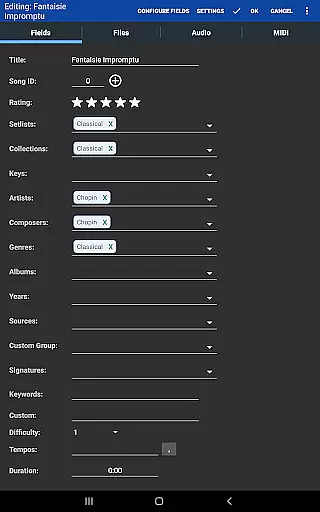
MobileSheets offers an extensive music library management system that supports a wide range of file types including PDFs, images, text files, and chord pro files. This versatility allows musicians to digitize their entire music collection, providing quick access to any score they need without the physical clutter.
The application ensures copyright authenticity by allowing users to import only their legally acquired sheet music. By supporting personal files and not including any pre-loaded scores, MobileSheets respects intellectual property rights while offering tools for organizing and enhancing your personal music library.
With features like custom page ordering and manual cropping, musicians can tailor their music sheets to suit performance needs without infringing on original content. These capabilities ensure that all materials within the app are there with proper authorization, maintaining copyright integrity.
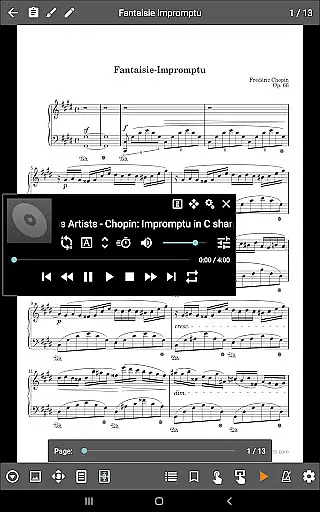
While MobileSheets does not play back PDFs, images, or text/chord pro files, it includes a custom audio player designed for playing audio tracks alongside your scores. The player supports a-b looping, which is crucial for practice sessions where repetition of specific sections is needed to perfect performance.
Audio quality options in MobileSheets cater to discerning musicians who require high-fidelity sound during practice or performance. Multiple sizes of the audio player interface accommodate different usage scenarios, ensuring that audio controls are accessible without overshadowing the sheet music display.
This combination of robust library management and dedicated audio playback features makes MobileSheets a comprehensive tool for musicians seeking to streamline their workflow while maintaining excellent audio standards during rehearsals and performances.
User-friendly interface
Extensive file compatibility
Hands-free operation
Powerful annotation tools
Customizable workflows
No built-in playback for PDFs
Limited to Android tablets
Companion app not included
Requires manual setup
Premium price point

Simply convert wav to mp3. Clear. Reliable. Safe.
 4.2
4.2
DJ Music Mixer Pro is a real DJ controllers and DJ Music Studio to remix DJ.
4.40
Walkout Song DJ is the most intuitive app to manage your sports music.
4.70
Music Streaming suite for Ampache, Nextcloud Music and compatible backends.
4.5
Music, News & Sports Radio Tuner App. Tune in Live FM & AM Radio Stations.
4.80
Help you quickly get started with Shokz headphones
4.40
PowerAudio is a powerful offline music player.
4.20
Sheet music reader, piano & music note player. Play music score & learn to read.
3.90
Get alarms that fit your lifestyle and wake up to the sounds you love.
4.80
Gorgeous UI, Powerful music Search and Equalizer, the great choice for you!
4.70
Simple & Intuitive Metronome
4.70
Offline Music Player&MP3 Player with themes, equalizer, lyrics, music play mode
4.60
Guzheng Master supports many playing techniques as an acoustic Guzheng
4.50
Let your Android device with the sound effects you want
4.50
Full featured mp3 and audio player with Chromecast and Android Auto support.
4.40
Offline and always ad-free - stream in the highest quality available.
4.10
VB-AUDIO Software / VBAN-Receptor allows listening to any VBAN Streams
4.10
Turn your phone into a musical instrument from the future!
3.90
Powerful beat maker & DJ mixer to remix tracks, make music, & perform DJ mix
3.70


User Reviews