
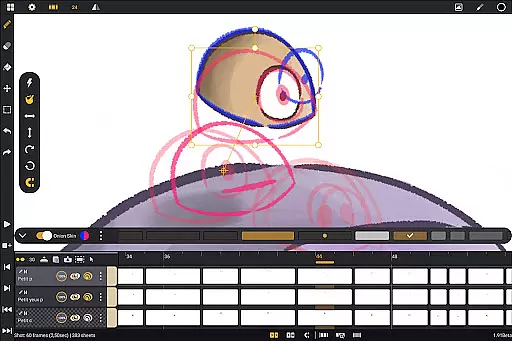
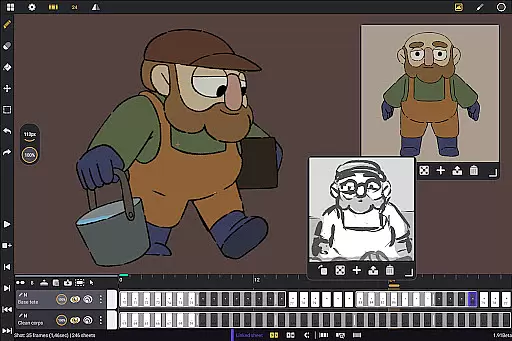
Callipeg is a professional-grade 2D hand-drawn animation application tailored for both seasoned animators and beginners. It transforms Android tablets into portable animation studios by offering essential tools like adjustable frame rates, unlimited layer support, and comprehensive drawing instruments. The app supports canvas sizes up to 4K and provides features such as onion skinning, customizable workspaces, and flexible import-export options.
Designed with usability in mind, Callipeg allows users to organize their projects studio-style, using drag-and-drop functionality, color tags, and filters. Animators can create frame-by-frame or keyframe animations, develop storyboards, and produce complete shots. With tutorials on YouTube and an active Discord community, the app ensures users have ample resources to master its capabilities.
Whether working on feature-quality animations or simple sketches, Callipeg delivers a seamless experience optimized for stylus input, making it an ideal choice for creatives seeking professional results on mobile devices.
Callipeg stands out with its robust set of features designed to meet industry standards. One of its core strengths is the studio-like organization system, enabling users to arrange shots into scenes and folders while applying color tags and filters for efficient asset management. The integrated search function allows quick access to specific shots, streamlining project navigation.
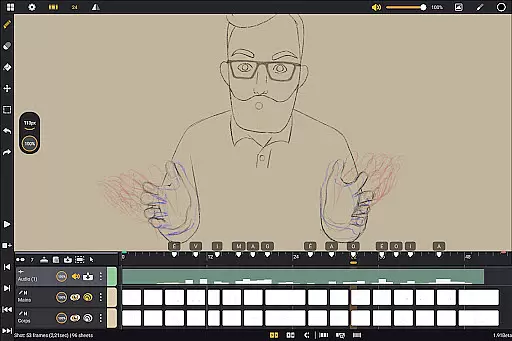
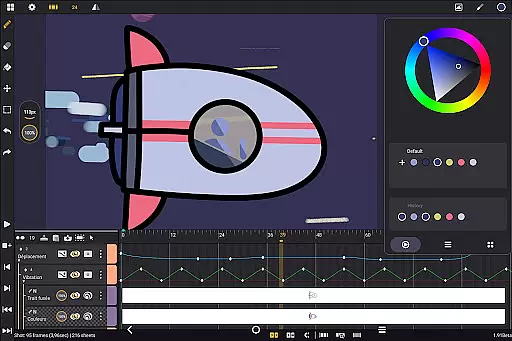
The app offers advanced animation tools including adjustable frame rates ranging from 12 to 60 frames per second and a large canvas size supporting up to 4K resolution. Its unlimited layer support accommodates various types such as drawing, video, transformation, audio, and group layers. This versatility empowers animators to import images, video clips, and audio files for techniques like rotoscopy and lip-syncing.
Callipeg also excels in customization, providing a flexible workspace where users can switch between right- and left-handed interfaces, reposition sidebars, and invert the canvas for proportion checks. Export options are equally impressive, allowing animations to be saved in multiple formats like .mp4, .gif, .png, and more, ensuring compatibility across platforms.
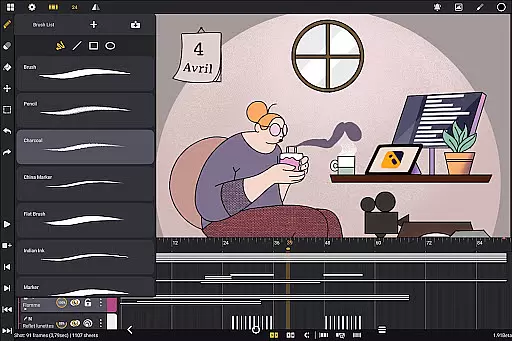
In the realm of digital art and animation, having a comprehensive suite of creative tools is essential for bringing ideas to life. Callipeg stands out by offering a complete set of features that rival professional animation studios. The app provides users with an extensive array of drawing tools including pencils, charcoal, and ink brushes, each customizable in terms of smoothing, tip shape, and texture.
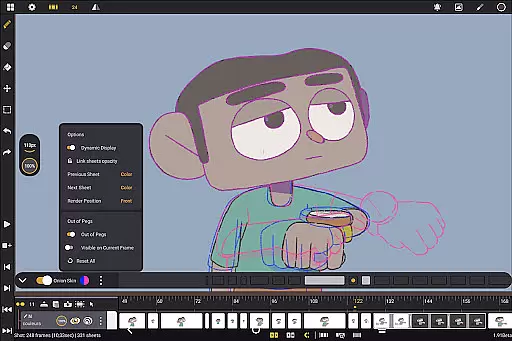
Furthermore, animators can enjoy the flexibility of unlimited layer support, allowing them to add as many layers of different types such as drawing, video, transformation, audio, or group layers. This enables complex animations and compositions without limitations. With onion skinning capabilities displaying up to eight frames around the current one, artists can fine-tune their animations with precision.
The app also supports high frame rates and large canvas sizes up to 4K resolution, ensuring that every detail meets professional standards. By integrating these powerful features into a single platform, Callipeg empowers creators to produce high-quality animations directly on their Android devices.
Flexibility in canvas size and format options is crucial for accommodating various project requirements and artistic visions. Callipeg addresses this need by providing adjustable frame rates and supporting canvas sizes up to 4K resolution. Users can select from multiple frame rates including 12, 24, 25, 30, or 60 frames per second, catering to both traditional animation styles and modern digital techniques.
Moreover, the app's customizable workspace allows artists to tailor their interface according to personal preferences. Whether you're left-handed or right-handed, you can adjust sidebars and invert the canvas to check proportions easily. Importing unlimited reference images further enhances the creative process by enabling artists to draw inspiration from various sources.
Exporting projects is equally versatile, with options to save animations in formats like .mp4, .gif, .png, .tga, .psd, and .peg. Additionally, importing and exporting project files in industry-standard formats such as .json, .xdts, and .oca ensures seamless integration with other software tools. This level of canvas and format flexibility makes Callipeg an indispensable tool for any animator seeking adaptability and control over their work.
User-friendly interface
Unlimited layer support
Professional-grade tools
Active community support
No subscription model
Limited to Android
Stylus-dependent features
Advanced tools may overwhelm beginners
Large file sizes for high-res projects
Occasional performance lags

Image/ Text to Video Generator
 4.40
4.40
AI Assistant, powered by ChatGPT GPT-4 & GPT-4o. Your intelligent companion.
3.50
AI Face Swap, Video Effects Editor, Realtime Morph, Funny Video FX,AI Filters
3.70
Create stunning art with AI.
4.80
Turn your drawings into flipbook-style animations with simple creative tools
4.60
Powerful home decoration & house design that allows you to design dream home.
3.80
Your homescreen as an elegant glass with customized blur, lighting, and visuals.
3.70
Beauty Camera - Selfie Camera is the ultimate beauty camera and selfie app
4.30
AI-powered photo & video creation—fast, fun, and effortless with Quick Actions
4.60
Mobile pixel art editor. Simple. Fast. Portable.
4.80
Draw on screen: FP sDraw is a simple and lightweight drawing app
4.70
Remove Background, Magic Eraser, Photo Enhancer, Story Templates, Collage Maker
4.30
Create Logos, Tattoos, AI Art & more with our AI Photo Generator & Design Editor
4.20
AI Art Generator transforms your words into AI generated art & paintings.
3.70
Create cute cat emojis & PFPs! Fun, custom avatars for cat lovers.
3.70
Apply cartoon, caricature, and portrait effects to make your photos stand out!
3.60
Inky runs Inkscape on Android devices and Chromebooks
2.90
Retouch photos. Create or edit images. Endless capabilities.
2.70
Download now for a stylish and functional timepiece
4.3


User Reviews