

Samsung Smart Switch Mobile is a powerful migration tool designed to simplify the process of switching to a new Galaxy device. The app enables seamless transfer of contacts, music, photos, calendar entries, text messages, device settings, and more from your old Android or iOS device to your new Samsung Galaxy. It also helps users find alternative apps on Google Play for those not available on their new device.
One of the standout features of Smart Switch is its broad compatibility. It supports transfers from various Android devices running Android 5.0 or higher, as well as iOS devices using either a wired connection or iCloud backup. Additionally, it offers PC/Mac transfer options through iTunes or the Smart Switch desktop application. This versatility makes it an essential tool for anyone upgrading to a Galaxy smartphone or tablet.
The app's value extends beyond simple data migration. By supporting the transfer of app data and home screen layouts between Galaxy devices, it ensures a smooth transition that maintains your personalized device setup. Whether you're moving from another Android device or an iPhone, Smart Switch provides a comprehensive solution for transferring your digital life to a new Galaxy device.
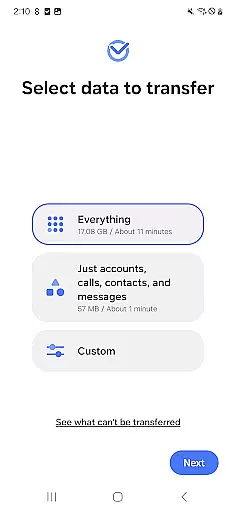
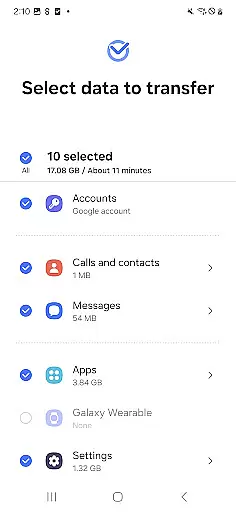
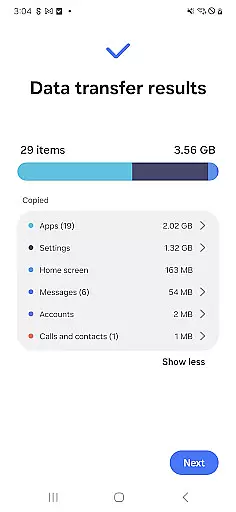
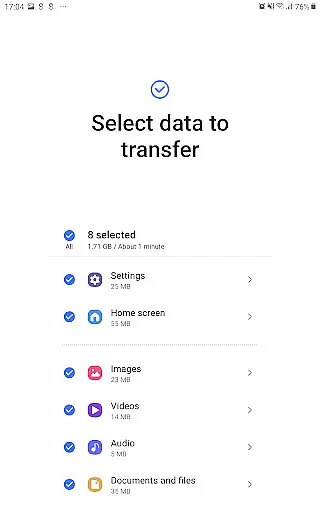
Smart Switch Mobile stands out with its robust feature set tailored for seamless device migration. The app supports a wide array of data types including contacts, calendar entries (device content only), messages, photos, DRM-free music and videos, call logs, memos, alarms, Wi-Fi settings, wallpapers, documents, and even app data for Galaxy-to-Galaxy transfers. This comprehensive coverage ensures that users can maintain continuity across devices.
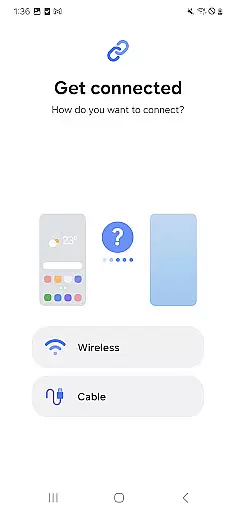
What sets Smart Switch apart is its multiple transfer methods. For Android users, the app facilitates wireless transfers between devices running Android 5.0 or higher. iOS users have three options: a wired transfer using their device cable and USB connector, importing data from iCloud backups, or using the Smart Switch desktop application with iTunes. The app also supports transfers from numerous Android manufacturers, making it a versatile solution for most smartphone users.
Security and convenience are at the core of Smart Switch's design. The app requires minimal permissions focused on specific data types needed for transfer, such as contacts, calendar, and storage access. Its ability to maintain home screen layouts and app data between Galaxy devices (with M OS or higher) demonstrates Samsung's commitment to providing a truly seamless transition experience. These features combine to create a migration tool that's both powerful and user-friendly.
Smart Switch Mobile exemplifies core function accuracy by ensuring seamless data migration across devices. The app supports a comprehensive range of content types including contacts, calendar entries, messages, and media files, all transferred with precision.
The effectiveness of Smart Switch is evident in its broad device compatibility. It facilitates transfers not only between Galaxy devices but also from other Android brands and iOS devices. This versatility ensures users can consolidate their digital lives regardless of their previous device ecosystem.
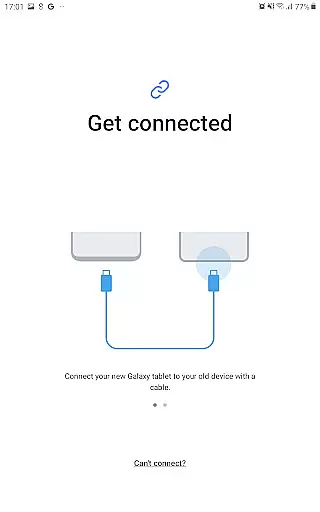
What sets this tool apart is its optimization for user convenience. With options for both wired and wireless transfers, plus integration with iCloud and iTunes, the application provides multiple pathways to achieve accurate data migration. These features collectively ensure that users' transition to a new Galaxy device is as smooth and complete as possible.
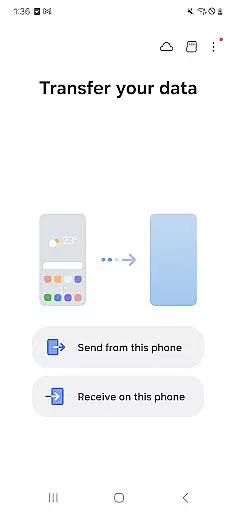
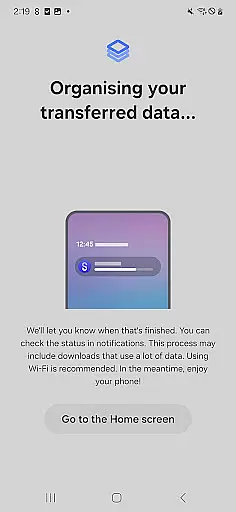
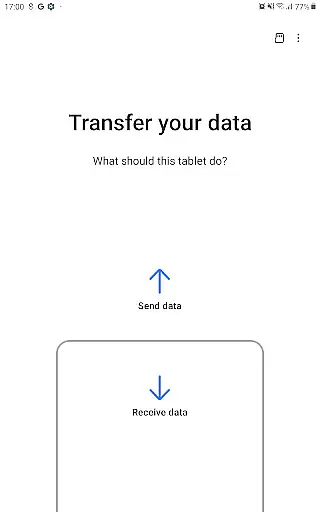
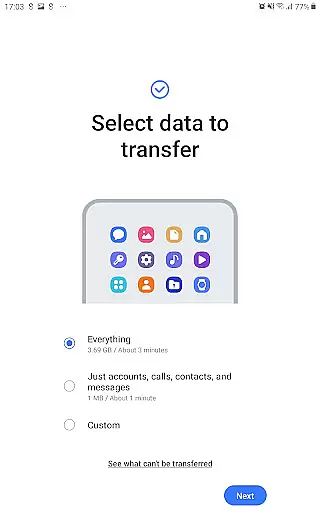
The interface design of Smart Switch Mobile prioritizes simplicity and intuitive navigation. Upon launching the app, users are greeted with clear options for the type of transfer they wish to perform, whether from an Android, iOS, or PC/Mac environment.
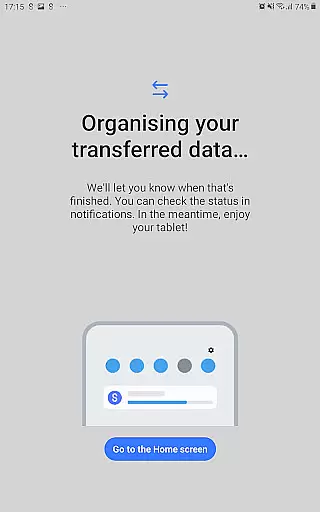
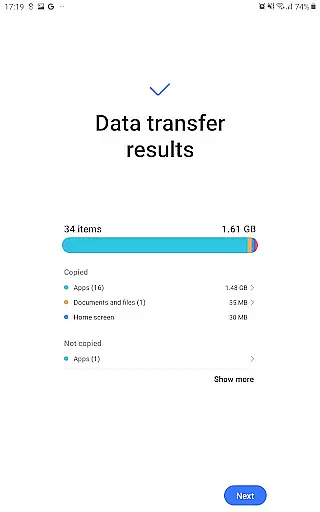
Each step of the data migration process is accompanied by straightforward instructions and visual cues. This guidance helps users understand exactly what is needed from them at each stage, from selecting the data types for transfer to connecting their devices using QR codes or cables.
Furthermore, the app's layout remains consistent across different devices, maintaining familiar touchpoints for users upgrading within the Galaxy family. By reducing complexity in its interface, Smart Switch Mobile makes sophisticated data transfer tasks accessible even to non-technical users, enhancing overall satisfaction with the device-switching experience.
Seamless data transfer
Wide device compatibility
Multiple transfer methods
Comprehensive data coverage
User-friendly interface
Limited iOS functionality
DRM content restrictions
Storage space requirements
Occasional connection issues
Android version limitations

Quickly switch to an encrypted DNS server on Android TV
 4.50
4.50
Connect instantly to a fast, encrypted VPN with one tap
4.60
Quickly & easily calculate the spacing of handrail balusters
4.20
MS-DOS in your pocket. Play old DOS games anywhere you are ;)
4.10
The Ultimate Bluetooth Keyboard & Mouse. Securely control your PC, Mac, and more
4.50
Fast Video Downloader, Movie Downloader, Torrent Downloader & Adblock Browser
4.70
The Ultimate Flex Drivers Utility App - Convenient Tapping & Block Filters
4.70
Clean up your phone, find files, play media, and share files offline
4.50
fast and easy mp3 music downloader
4.80
The ultimate tool for network analysis, wifi scanning and problem detection.
4.90
Navigate with Ease and Style
4.90
Bedrock Together: Join any bedrock server on Xbox/PS
4.80
The one-and-only remote control for PC, Mac, and Linux
4.70
Making emulation easy for everyone!
4.30
Quickly check the frequency of the Earth
4.30
A powerful, easy-to-use flight computer on your phone or tablet!
3.80
Fun lie-detection pranks for friends and parties.
3.80
This app unlocks the Pro features of the Central for DayZ app
3.60
Save any video in HD - paste the link, download fast and watch offline.
4.2


User Reviews