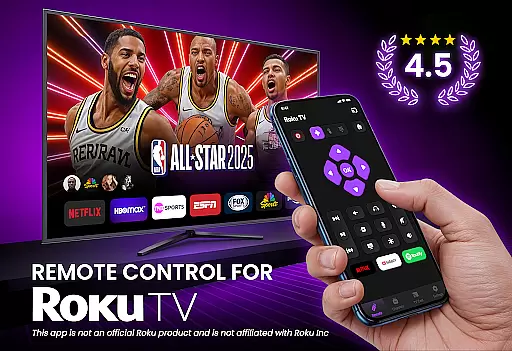
TV Remote Control for RokuTV transforms your smartphone into a universal remote control, offering complete functionality for Roku TV users. The app provides effortless navigation through a swipe-based touchpad, full remote controls including play, pause, volume adjustment, and channel switching, and advanced features like screen mirroring and casting.
This application is designed to simplify the way you interact with your Roku TV. By connecting via Wi-Fi, it eliminates the need for a physical remote and offers additional conveniences such as a smart keyboard for fast typing and one-tap shortcuts to favorite channels. Whether you're managing media or controlling basic TV functions, this app ensures a seamless experience.
Perfect for those who frequently misplace their Roku remote, this tool combines convenience, speed, and reliability in one package. Compatible with all Roku TV models, it delivers an intuitive and user-friendly interface that enhances your entertainment experience.
TV Remote Control for RokuTV boasts a range of innovative features tailored for modern TV users. One standout feature is its instant setup process—simply connect your phone and Roku TV to the same Wi-Fi network, and the app automatically detects your device within seconds. This eliminates complicated pairing processes and ensures you can start using the app immediately.
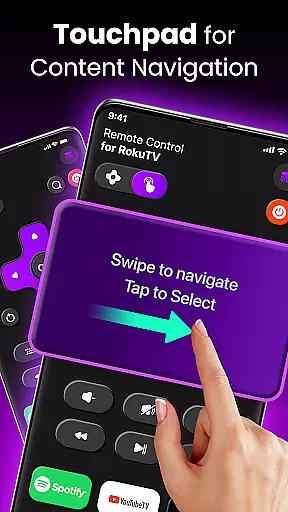
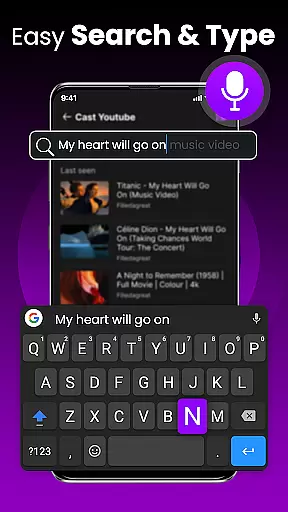
The app includes full remote functionality, allowing users to control essential TV operations such as playback management, volume adjustments, and channel switching. Its swipe pad navigation replaces traditional clunky buttons with a responsive touch-based system, making menu navigation smoother than ever. Additionally, the integrated smart keyboard simplifies tasks like searching for movies or entering passwords.
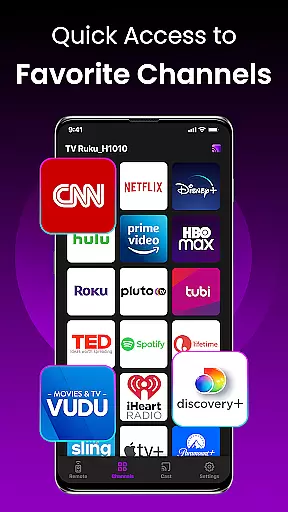
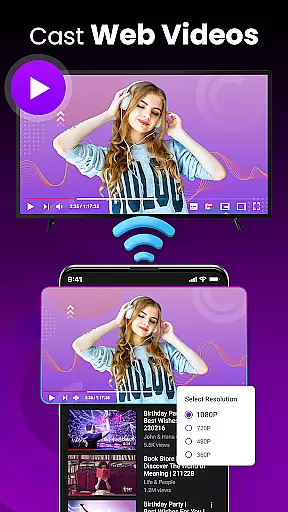
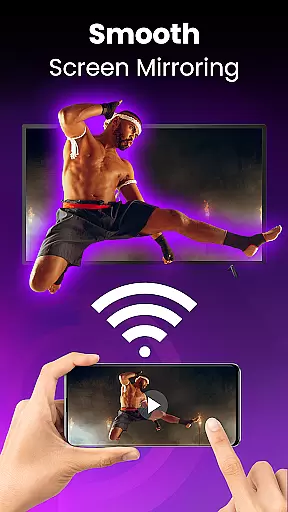
For enhanced entertainment options, the app supports screen mirroring and casting, enabling users to share photos, videos, and music directly from their smartphones to their TV. Quick-launch shortcuts to popular apps like Netflix and YouTube further streamline access to favorite content. These features collectively make the app a versatile and indispensable tool for Roku TV owners.
TV Remote Control for RokuTV delivers exceptional core functionality by providing precise and responsive controls that mimic the capabilities of a physical Roku remote. The app ensures accurate transmission of commands, allowing users to navigate menus, adjust volume, play, pause, fast forward, and rewind content effortlessly.
The swipe pad feature offers an intuitive way to interact with Roku's interface, replacing traditional clunky buttons with smooth, modern touch gestures. This enhances user experience by making navigation seamless and efficient. Additionally, the app supports screen mirroring and casting, enabling users to share media from their smartphones directly to their TVs without any hiccups.
With its integrated smart keyboard, typing becomes significantly faster and easier compared to using a traditional remote. Users can search for movies, enter passwords, and log into apps quickly and accurately. These features collectively ensure that the app not only meets but exceeds user expectations in terms of functional accuracy and effectiveness.
The interface of TV Remote Control for RokuTV is designed with simplicity and intuitiveness at its core, ensuring that users can easily adapt to the app without a steep learning curve. Upon opening the app, users are greeted with a clean layout that prioritizes essential functions, making it straightforward to locate and use different features.
Navigation within the app is streamlined through a swipe-based touchpad, which replaces cumbersome button presses with fluid gestures. This design choice simplifies interaction with the Roku interface, offering a more natural and engaging user experience. Furthermore, the inclusion of one-tap shortcuts to frequently used channels like Netflix, Hulu, and YouTube enhances convenience, allowing users to access their favorite content swiftly.
Overall, the appu2019s user-friendly design ensures reliable connectivity and ease of use, empowering users to control their Roku TVs efficiently while enjoying a hassle-free entertainment experience.
User-friendly interface
Fast and reliable connection
Comprehensive remote functionality
Smart keyboard for easy typing
Screen mirroring and casting support
Requires Wi-Fi connection
Limited to Roku TV models
No physical button feedback
Dependent on smartphone battery
Third-party app, not official

pdf merge, word to pdf, jpg to pdf, edit pdf, convert to pdf and much more!
 4.20
4.20
Easily install aab(Android App Bundle) files on your Android device with our app
4.80
FV File Manager Pro, Fast and powerful file manager for Android
4.60
App that Recover your pictures, videos or files after you delete them.
4.20
MS-DOS in your pocket. Play old DOS games anywhere you are ;)
4.10
The one-and-only remote control for PC, Mac, and Linux
4.70
Powerful collection of electronics tools and reference.A must for any enthusiast
4.90
The ultimate tool for network analysis, wifi scanning and problem detection.
4.90
Fast VPN USA for any country. Super secure VPN for calls, streaming, games, TV.
4.40
Unit and currency converter with easy and simple UI.
4.80
Learn the vast amount of system information about device and monitor it's state
4.70
Canon PRINT is a companion app for your Canon printer.
4.60
App to pay for FUTO Keyboard
4.60 4.50
4.50
eXtended Permission Manager - a small app to manage permissions and AppOps
4.50
Button mapper, mouse toggle, sleep timer and a lot of another features
4.50
Fluid navigation gestures for all of us!
4.30
Making emulation easy for everyone!
4.30
Just one-tap to easy translate in any language after calls within seconds.
4.20


User Reviews