
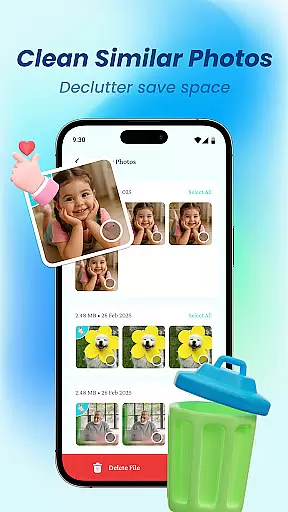
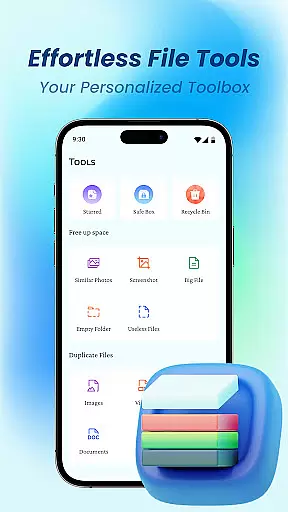
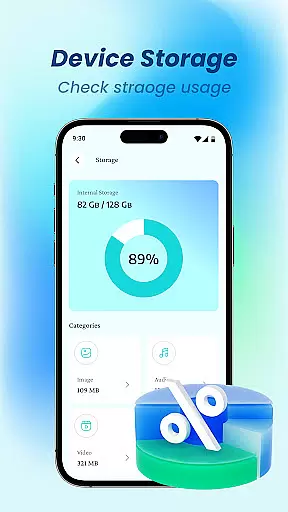
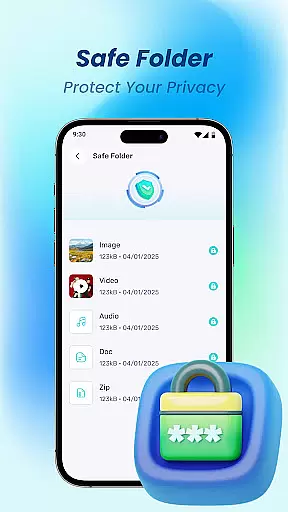
Device File Storage is a comprehensive file management tool designed to help users take complete control of their phone's storage. With its powerful file browser, you can easily locate and manage all your files in one centralized location. Whether it's photos, music, or work documents, the app ensures nothing remains hidden or lost.
The app goes beyond basic file management by offering advanced features like secure file locking for privacy protection. You can organize your digital content effortlessly through batch operations, folder creation, and item sorting. This makes Device File Storage an essential tool for anyone looking to streamline their mobile device's storage while maintaining privacy and order.
Device File Storage stands out with its robust feature set tailored for efficient file handling. The app's powerful file browser provides total visibility into your device's storage, ensuring no file remains inaccessible. It supports essential operations such as creating folders, moving items, batch selection, and renaming, making organization both intuitive and fast.
Privacy is a top priority, which is why the app includes a secure file locker. This feature allows you to hide sensitive photos and documents, keeping them private and protected. Additionally, the app is optimized for managing various file types, from media files to work-related documents, ensuring that all your data is neatly organized and readily accessible whenever you need it.
Device File Storage offers a robust set of tools designed to provide users with precise control over their device's storage. The app's core functions are engineered for maximum accuracy, ensuring that every file operation, from searching to managing, is executed flawlessly.
The powerful browser functionality allows users to locate and manage all types of files with ease, eliminating the frustration of lost or hidden files. This feature is complemented by advanced organization options, including batch selection, moving items, and renaming, which contribute to an effective file management experience.
For users who prioritize privacy, the secure file locker adds an extra layer of effectiveness by safeguarding sensitive information. This ensures that private photos and documents remain confidential and protected, reflecting the app's commitment to both functionality and user security.
By combining these accurate and effective features, Device File Storage empowers users to take full control of their digital life, making it an essential tool for anyone looking to efficiently manage their mobile files.
A simple and intuitive interface is at the heart of Device File Storage, making file management accessible even to those who aren't tech-savvy. The design prioritizes ease of use, ensuring that users can quickly adapt to its powerful features without a steep learning curve.
Every function, from creating new folders to organizing music and photos, is streamlined to enhance the user experience. Clear icons and straightforward navigation paths guide users through their file management tasks effortlessly, saving time and reducing complexity.
The app also includes thoughtful touches like drag-and-drop functionality and context-sensitive menus, which further simplify interactions. These intuitive controls ensure that users can perform complex operations, such as batch file movements or hiding private documents, with just a few taps.
Overall, Device File Storage combines simplicity with powerful capabilities, offering an interface that feels natural and responsive while delivering the tools needed to master your device's storage effectively.
User-friendly interface
Powerful file browser
Secure file locker
Effortless organization tools
Comprehensive file management
Limited cloud integration
No built-in media player
Occasional performance lags
Basic UI design
Few customization options

A convenient photo, video, and file recovery tool.
 4.00
4.00
A recovery soft,it features photo recovery, video recovery, file recovery.
3.40
Head tracking for PC sim games such as MSFS 2024 or Elite:Dangerous. No headset!
4.50
card-reader app
2.20
Forza Tuning Calculator App for Forza Horizon 5, Motorsport and Earlier Titles
4.40
A non-root local ADB shell client. READ BELOW!
3.40
Powerful collection of electronics tools and reference.A must for any enthusiast
4.90
The ultimate tool for network analysis, wifi scanning and problem detection.
4.90
Automate everything from settings to photos, SMS to speech. ADC2 prize winner.
4.10
Extremely fast, secure, and protects your privacy
4.80
WiFi Signal Strength Meter help you detect WiFi Signal Strength in real time.
4.80
Mirror your screen to Chromecast and Android TV - Super fast and simple
4.60
eXtended Permission Manager - a small app to manage permissions and AppOps
4.50
Screen Mirroring for Roku Sticks, Roku TCL TV and Roku Hisense TV
4.50
PC precision for mobile gaming: dominate with keyboard and mouse!
4.30
Remote for Roku, Fire TV, Samsung TV, LG TV, Android TV, Chromecast and VIZIO TV
4.20
MS-DOS in your pocket. Play old DOS games anywhere you are ;)
4.10
Create your own custom widget with endless possibilities
3.90
A powerful, easy-to-use flight computer on your phone or tablet!
3.80


User Reviews