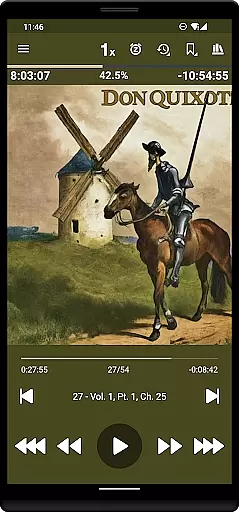
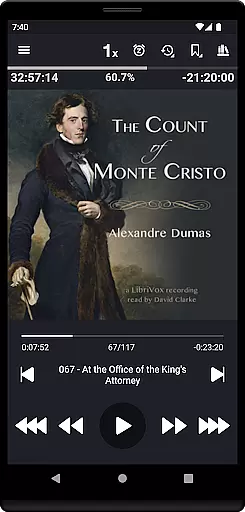
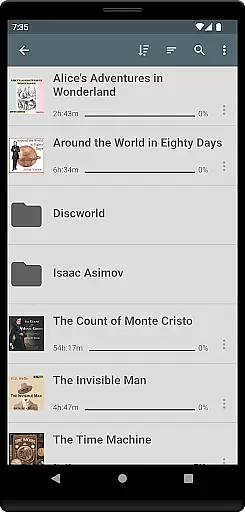
Listen Audiobook Player is a feature-rich audio player designed for audiobook enthusiasts who value flexibility and control. This application allows users to play DRM-free audiobooks from various sources, including popular platforms like Librivox, Downpour, and Loyalbooks. The app supports multiple audio formats such as MP3, M4B, FLAC, and more, ensuring compatibility with a wide range of files. With its folder-based library system, users can easily organize and access their audiobook collection, while the automatic syncing feature keeps everything up-to-date.
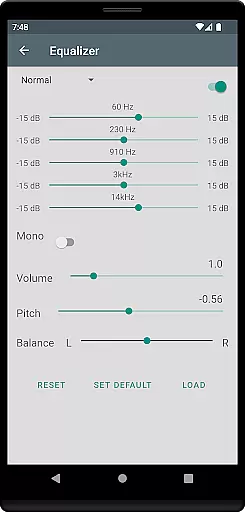
Beyond basic playback, Listen Audiobook Player offers advanced features like variable playback speed (0.5x to 4x), pitch control, and an equalizer for personalized listening experiences. It also includes convenient functionalities such as bookmarks, sleep timers, and Bluetooth controls, making it versatile for different user needs. Whether you're commuting or relaxing at home, this app provides a seamless audiobook experience across Android devices, even integrating with Android Auto for in-car use.
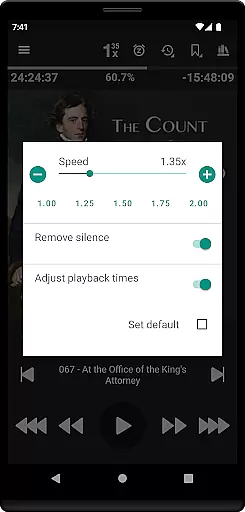
One of the standout features of Listen Audiobook Player is its extensive customization options. Users can adjust playback speed, trim silence, and apply pitch correction to suit their preferences. The app also supports embedded chapters in most audio codecs, allowing listeners to navigate through audiobooks effortlessly. Additionally, users can enhance their experience by setting custom colors for progress bars, action bars, and text, creating a personalized interface that suits their style.
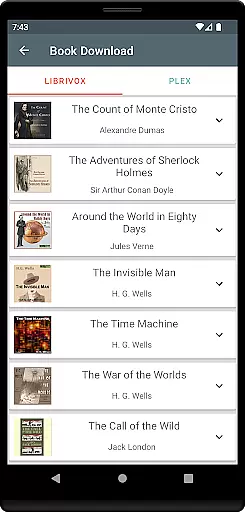
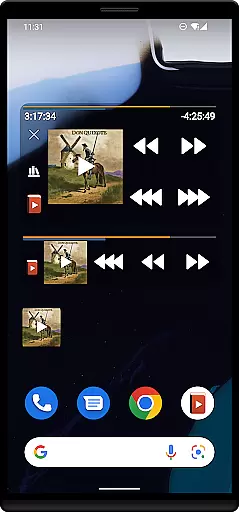
The app excels in integration and convenience. It connects seamlessly with external services like Plex and Audiobookshelf, enabling users to download books directly from hosted servers into their local libraries. Furthermore, the built-in synchronization feature ensures that your playback position and bookmarks are consistent across multiple devices. Advanced functionalities such as headset button actions, widgets, and Tasker support provide further control over playback, making Listen Audiobook Player a top choice for tech-savvy audiobook listeners.
Listen Audiobook Player offers an extensive music library by allowing users to import and manage their own DRM-free audiobooks. The app supports a wide range of audio formats including mp3, m4b, m4a, opus, ogg, aac, flac, and more.
The player provides access to curated books from Librivox directly within the app, ensuring copyright authenticity. Users can enjoy classics such as 'The Count of Monte Cristo' and 'Pride and Prejudice', knowing these are legally available for download and playback.
With integrations for Plex and Audiobookshelf, users can expand their libraries further by downloading content from personal servers. This feature not only increases the library size but also guarantees that all content is authentic and legal.
Audio quality in Listen Audiobook Player is highly customizable, offering variable playback speed from 0.5x to 4x, trim silence, pitch control, and volume boost. These features ensure users can tailor their listening experience to their preferences.
The equalizer and balance settings allow for fine-tuned audio adjustments, providing a richer sound experience. Users can set global defaults or customize settings on a per-book basis, enhancing the overall audio quality.
Additionally, the option to convert books to Opus format ensures minimal change to sound quality while significantly reducing file sizes. This allows users to store more audiobooks without compromising on audio fidelity.
User-friendly interface
Wide format compatibility
Advanced playback controls
Seamless sync across devices
Customizable appearance
No cloud storage included
Limited free book selection
Complex for beginners
Occasional bugs reported
Heavy on battery usage

Fun & Easy Voice Changer – Record, Edit & Add Hilarious Effects!
 4.50
4.50
Offline and always ad-free - stream in the highest quality available.
4.10
Time Trainer: accurate metronome w tools to help you develop your internal time!
4.20
Your song collections with lyrics and chords on Android smartphones and tablets.
4.80
Network/Cloud Streaming, Visualization, Graphic Equalizer and Sound Effects.
4.20
Enjoy singing any song, no matter how high or low it is
4.30
Voice recorder - Audio recorder. Best recorder for recording
4.90
Offline Tunes, Unlimited Vibes
3.90
Travel To The Music Universe
3.40
Gorgeous UI, Powerful music Search and Equalizer, the great choice for you!
4.70
Record, Mix & Master with all n-Track effects, 64-bit audio and Stem Separation.
4.70
Offline Music Player&MP3 Player with themes, equalizer, lyrics, music play mode
4.60
Enhance the sound quality of your devices, listen to what you want
4.50
The original SP-1200 experience on your iPad
4.20
Next generation modular control surface
4.10
The official Sonos app
4.10
Learn to play the piano using falling notes!
3.80
Slow music down without changing pitch.
3.70
MilkDrop for Android TV
3.00


User Reviews