
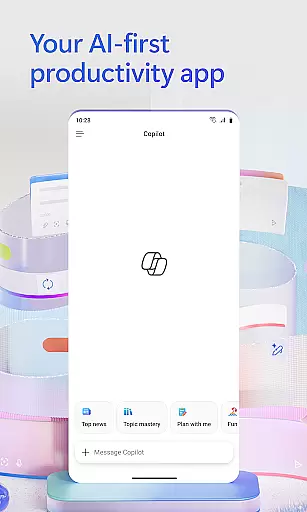
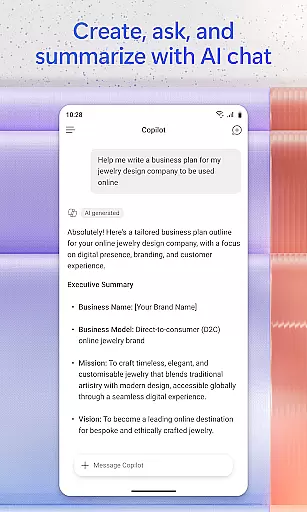

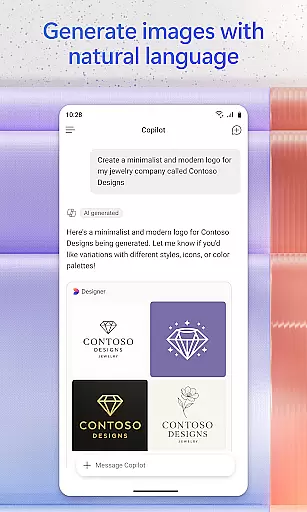
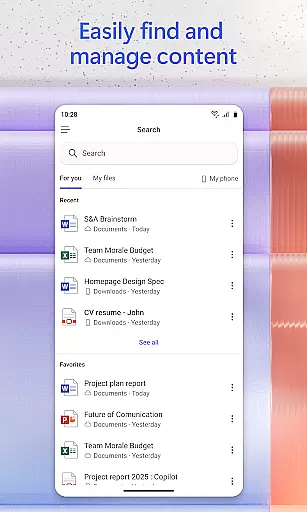
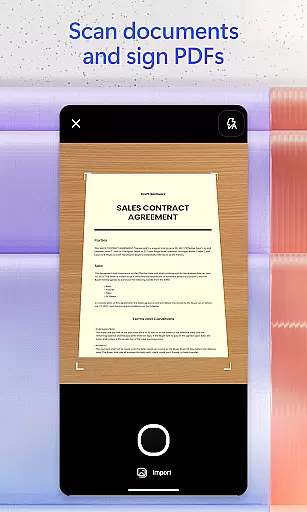
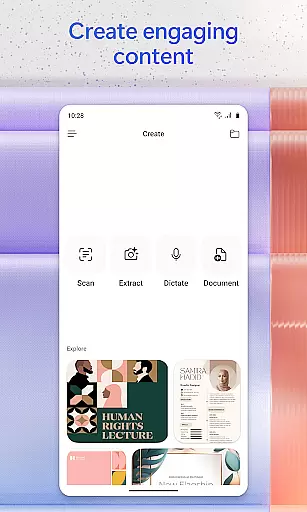
Microsoft 365 Copilot is an AI-powered productivity application designed to streamline work and personal tasks. The app serves as a centralized platform for interacting with an AI assistant, creating and editing content, scanning documents, managing projects, and locating files quickly. It is particularly useful for users who need to accomplish more without increasing their workload.
The app's AI assistant can summarize documents stored in the cloud or on your device, draft emails, and analyze spreadsheets using natural language processing. Additionally, it supports voice interaction, allowing hands-free operation for daily preparation, obtaining answers, and brainstorming ideas. With capabilities like accelerated learning and expert insights through built-in AI agents, Microsoft 365 Copilot enhances productivity by providing tools that help users focus on what truly matters.
Microsoft 365 Copilot offers a comprehensive suite of features aimed at boosting productivity. One standout feature is its AI assistant, which allows users to interact naturally with their documents, emails, and spreadsheets. This assistant can perform tasks such as summarizing documents, drafting emails, and analyzing data, all through simple conversational commands.
In addition to text-based interactions, the app supports voice commands, enabling users to operate hands-free. This is particularly beneficial when multitasking or when accessibility is a concern. The app also includes functionalities for scanning documents, managing projects with Copilot Notebooks, and creating polished content using easy-to-use templates. These features collectively ensure that users can efficiently handle various tasks across Word, Excel, PowerPoint, and PDFs within a single application.
Task management is a cornerstone of productivity applications, and Microsoft 365 Copilot excels in this area by integrating various functionalities into one cohesive platform. The app allows users to manage projects efficiently through its AI capabilities, which can summarize content, analyze spreadsheets, and even interact with voice commands.
With Copilot Notebooks, users can bring together ideas, documents, and links, asking the AI to summarize information and connect the dots. This feature streamlines project management by consolidating resources and providing quick access to necessary information, thus enhancing productivity and collaboration.
Moreover, the ability to easily upload and save documents from a mobile device's storage means that users can retrieve and work on files such as Word, Excel, or PDFs at any time. This ensures that task management is not confined to desktop computers but can be effectively carried out on the go.
The practical benefit for users is significant; they can maintain momentum on their projects regardless of location. With Microsoft 365 Copilot, managing tasks becomes an integrated experience that supports both professional and personal productivity needs.
Cross-device synchronization is vital for users who operate across multiple platforms and devices. Microsoft 365 Copilot addresses this need by ensuring reliable synchronization between different devices, allowing seamless transitions from work to home or vice versa.
The application provides consistent access to Word, Excel, PowerPoint, and PDFs, all within a single app interface. This unified approach guarantees that edits and updates made on one device are accurately reflected on others, maintaining document integrity and version control without manual intervention.
Furthermore, signing in with a work, school, or personal Microsoft account enables users to start using the free app immediately, experiencing firsthand how synchronization enhances workflow continuity. Any changes made using Copilotu2019s featuresu2014such as scanning documents or creating contentu2014are reliably synced across all linked devices.
This level of synchronization reliability empowers users to focus on their tasks rather than worrying about data consistency. By leveraging Microsoftu2019s robust infrastructure, 365 Copilot ensures that every piece of content remains up-to-date and accessible wherever it's needed.
AI-Powered Assistance
Voice Command Support
Document Scanning
Project Management Tools
Content Creation Templates
Limited Free Features
Requires Specific Licenses
Dependent on Cloud Storage
Potential Privacy Concerns
Varied Feature Availability

Auto-shutoff Alarm with Sunrise, Sunset & Fixed Options.
 3.50
3.50
A lightweight JSON & XML files creator, editor and viewer (Premium Version)
4.40
Docker, Kubernetes management over Portainer Mobile
4.40
A beautiful digital clock with autostart and many other functions
4.70
The ultimate file manager for rooted devices. The original and still the best.
4.00
Intelligent AI Assistant
4.10
Use powerful, industry-leading AI tools to generate visual charts from any data
4.80
Lightweight PDF, Word, Excel reader.
4.60
Put a lock on your cloud: Take the security of your data into your own hands
3.70
aCalendar+ makes your day, week and month
4.70
Functional QR scanner and barcode reader that requires little storage space.
4.60
CalenGoo is a very flexible and feature-rich calendar app
4.40
Access, manage and transfer files on Android, PC, Mac, NAS and cloud storages.
4.30
All in One PDF Reader: Manage, Read and Edit your Documents
4.20
Make apps & sites with natural language prompts
4.10
Smart PDF reader & editor to view, organize and manage PDF documents easily.
3.70
Simple and reliable communication between inmates, friends and family
3.20
Easiest event planning, volunteer signups & parent teacher conference scheduling
2.20
Create study competitions, track your hours, and stay consistent with friends
4.5


User Reviews