
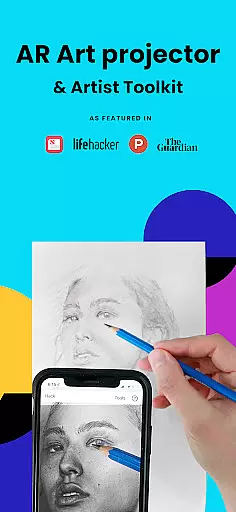
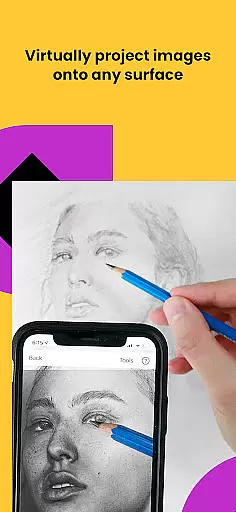
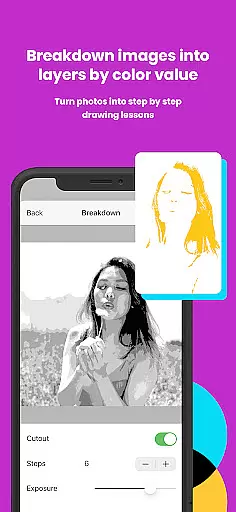
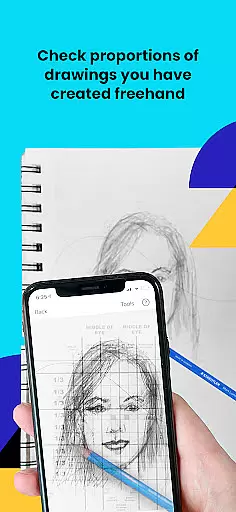
Da Vinci Eye's AR Art Projector is a revolutionary tool designed to enhance drawing and sketching skills using augmented reality technology. This app allows users to project any image onto their canvas, enabling precise tracing and detailed artwork creation. With features like the strobe function for hyper-realistic drawings and color layer separation, it caters to artists of all levels.
The app goes beyond simple tracing by offering video tutorials, step-by-step drawing lessons, and a supportive community platform. Whether you're a professional illustrator or hobbyist, this tool helps improve your understanding of proportions, light, and shadow placement. The unique learning method ensures faster skill development compared to traditional techniques.
Perfect for various artistic applications including portrait drawing, animation, and even makeup artistry, Da Vinci Eye transforms how artists create. By projecting images directly onto the workspace, it eliminates common frustrations while providing an innovative way to develop technical proficiency in drawing.
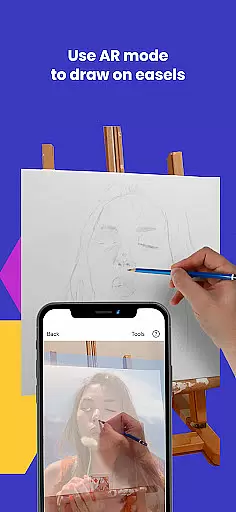
Da Vinci Eye stands out with its comprehensive feature set tailored for artists. The app's core functionality lies in its AR tracing mode, which uses advanced camera technology to project images onto any drawing surface. This feature maintains alignment even when moving the device or canvas, functioning like a digital Camera Lucida with enhanced capabilities.
Several specialized tools make this app particularly valuable. The color value layer separation helps artists understand light and shadow placement, while the zoom function enables capturing micro-details. The time-lapse recording feature documents artistic progress, and the step-by-step breakdown tool converts any photo into a drawing lesson.
Additional notable features include fast customer support, a robust community platform for sharing artwork, and compatibility with various artistic disciplines. The app's dual-mode functionality (AR and Classic) provides flexibility for different working styles and environments, making it suitable for both beginners and professional artists seeking to refine their craft.
For any digital art application, the comprehensiveness of creative tools is crucial. AR Art Projector offers a robust set of features that cater to artists of all levels. The app includes an AR art projector and tracing tool, which allows users to create drawings and sketches with precision.
One standout feature is the ability to separate images into layers by color value, providing artists with the capability to focus on specific areas of their artwork. This layering technique, combined with filters, makes drawing even easier and more precise.
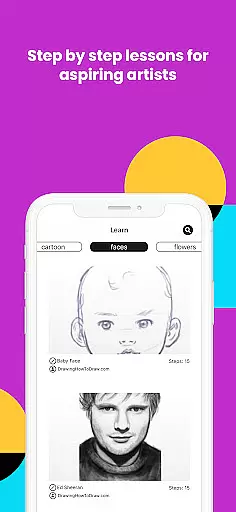
The app also provides video tutorials and lessons, utilizing a unique patent-pending learning method. These resources help users understand how to sketch and draw effectively, making it an invaluable tool for both beginners and experienced artists.
Additionally, the app supports a community where users can share their artwork, offering a platform for feedback and growth. With these comprehensive tools, AR Art Projector ensures that artists have everything they need to create incredible artwork.
Flexibility in canvas and format options is essential for artists who require adaptability in their work. AR Art Projector excels in this area by allowing users to sketch or draw on any surface, providing unparalleled versatility.
The app's zoom functionality enables artists to capture micro-details in their drawings, ensuring precision and accuracy. This feature is particularly beneficial when working on intricate designs or when adding fine details to a piece.
AR Art Projector supports both AR Tracing Mode and Classic Drawing Mode. AR Tracing Mode anchors the image to real-world objects, allowing artists to move their canvas or phone while maintaining alignment. This mode is especially useful for sketching or painting on an easel.
Classic mode functions like a traditional art projector, suitable for most drawing tasks. Whether using AR or Classic mode, artists can achieve professional results, making AR Art Projector a versatile tool for all artistic endeavors.
User-friendly interface
Comprehensive learning tools
Versatile application
Active artist community
Innovative AR technology
Device requirements restrictive
Subscription fees apply
Learning curve present
Occasional alignment issues
Limited offline functionality

AI generated images & photos, turn your words into drawing, painting & pictures.
 4.30
4.30
The ultimate tool for creating animations
4.60
Easy 3D drawing design maker & creator. Model designing, Sculpting. Create&paint
4.00
Draw on screen: FP sDraw is a simple and lightweight drawing app
4.70
Painting, drawing, & sketching
4.50
Image resizer to resize, crop, rotate, flip, change dpi photo or picture in bulk
4.60
Get an overview over all your embroidery threads, projects and more.
4.60
Experience next-gen icons with a modern liquid glass look.
3.60
Turning simple sketches into captivating tales filled with life and motion
3.90
Turn your drawings into flipbook-style animations with simple creative tools
4.60
Draw beautiful mandala's very easily
4.60
Draw anime & manga drawing, art with templates to create stunning picture!
4.50
Create neon drawing with magic doodle and fun doodle art effects!
4.50
Everything you need to create hand drawn animation, anywhere you go!
4.40
Just trace a projected picture on paper and color! Draw & Paint with AR drawing
4.40
Create stylish invitation cards using templates for weddings, birthdays & RSVP.
4.20
Floor Plan Creator lets you create, edit and share floor plans.
4.00
AR Anime Drawing: How to draw anime with AR drawing & sketching apps!
4.00
Art of Combination Wear OS Watch Faces
3.30


User Reviews