
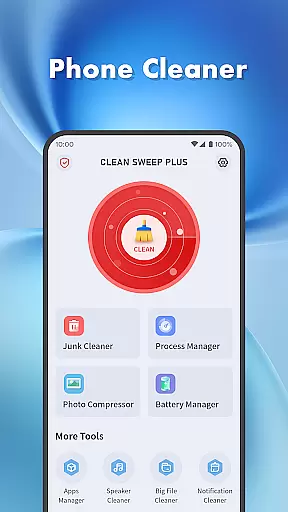
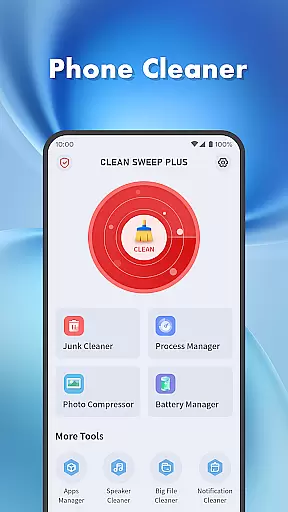
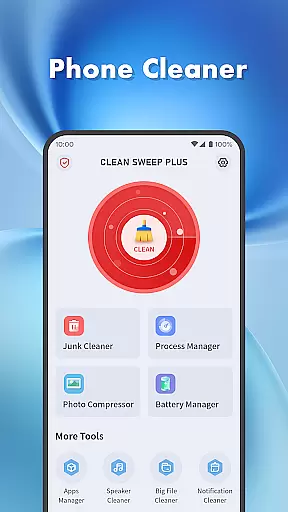
Clean Sweep Plus is a comprehensive phone management tool designed to optimize device performance and simplify daily maintenance tasks. The app offers a suite of practical features including junk file cleaning, large file management, and battery status monitoring.
One of the standout capabilities is its intuitive interface that allows users to easily locate and manage installed apps, clean notifications, and compress photos to save storage space. Whether you need to free up memory or monitor battery health, Clean Sweep Plus provides the necessary tools to keep your device running smoothly.
This application is particularly useful for users who want to maintain optimal phone performance without technical complexity. With its simple operation and clear layout, it ensures that even novice users can efficiently manage their devices.
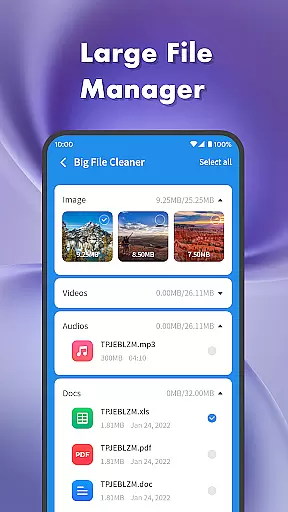
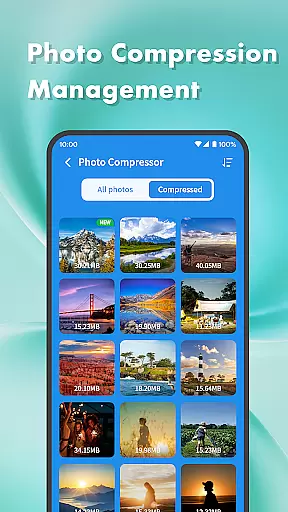
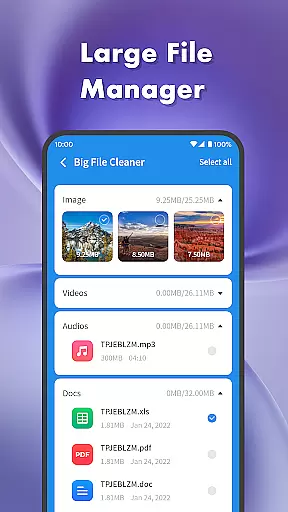
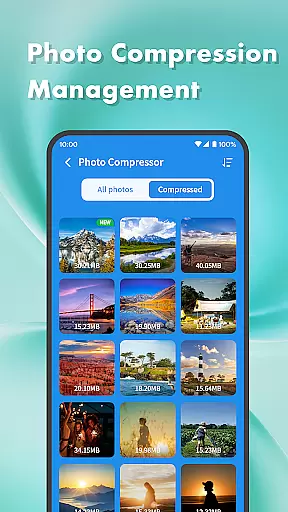
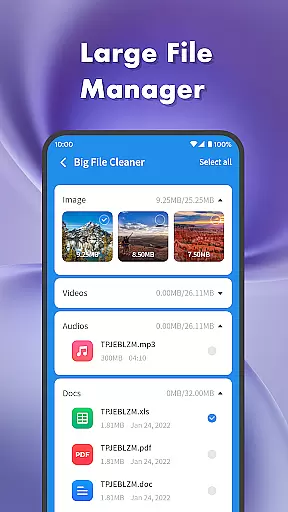
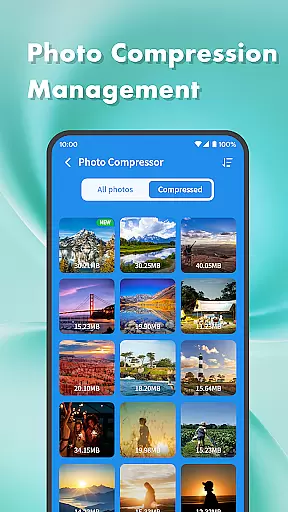
Clean Sweep Plus stands out with its diverse range of practical features tailored for everyday phone management. The app includes a Junk Cleaner to remove unnecessary files, a Large File Manager to identify space-consuming media, and a Photo Compression tool to reduce image sizes without losing quality.
In addition to storage optimization, the app offers robust application management through its App Manager and Process Manager. These tools allow users to view and uninstall infrequently used apps while monitoring background processes to improve device performance.
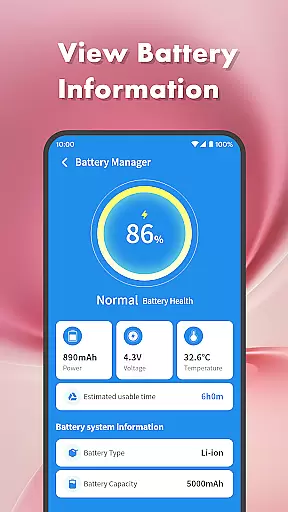
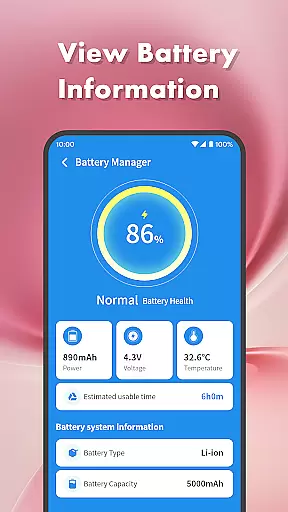
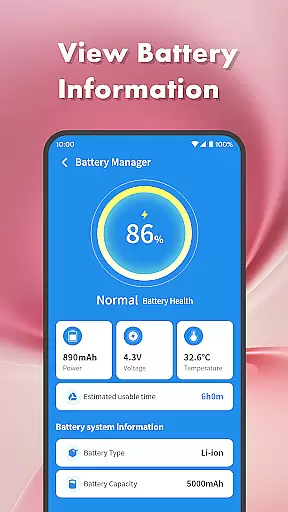
The Battery Management Center provides detailed insights into battery health, estimated usage time, and system information. Coupled with unique features like the Speaker Cleaner, which uses vibration technology to clean the speaker, Clean Sweep Plus delivers both essential and innovative utilities in one convenient package.
When it comes to mobile device management tools, the accuracy and effectiveness of core functions are paramount. Clean Sweep Plus excels in this area by offering a comprehensive suite of features that address common phone maintenance needs. The app's junk cleaner precisely identifies unnecessary files, while the large file manager efficiently locates space-consuming media.
The app manager provides clear information about installed applications, making uninstallation straightforward. Meanwhile, the battery management center delivers reliable estimates of remaining usage time. Each tool has been carefully designed to ensure maximum efficiency without compromising device performance or user experience.
Users benefit from these accurate and effective tools as they can maintain their devices with confidence. Whether it's cleaning up storage space or managing background processes, Clean Sweep Plus ensures that every action contributes to a smoother, more optimized phone performance.
A simple and intuitive interface is crucial for any utility application, and Clean Sweep Plus meets this requirement with its well-organized layout. Upon opening the app, users are greeted with clearly categorized sections that make navigation effortless. Each tool is represented by an easily recognizable icon accompanied by a brief description.
This thoughtful design extends to the functionality itself; operations such as photo compression or speaker cleaning require just a few taps to complete. By minimizing the learning curve, Clean Sweep Plus allows even novice users to quickly become proficient in managing their devices.
The result is an enhanced user experience where tasks that once seemed daunting are now approachable and manageable. With everything logically placed and labeled, users can focus on optimizing their device rather than figuring out how to use the app itself.
User-friendly interface
Comprehensive toolset
Effective junk cleaning
Intuitive app management
Practical battery monitoring
Limited advanced features
No cloud backup option
Basic photo compression
Occasional slow performance
Ads in free version

Just swipe the edge to do something!
 4.40
4.40
ADB support Android 4.X-Android 13(Support wireless pair mode).No root required!
4.70
Forza Tuning Calculator App for Forza Horizon 5, Motorsport and Earlier Titles
4.40
Effortlessly run ADB commands directly on your device without a PC.
4.20
Undelete and recover your lost or deleted files with DiskDigger!
3.40
WiFi Signal Strength Meter help you detect WiFi Signal Strength in real time.
4.80
The ultimate tool for network analysis, wifi scanning and problem detection.
4.90
Game Booster, GFX Tool is now compatible with newer game update
4.50
Introducing Smart Printer, your ultimate destination for printing solutions!
4.00
Remote Play with FSR upscaling, low latency & full controller support
4.80
Learn the vast amount of system information about device and monitor it's state
4.70 4.50
4.50
Fluid navigation gestures for all of us!
4.30
An easy-to-use calculator designed to save time calculating and bending conduit
4.30
Remote for Roku, Fire TV, Samsung TV, LG TV, Android TV, Chromecast and VIZIO TV
4.20
View detailed information about your Nissan Leaf the dealer never shows you.
4.10
Create your own custom widget with endless possibilities
3.90
Clean the junk files on your device
3.40
card-reader app
2.20


User Reviews