

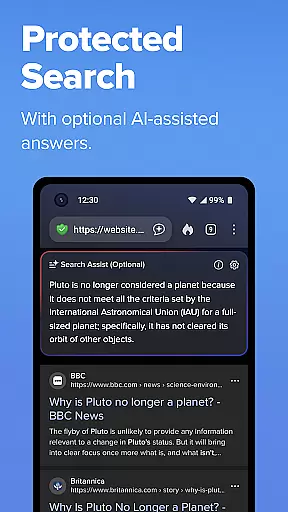
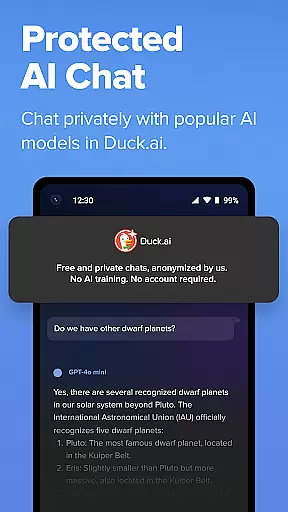
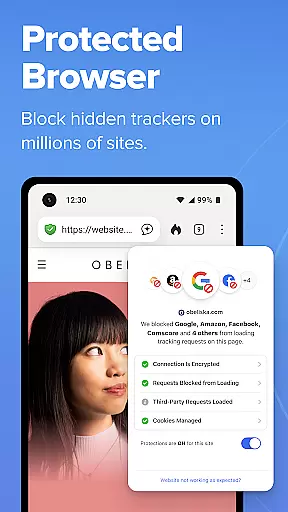
DuckDuckGo is a privacy-focused search and browsing application designed to protect users' personal information. The app offers a built-in search engine that functions like Google but without tracking user searches, ensuring anonymity. It also provides browsing protections such as blocking ad trackers and cookies, which prevent other companies from collecting user data. DuckDuckGo's optional AI features, including Search Assist and Duck.ai, are private and do not exploit user data for training AI models.
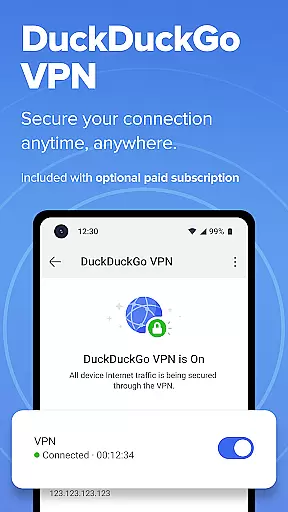
With its commitment to privacy, DuckDuckGo makes money through privacy-respecting search ads rather than exploiting user data. Users can take control of their personal information with this browser, which prioritizes data protection over data collection. Whether you're searching the web, watching YouTube videos without targeted ads, or securing your connection with the included VPN service, DuckDuckGo ensures a safer online experience.
DuckDuckGo stands out with its robust feature set tailored for privacy-conscious users. One of its key features is the 3rd-Party Tracker Loading Protection, which blocks most trackers before they load, surpassing the default protections offered by popular browsers. This ensures that users' browsing history remains private and untracked.
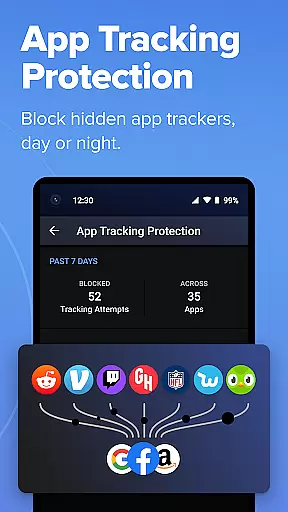
In addition to tracker blocking, DuckDuckGo offers unique features like private AI chatting through Duck.ai, where conversations with third-party AI models are anonymized and never used for AI training. The app also includes Email Protection to block email trackers and hide users' email addresses, along with App Tracking Protection that blocks hidden trackers in other apps around the clock. These features collectively enhance user privacy and security while browsing the internet.
In the realm of productivity, core task management is pivotal for organizing and executing tasks efficiently. DuckDuckGo integrates this essential feature by allowing users to search and browse without the distraction of being tracked, thereby streamlining their online activities.
The application's built-in search engine operates similarly to Google but with a crucial difference: it never tracks your searches. This ensures that your browsing history remains private, providing you with a focused environment to manage your digital tasks effectively.
Moreover, DuckDuckGo offers browsing protections such as ad tracker blocking and cookie blocking, which prevent other companies from collecting your data. These features contribute to a seamless task management experience by reducing interruptions and safeguarding your concentration.
By using DuckDuckGo, individuals can take back control of their personal information, making it an ideal tool for those who prioritize privacy while managing their daily digital tasks.
Cross-device synchronization is vital for maintaining consistency and accessibility across multiple devices. DuckDuckGo addresses this need by offering optional integrated AI features like Search Assist and Duck.ai, which are designed to function privately without utilizing user data for training AI.
For users seeking enhanced productivity, DuckDuckGo provides Sync and Back Up Securely options. This feature allows for the encryption of bookmarks and passwords, ensuring they are safely synchronized across all your devices.
DuckDuckGo's approach to synchronization emphasizes security and privacy. By encrypting the data that is shared between devices, users can rest assured that their information remains confidential and protected from unauthorized access.
With these robust synchronization capabilities, DuckDuckGo not only enhances productivity but also reinforces its commitment to protecting user data, setting a standard for reliable cross-device synchronization in the realm of secure and private web browsing.
Privacy-focused search
No tracking of searches
Blocks ad trackers
Private AI features
Free to use
Limited advanced features
Fewer search results
No native video calls
Less popular
Basic UI design

Client for Nextcloud Deck
 4.60
4.60
IP Camera Viewer - Android TV : RTSP Surveillance camera viewer for Android TV
4.4
Font maker keyboard with your own handwriting
4.10
Activate Two Factor Authentication (2FA or Multi OTP), Password manager and more
4.10
Enjoy classic gameplay with customizable features and retro-style graphics.
4.30
Tally and goal counter for Wear OS & mobile
4.50
Secure your apps with lock screens, use custom themes and different features.
4.40
Lightweight PDF, Word, Excel reader.
4.60
AI Chatbot and AI writing assistant powered by ChatGPT.
4.60
8 custom complications. Custom Time Fonts. Beautiful color schemes. A++ Design.
5.00
Best Tool for the professionals Electrician, Electrical contractors, etc.
4.90
Scan paperwork into PDF/JPG, generate your own e-signature and send fax or email
4.70
Secure, fast, open-source, Remote Desktop Client for Windows and Linux with SSH
4.60
App Lock with fingerprint, password: Lock apps & hide photos with lock screens
4.60
Calendar 2023 widget for Android. Appointment scheduler, planner, and reminder
4.60
A simple Whisper AI keyboard for reliable speech transcription and rewording
4.60
Send files, sync SMS, notifications & clipboard across devices via local network
4.40
Unlock AutoNotification
4.00
AI Video AI Image Private LLM AI Browser Llama Gemma Ollama Connect LLM Studio
4.2


User Reviews