
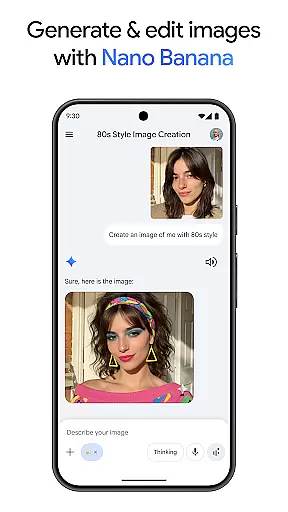
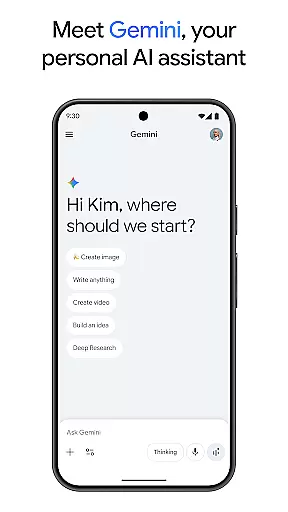
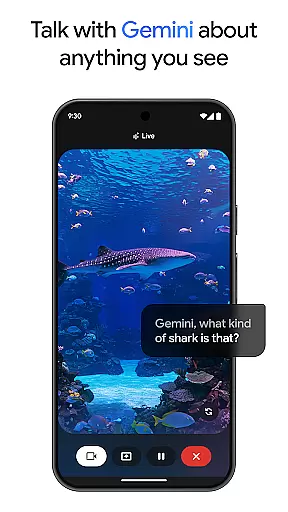
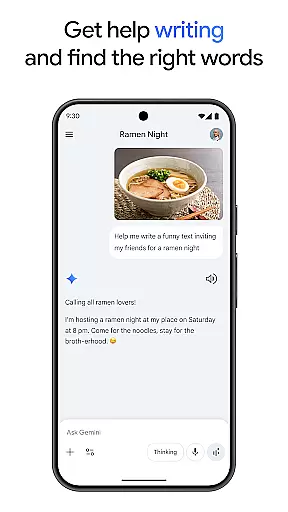
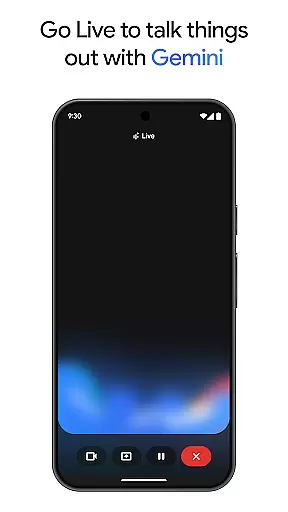
Gemini, developed by Google, is an advanced AI assistant designed to boost both creativity and productivity. This powerful application provides direct access to Google's premier family of AI models right on your mobile device. Whether you're looking to brainstorm new ideas, simplify complex topics, or rehearse for significant events, Gemini is equipped to assist. One standout feature is Gemini Live, which allows users to share their camera or screen during conversations, facilitating discussions about virtually anything you can see.
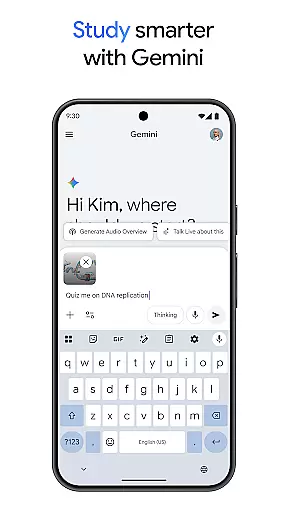
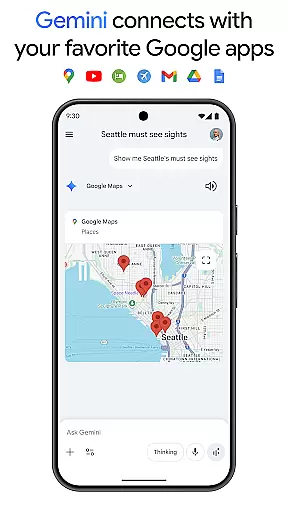
In addition to its conversational capabilities, Gemini offers a suite of tools aimed at enhancing productivity. With Canvas, users can bring their ideas to life, creating apps, games, web pages, infographics, and more. The app also integrates seamlessly with popular Google services such as Search, YouTube, Google Maps, and Gmail, making it a versatile tool for both personal and professional use. Whether you need to study smarter with interactive quizzes and flashcards or turn files into podcasts, Gemini has you covered.
Gemini stands out due to its comprehensive feature set tailored to enhance user productivity and creativity. A key highlight is the Gemini Live functionality, enabling real-time interaction through camera or screen sharing. This feature transforms how users engage with the AI, allowing for dynamic and contextually relevant conversations. Additionally, the Canvas tool empowers users to prototype and develop various digital content, from web pages to audio overviews, streamlining the creative process.
The integration with essential Google apps like Search, YouTube, and Gmail further amplifies Gemini's utility. Users can leverage these connections to perform tasks more efficiently, whether it's planning trips, generating summaries, or exploring topics in depth. Moreover, Gemini's ability to create and edit images based on simple text descriptions adds another layer of versatility. For those seeking advanced capabilities, upgrading to the Pro or Ultra plans unlocks features such as video generation with Veo 3.1 Fast and access to Google’s most capable AI models, ensuring that Gemini remains a top-tier productivity solution.
Gemini, as a productivity tool, excels in core task management by offering users the ability to brainstorm ideas, simplify complex topics, and rehearse for important moments. Through its innovative Gemini Live feature, users can engage in dynamic conversations with the AI, making it an invaluable tool for organizing thoughts and planning projects.
The app's integration with Googleu2019s suite of services enhances task management by allowing seamless connectivity with apps like Search, YouTube, Google Maps, and Gmail. This interconnected ecosystem ensures that users can manage tasks across different platforms without losing context or efficiency, streamlining workflows and boosting productivity.
Moreover, Gemini provides study aids such as quiz and flashcard creation, interactive visuals, and real-world examples, which are essential for learners and professionals alike. These features help in breaking down intricate subjects into digestible information, aiding in better comprehension and retention.
For those looking to upgrade, the Pro and Ultra plans offer advanced capabilities, including a 1M token context window and access to powerful models like 3 Pro. These premium features enable users to tackle more complex tasks, ensuring that Gemini remains a versatile and indispensable tool for comprehensive task management.
Cross-device synchronization is a critical feature of Gemini, ensuring that users have a reliable and consistent experience across all their devices. By maintaining seamless connectivity between smartphones, tablets, and computers, Gemini allows users to transition smoothly between devices without losing any data or context.
The app achieves this through its deep integration with Google services, which are known for their robust synchronization capabilities. Whether you're using Gemini on your phone or accessing it via a web browser, you can expect your data to be up-to-date and readily available, enhancing both convenience and productivity.
Furthermore, Gemini's synchronization extends to collaborative work environments, where multiple users can interact with shared documents and projects in real-time. This feature is particularly beneficial for teams that rely on Google Workspace, as it ensures that everyone is always on the same page, regardless of the device they are using.
With the option to upgrade to Pro or Ultra plans, users gain access to even more reliable synchronization features, such as industry-leading 1M token context windows and higher access to powerful models. These enhancements ensure that Gemini remains a top choice for individuals and businesses seeking dependable cross-device functionality.
Advanced AI capabilities
Seamless Google app integration
Real-time interaction via Gemini Live
Versatile content creation tools
Comprehensive productivity features
Premium features require subscription
Complexity may overwhelm new users
Limited offline functionality
High system resource demands
Privacy concerns with data sharing

Secure, fast, open-source, VNC and SSH Remote Desktop for Windows, Linux and Mac
 4.70
4.70
Send files, sync SMS, notifications & clipboard across devices via local network
4.40
We're working to become the best machining app on the market! www.cncdirt.com
4.80
Simple and reliable communication between inmates, friends and family
3.20
Multilingual translator for text, voice, and image translation!
4.90
The AI assistant that thinks with you - write, code, and solve complex tasks
4.60
Docker, Kubernetes management over Portainer Mobile
4.40
Ultimate Virtual AI Character for immersive Roleplay Chat. Perfect Companion
3.90
QuickEdit is a fast, stable and full featured text and code editor.
4.20
Scientific calculator for Android - looks and operates like the real thing!
4.90
Scan paperwork into PDF/JPG, generate your own e-signature and send fax or email
4.70
Functional QR scanner and barcode reader that requires little storage space.
4.60
A customizable calendar for your Wear OS watch
4.20
Todo reminder
4.10
Make apps & sites with natural language prompts
4.10
Font maker keyboard with your own handwriting
4.10
Activate Two Factor Authentication (2FA or Multi OTP), Password manager and more
4.10
Wake up & get tasks done! Add alarms & reminders on the Clock Launcher.
4.00
Experience and share your SolidWorks designs on your Android® phone and tablet.
2.50


User Reviews