
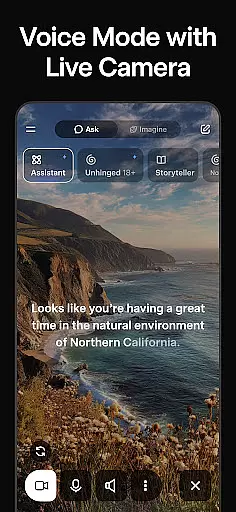
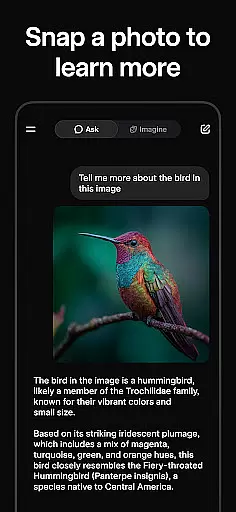
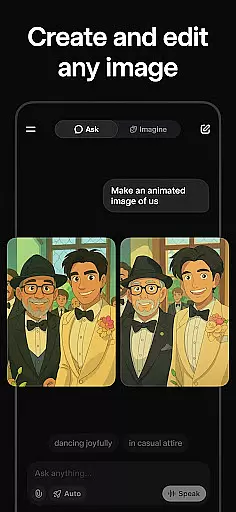
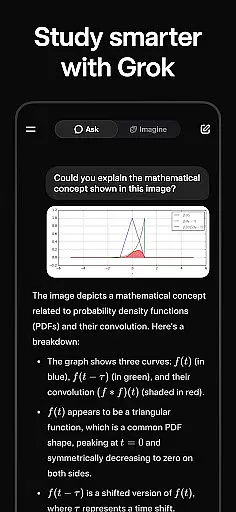
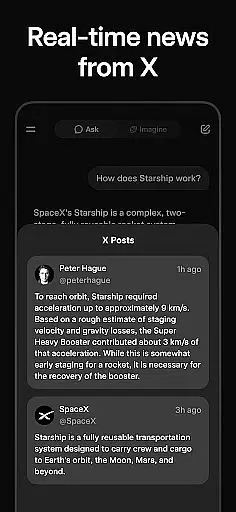
Grok is an advanced AI-powered assistant developed by xAI, designed to enhance productivity through its truthfulness, utility, and curiosity. This app allows users to get answers to any question, generate images and videos, engage in natural voice conversations, and upload pictures for deeper insights. Grok stands out as a versatile tool that can be used across various platforms, making it ideal for both personal and professional use.
With Grok, users can streamline their daily tasks, gain valuable insights, and interact with their digital environment in a more meaningful way. Whether you need help with research, content creation, or simply want to explore new ideas, Grok provides the tools necessary to make your experience seamless and efficient.
Grok offers a wide array of features that cater to different productivity needs. One of its standout capabilities is the ability to answer any question with high accuracy, thanks to its advanced AI algorithms. Users can also generate striking images and videos, which is particularly useful for creative projects and presentations.
In addition to text-based interactions, Grok supports natural voice conversations through its voice mode feature, allowing for hands-free operation and more intuitive communication. The ability to upload pictures and receive detailed analyses further enhances its utility, making Grok a comprehensive tool for understanding and interacting with your world.
Effective task management is essential for productivity applications, and Grok excels in this area by offering users a comprehensive suite of tools to handle their daily tasks efficiently. The app leverages its AI capabilities to prioritize tasks based on urgency and importance, ensuring that users focus on what truly matters.
Grok's task management feature is designed to streamline workflows by providing smart suggestions and reminders. Users can create, categorize, and assign due dates to tasks with ease, while the AI assistant helps in breaking down complex projects into manageable steps. This functionality not only enhances organization but also boosts overall productivity.
The benefits of using Grok for task management are manifold. By automating routine organizational tasks and offering insightful analytics on task completion patterns, users gain more time to dedicate to creative and strategic activities. Moreover, the integration with voice mode allows for hands-free task updates, making it an invaluable tool for those with busy lifestyles.
In today's interconnected world, reliable cross-device synchronization is crucial for maintaining workflow continuity. Grok ensures that all user data, including tasks, notes, and media, are seamlessly synced across devices, allowing users to transition smoothly between their phone, tablet, and computer without missing a beat.
The app employs advanced cloud-based technologies to guarantee real-time updates and minimize latency. Whether you're uploading pictures or generating content, Grok maintains consistency and accuracy across all linked devices. This robust synchronization capability ensures that users have access to the most current information, regardless of the device they are using.
By prioritizing synchronization reliability, Grok provides peace of mind to its users. Knowing that their data is securely backed up and readily available enhances the overall user experience. This feature is particularly beneficial for individuals who rely on multiple devices to manage their professional and personal lives, ensuring they stay productive and informed at all times.
User-friendly interface
Advanced AI capabilities
Versatile functionality
Highly accurate responses
Supports multiple interaction modes
Limited offline functionality
Requires stable internet connection
Premium features may require subscription
Occasional delays in response
Privacy concerns with image uploads

Seamlessly integrate data and reports to build your presentation to impress
 4.80
4.80
Direct Chat without saving contacts & Dual WA Account on Single Device
4.70
Send files, sync SMS, notifications & clipboard across devices via local network
4.40
Smart PDF reader & editor to view, organize and manage PDF documents easily.
3.70
Protect and view your important info on your phone and tablet with eWallet®
4.80
Absolutely the best CNC machinist speed and feed calculator around. fswizard.com
4.60
Secure, fast, open-source, Remote Desktop Client for Windows and Linux with SSH
4.60
All in One PDF Reader: Manage, Read and Edit your Documents
4.20
Daily processing of PDF documents.
4.40
Great calculator for Android named one of USA TODAY's "25 Essential Apps".
4.90
We're working to become the best machining app on the market! www.cncdirt.com
4.80
Client for Nextcloud Deck
4.60
Subscribe to Webcal & .ics calendars and keep them up-to-date!
4.50
Tally and goal counter for Wear OS & mobile
4.50
Docker, Kubernetes management over Portainer Mobile
4.40
This small app MUST BE INSTALLED after purchase, else license won't work
4.40
Total remote control for your Android device, PC and cloud services (IFTTT)!
4.20
Todo reminder
4.10
Ultimate Virtual AI Character for immersive Roleplay Chat. Perfect Companion
3.90


User Reviews