
QuickBend is a cutting-edge conduit bending calculator app designed for electricians and professionals working with conduits. It stands out by offering the most precise measurements through its advanced centerline radius algorithm, accounting for shoe and bender radius, conduit type, and size diameter. The app has been rigorously field-tested to ensure accuracy in every bend calculation.
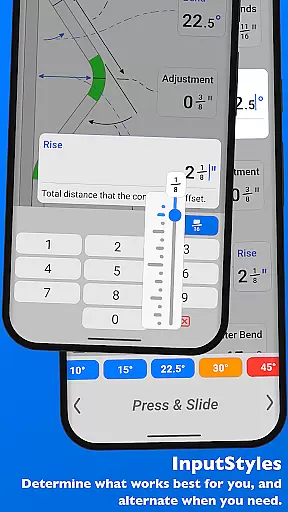
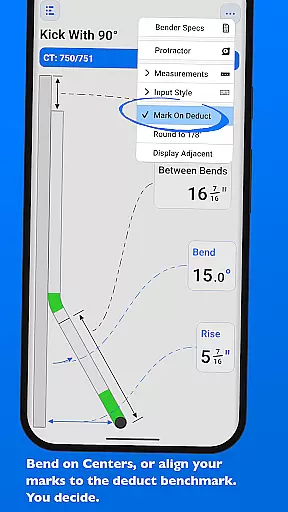
Beyond its core functionality, QuickBend provides an intuitive user interface that allows seamless switching between input styles such as number pad or slider bar (Press & Slide). This flexibility caters to both seasoned professionals and novices alike, ensuring ease of use while maintaining precision. Additionally, it supports multiple measurement units including inches and centimeters, making it versatile for various project requirements.
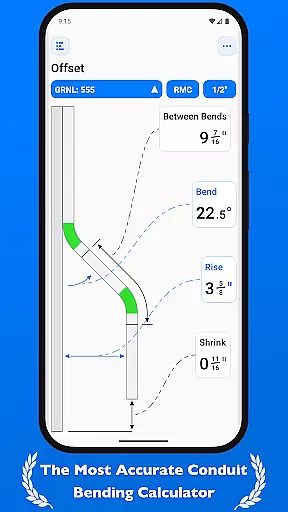
With features like QuickCheck, users receive instant feedback on bend feasibility through color-coded text alerts. Whether you're calculating simple offsets or complex compound bends, QuickBend streamlines the process, saving time and reducing errors. Its comprehensive support for different types of bends and ability to layout multiple marks on a single conduit make it indispensable for productivity-focused tasks in electrical work.
QuickBend offers a rich set of features tailored to enhance productivity for electricians and conduit workers. One standout feature is its dual-input method, allowing users to toggle between a number pad and slider bar (Press & Slide) for entering data. This flexibility ensures that whether you prefer quick numeric inputs or visual adjustments, the app accommodates your style seamlessly.
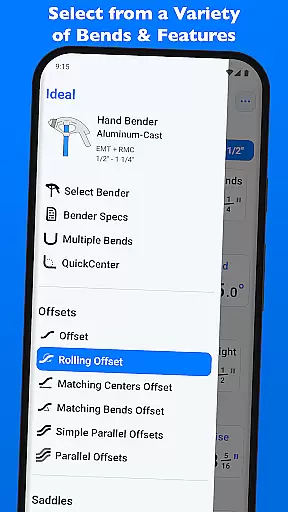
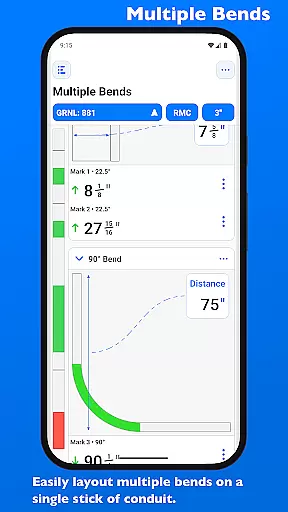
The app's support for multiple conduit bends is exceptional. From basic offsets to intricate compound 90° bends around obstructions, QuickBend covers all essential bend types used in professional settings. Users can also layout multiple marks on a single conduit and easily flip individual or sets of marks per bend. This level of detail helps avoid costly mistakes during installations.
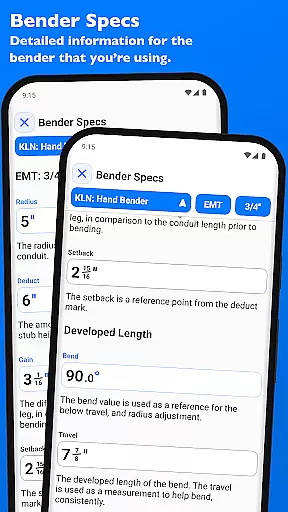
Another innovative aspect is the Bender Specs section, where detailed information about each bender’s specifications—such as centerline radius, deduct, gain, setback, travel, and radius adjustments—is readily available. The inclusion of QuickCheck further enhances usability by providing real-time feedback on bend feasibility through color-coded alerts. These robust features collectively ensure accurate calculations and efficient workflow management for any conduit-related task.
QuickBend revolutionizes the way electricians and conduit workers manage their bending tasks through its advanced calculation engine. The app's core functionality centers around precise measurement generation, taking into account crucial factors such as shoe radius, bender specifications, and conduit dimensions. This ensures every bend is calculated with professional-grade accuracy.
The application offers an intuitive interface that allows users to seamlessly switch between different input methods. Whether using a number pad for exact figures or a slider bar for dynamic adjustments, QuickBend adapts to individual preferences. This flexibility in task management extends to measurement units as well, supporting both inches and centimeters.
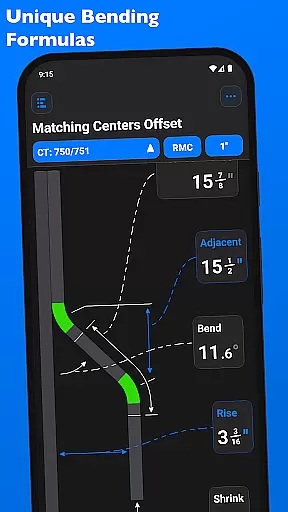
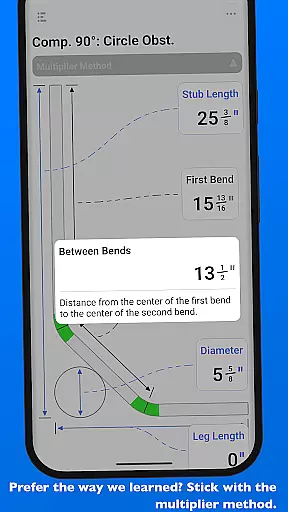
What sets QuickBend apart is its comprehensive approach to various bend types. From simple offsets to complex compound 90u00b0 bends, the app provides detailed calculations and visual feedback for each scenario. Users can efficiently manage multiple bends on a single conduit, with precise mark placement and easy adjustment options.
While primarily a standalone productivity tool, QuickBend demonstrates exceptional attention to detail in its ability to maintain consistent performance across different devices. The app's robust architecture ensures that all calculations and user preferences remain synchronized, regardless of which device is being used.
QuickBend's intelligent system maintains perfect consistency in bend calculations by utilizing manufacturer-specified bender data. Users can pin frequently used benders for quick access, and these preferences are reliably maintained across sessions. The app's 'Bender Specs' feature provides detailed technical information that remains accurate and accessible on any compatible device.
The implementation of QuickCheck technology further enhances cross-device reliability. This innovative feature provides real-time feedback on bend feasibility through color-coded indicators, ensuring consistent performance whether on a smartphone or tablet. The app's responsive design maintains full functionality and visual clarity across various screen sizes and resolutions.
Highly accurate
User-friendly interface
Versatile measurement units
Comprehensive bend support
Real-time feedback
Premium pricing
Steep learning curve
Limited free features
Requires technical knowledge
Occasional bugs

Seamlessly integrate data and reports to build your presentation to impress
 4.80
4.80
When you Focus, so will your Bean in this cozy focus timer
4.30
Automates browsing any website and notifies you of important changes or events
4.30
⏰ Finally a timer app which can run multiple timers simultaneously on your watch
3.90
Customizable calendar widget for seamless event sync, planning & scheduling.
4.00
Todo reminder
4.10
Subscribe to Webcal & .ics calendars and keep them up-to-date!
4.50
A comprehensive suite of tools designed specifically for Lactation Consultants
4.5
Use powerful, industry-leading AI tools to generate visual charts from any data
4.80
Mind Map and brainstorm, note taking and idea collection
4.80
Simple notepad & memo. Take notes, to-do list, shopping list with reminders.
4.80
Access, manage and transfer files on Android, PC, Mac, NAS and cloud storages.
4.30
Easily read and manage all your PDF files
4.10
Make apps & sites with natural language prompts
4.10
Font maker keyboard with your own handwriting
4.10
Intelligent AI Assistant
4.10
* block pre-roll ads, pop-up and forced redirect ads * Samsung certification app
4.00
ID.me Authenticator is a simple and free Two Factor Authentication solution
3.50
Code on-the-go with VScode for Android. Edit,debug and collaborate from mobile!!
3.10


User Reviews