
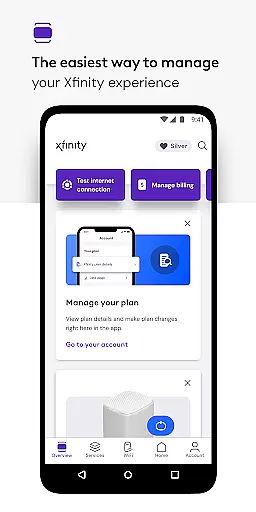
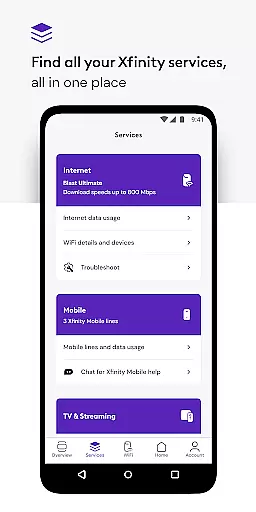
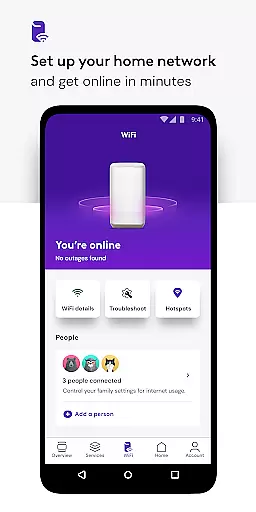
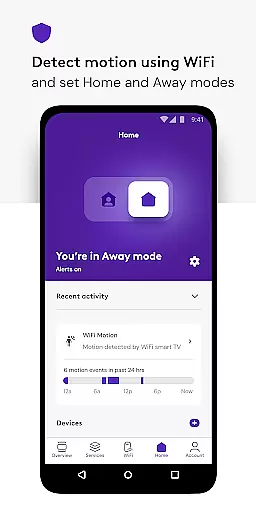
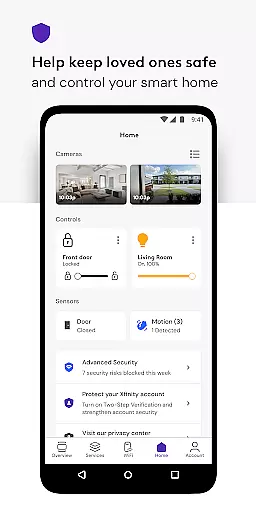
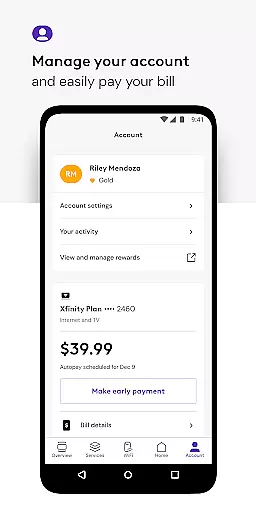
Xfinity is a comprehensive productivity app that allows users to manage all their Xfinity services in one place. The app provides an enhanced experience by offering tools for seamless equipment activation, internet speed testing, and personalized WiFi management. With features like Advanced Security, parental controls, and Xfinity Rewards, the app ensures both convenience and protection.
Users can pay bills, view plan details, upgrade services, and access real-time support 24/7. The app also supports unique experiences through Xfinity Rewards and offers advanced security both at home and on the go. This makes it an essential tool for Xfinity customers looking to streamline their service management and enhance their digital safety.
The Xfinity app stands out with its robust feature set tailored for productivity and security. One of its main highlights is the ability to manage account details such as billing and service upgrades directly from the app interface. Additionally, it offers personalized tools to improve WiFi performance and protect devices with Advanced Security.
Another significant feature is the parental control system, which allows users to set family-safe browsing and pause WiFi access to any connected device. The app also provides real-time support and Xfinity Rewards, offering users special perks and benefits. These features collectively ensure that users have ultimate control over their digital home environment while maintaining high standards of security and convenience.
Core task management is essential for users who need to handle multiple responsibilities efficiently. The Xfinity app excels in this area by providing a centralized platform where customers can manage all their services effortlessly.
The app allows you to pay your bill, view plan details, and make changes or upgrades to your services with ease. This comprehensive approach ensures that you have everything you need at your fingertips, streamlining the process of account management.
By integrating personalized tools and tips to improve WiFi performance, the app goes beyond basic task management. These features empower users to optimize their home network, enhancing both productivity and connectivity.
Cross-device synchronization reliability is crucial for maintaining consistency and access to important information across different devices. The Xfinity app addresses this need by ensuring that all your data and preferences are reliably synced no matter which device you use.
With real-time support available 24/7, the app guarantees that help is always at hand when you encounter issues with synchronization or other service-related concerns. This robust support system enhances user confidence in relying on the app for critical tasks.
Additionally, advanced security features protect your devices and ensure safe browsing even when connected to unsecured networks away from home. By enabling these protective measures, the app not only keeps your data secure but also maintains seamless synchronization across devices.
User-friendly interface
Comprehensive account management
Advanced Security features
Parental controls
24/7 real-time support
Requires Xfinity ID
Limited to Xfinity customers
Some features need rental equipment
VPN Service permissions
Occasional connectivity issues

Experience Reading - Night Mode for Documents
 4.40
4.40
Take control of your clipboard with Clipper!
3.90
Professional calendar app for Google Calendar, MS Outlook & Exchange
4.20
Send files, sync SMS, notifications & clipboard across devices via local network
4.40
Customizable calendar widget for seamless event sync, planning & scheduling.
4.00
Pwnagotchi companion app
4.20
App Lock with fingerprint, password: Lock apps & hide photos with lock screens
4.60
PDF scanner & converter for files, photos, lottery, QR codes. One swipe away!
4.50
* block pre-roll ads, pop-up and forced redirect ads * Samsung certification app
4.00
Use powerful, industry-leading AI tools to generate visual charts from any data
4.80
Quickly and easily keep track of your work shifts
4.70
The long-awaited modern gallery app for your Nextcloud server
4.70
The Pro Version of Android's tiniest Notepad app. Just 0.3MB but feature-packed!
4.60
A Pixel Art watchface inspired by other iconic 90s designs for Wear OS devices!
4.40
Automates browsing any website and notifies you of important changes or events
4.30
Device's storage information in a simple and clear graphical form (infographics)
4.10
Activate Two Factor Authentication (2FA or Multi OTP), Password manager and more
4.10
The ultimate file manager for rooted devices. The original and still the best.
4.00
The upgraded version of Name Wheel with AI and the power to add your own wheels.
4.5


User Reviews