
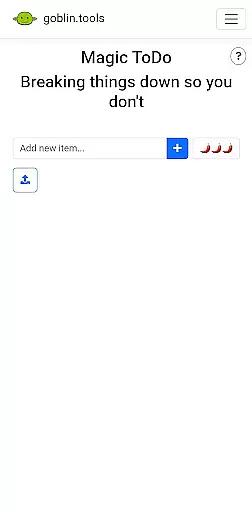
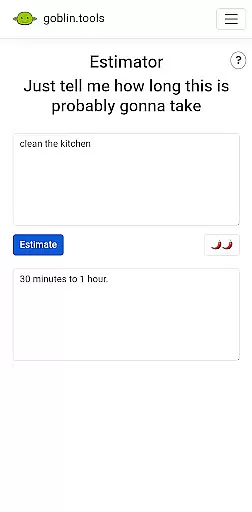
Goblin Tools is a productivity app designed to simplify everyday tasks through a collection of small, intuitive tools. It offers solutions for task management, text analysis, decision-making, and more. The app is especially beneficial for neurodivergent individuals, providing support for ADHD, autism, and other cognitive differences. With its clever design and practical utilities, Goblin Tools helps users break down complex challenges into manageable steps.
The app's unique approach lies in its specialized tools that address specific needs. From the Magic ToDo feature that divides tasks into smaller actions, to the Formalizer that adjusts text tone, each tool serves a distinct purpose. These features make it an invaluable companion for both personal and professional use, ensuring users can navigate daily challenges with greater ease and confidence.
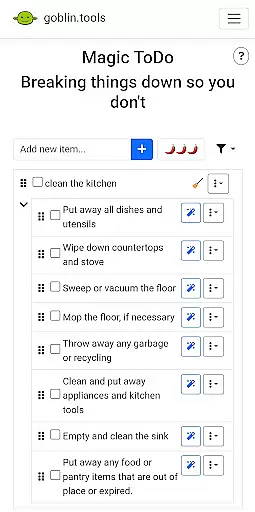
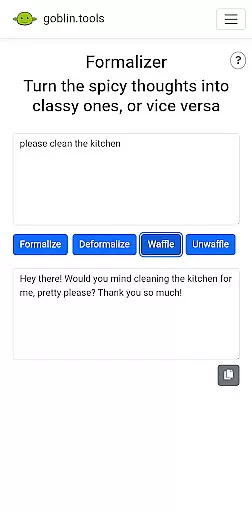
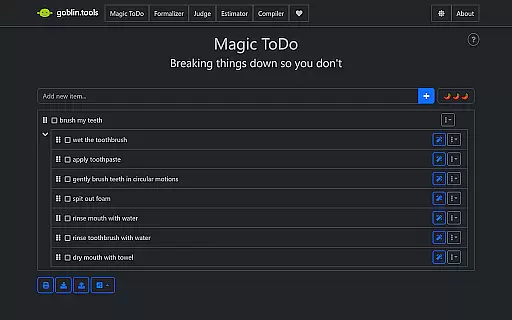
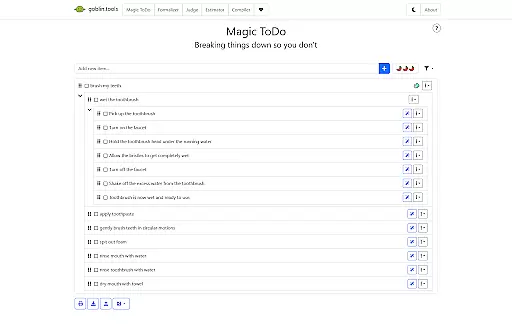
Goblin Tools stands out with its diverse range of innovative features tailored to enhance productivity. The Magic ToDo function allows users to dissect any task into smaller, more achievable steps, making overwhelming projects feel more approachable. The Formalizer tool provides instant rewording of text to match the desired tone, which is particularly useful for professional communication or content creation.
Another remarkable feature is the Judge tool, which analyzes the mood or emotion behind messages, helping users respond appropriately. The Professor simplifies complex information for better understanding, regardless of age or background. Additionally, the Consultant aids in decision-making by offering guidance when choosing between options. Each feature is thoughtfully designed to provide real-world value and improve overall efficiency.
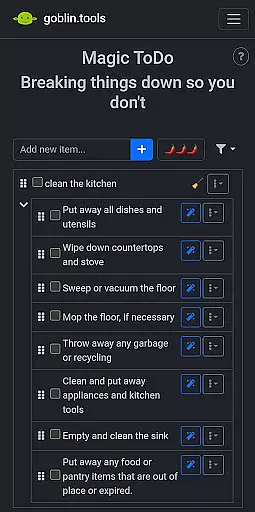
At the heart of Goblin Tools lies its robust core task management system, designed to simplify your life. This feature allows users to break down any daunting task into manageable steps through the Magic ToDo tool. Whether you're tackling a complex project or organizing daily chores, this app transforms overwhelming responsibilities into bite-sized actions.
The true brilliance of this system is its adaptability to various needs, especially for those with ADHD or executive dysfunction. By providing clear, actionable steps, it empowers users to approach tasks methodically without feeling overwhelmed. The straightforward interface ensures that each task can be easily tracked and completed, promoting productivity and reducing anxiety.
Moreover, the app's clever design extends beyond basic task lists. It incorporates innovative features like the Compiler, which helps organize scattered thoughts into coherent action plans. This comprehensive approach to task management makes Goblin Tools an invaluable companion for both personal and professional use.
Goblin Tools excels in cross-device synchronization reliability, ensuring your data remains consistent across all your devices. When you update a task or make changes on one device, the app seamlessly syncs these modifications to all other connected devices. This real-time synchronization means you can start planning on your phone during your commute and continue refining those plans on your tablet at home without missing a beat.
This reliable syncing capability is crucial for maintaining workflow continuity and preventing data loss. For individuals managing multiple projects or balancing work and personal responsibilities, having access to up-to-date information regardless of location or device is indispensable. The app's commitment to keeping everything current enhances user experience significantly.
Furthermore, the synchronization process operates smoothly in the background, requiring no manual intervention from users. This hands-free approach minimizes disruptions while maximizing efficiency. With Goblin Tools, you can trust that your carefully crafted task lists and organizational structures will always be available exactly as you left them, fostering a seamless transition between different aspects of your digital life.
User-friendly interface
Innovative task breakdown
Tailored for neurodivergent users
Wide variety of tools
Ad-free experience
Limited advanced features
No offline functionality
Requires learning curve
Occasional bugs reported
Premium version needed for full access

 4.20
4.20
8 custom complications. Custom Time Fonts. Beautiful color schemes. A++ Design.
5.00
Absolutely the best CNC machinist speed and feed calculator around. fswizard.com
4.60
Stay on top of your to-dos with Google Tasks, part of Google Workspace.
4.60
Subscribe to Webcal & .ics calendars and keep them up-to-date!
4.50
Experience and share your SolidWorks designs on your Android® phone and tablet.
2.50
Use powerful, industry-leading AI tools to generate visual charts from any data
4.80
Okta MFA
4.70
AI Chatbot and AI writing assistant powered by ChatGPT.
4.60
Native client for Forgejo and Gitea
5.00
aCalendar+ makes your day, week and month
4.70
Quickly and easily keep track of your work shifts
4.70
Calendar 2023 widget for Android. Appointment scheduler, planner, and reminder
4.60
Translate text/voice/photos in 150+ languages. Offline & fast translator app.
4.50
A Pixel Art watchface inspired by other iconic 90s designs for Wear OS devices!
4.40
Find and delete junk files & block unwanted notifications & manage files
3.70
Simple and reliable communication between inmates, friends and family
3.20
The upgraded version of Name Wheel with AI and the power to add your own wheels.
4.2
A comprehensive suite of tools designed specifically for Lactation Consultants
4.1


User Reviews