













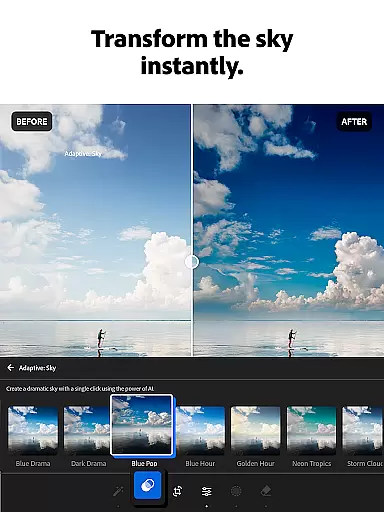





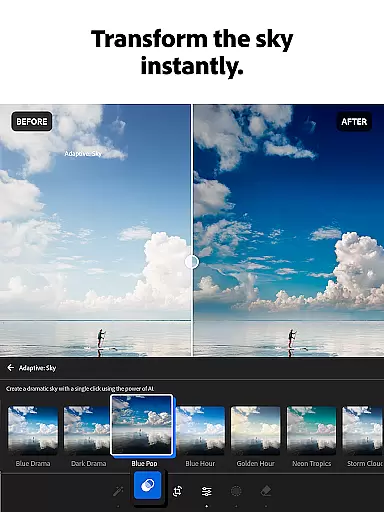
Adobe Lightroom is a comprehensive photo and video editing application designed for both amateur photographers and professionals. This app allows users to enhance their photos with powerful yet easy-to-use tools, including retouching features, exposure adjustments, and color grading. With its AI-powered editing capabilities, users can quickly improve image quality or add unique artistic effects.
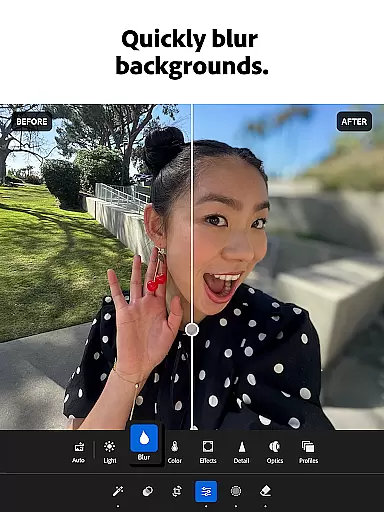
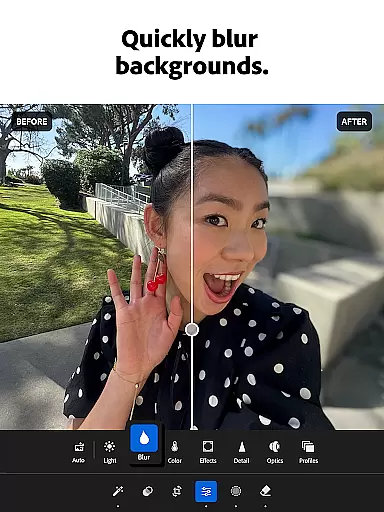
One of the standout features of Lightroom is its ability to streamline workflows through batch editing. Users can apply the same edits across multiple images, saving time while maintaining consistency in their work. Additionally, the app offers professional-grade tools like background blurring and object removal, which help create polished, distraction-free photographs. Whether you're editing casual snapshots or professional portraits, Lightroom provides all the necessary tools to produce shareworthy results.
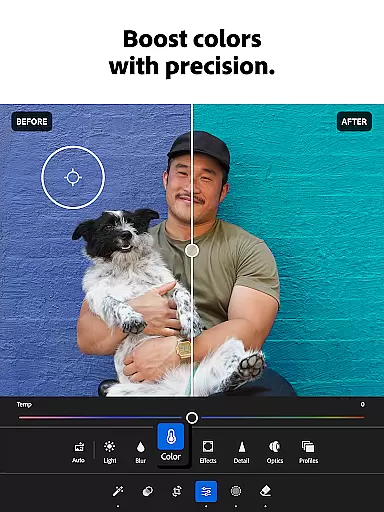
Lightroom stands out with its robust set of features tailored for modern photography needs. The app includes one-tap Quick Actions and Adaptive Presets that instantly enhance photo quality, making it accessible even for beginners. For more advanced users, precise control over lighting, color, and detail adjustments ensures every photo meets exacting standards. The inclusion of video editing tools further expands its versatility, allowing users to apply similar enhancements to their video projects.
Another key feature is Generative Remove, an innovative tool powered by AI that lets users erase unwanted objects or people from photos seamlessly. Additionally, Lightroom fosters creativity through community-driven presets and filters shared by other photographers worldwide. These user-generated assets provide endless inspiration and customization options, helping users develop their signature style. With cross-platform support and cloud syncing, your edits are always up-to-date wherever you go.
Real-time capture and preview functionality is essential for photographers who need to ensure their shots are perfect before they even take them. With Adobe Lightroom, users can experience this feature through its advanced photo editor tools that allow for instant adjustments and previews.
The application provides a state-of-the-art photo editor which suggests the best edits for images, allowing users to quickly touch up photos or add unique styles without any prior experience. This immediate feedback loop enhances the creative process by enabling photographers to experiment with different looks and instantly see the results on their photos.
Moreover, Lightroom's real-time capabilities extend to video editing as well, where creators can adjust light, color, and apply presets to videos just as they would with still images. The ability to preview these changes in real time ensures that content creators can produce high-quality visual media efficiently and effectively.
By offering such powerful real-time features, Adobe Lightroom empowers users to create shareworthy photos and videos with confidence, knowing that what they capture is exactly what they intend to share with their audience.
AI beauty and enhancement features have become increasingly popular among photography enthusiasts looking to elevate their images while maintaining a natural look. Adobe Lightroom incorporates sophisticated AI technology into its photo editor, ensuring that enhancements appear authentic rather than over-processed.
With one-tap features like Quick Actions and Adaptive Presets, users can enhance photo quality in seconds, softening backgrounds or touching out blemishes with ease. These smart tools analyze each image individually, applying adjustments that complement the original photograph without compromising its integrity.
Furthermore, Lightroomu2019s AI-driven suggestions help retouch photos by tweaking exposure, highlights, shadows, and more, all while preserving the natural aesthetics of the subject. Whether it's portrait edits or landscape shots, the AI photo editor ensures every edit enhances the story told by the image.
This commitment to natural-looking enhancements not only saves time but also allows photographers at any skill level to achieve professional-grade results, making Adobe Lightroom an indispensable tool for anyone passionate about capturing lifeu2019s moments beautifully and authentically.
User-friendly interface
Powerful AI editing tools
Batch editing functionality
Professional-grade retouching
Vibrant creative community
Premium features require subscription
Steep learning curve for beginners
Limited free storage
Occasional performance lags
Advanced tools may overwhelm casual users

Photo Album Watch Face shows your favorite pictures as a Watchface.
 1.90
1.90
Application for remote controlling DSLR
3.00
Natural Beauty, Selfie Retouch
4.30
Pet Camera
3.70
AI photo editor with hair editor, retouch tools, hair color changer & filters!
4.50
HD Camera Pro with HD Video shooting, Panorama, Photo editor , Beauty Camera.
4.50
Automatically backup your photos and videos to computer, NAS and Cloud services
4.60
A must-have app for landscape photographers
4.60
Unblur, enhance & restore photos with powerful AI photo enhancer tools.
4.60
Pro version: AR sun/moon tracker for any date. Tool for photographers & planners
4.90
Android Native system HD camera app. Never been so simple and faster.
4.70
Enhance, upscale, and transform your images — on your device, without limits
4.70
Cut and paste photo editor & eraser to customize photos easy and swap faces fun
4.50
Create collages easily! Nice pic collage maker & background eraser for Instagram
4.50
RAW video capture with advanced controls
4.40
Luminar: Photo Editor - easy picture editing with AI
4.20
Astrophotography with your smartphone, photo live stacking and much more!
3.90
Perfect photos with body shaping, BG changer and object remover.
3.70
Superimpose one photo on top of another using the original Superimpose app!
3.20


User Reviews