

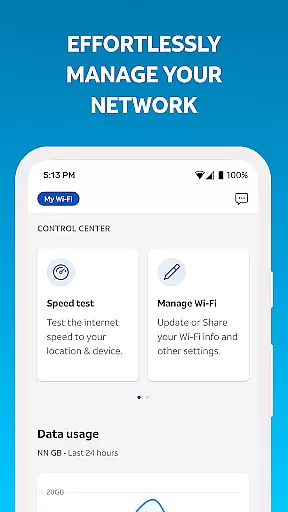
Smart Home Manager is a productivity-focused application designed to simplify the setup and management of your AT&T Internet service. The app provides a comprehensive suite of tools for network management, all accessible through an intuitive interface. With this app, users can easily configure Wi-Fi settings, manage connected devices, and control family screen time.
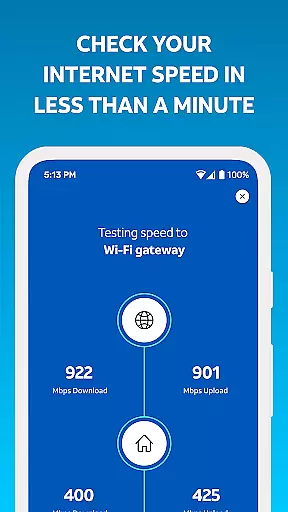
A key feature of Smart Home Manager is its ability to troubleshoot network issues without the need for technician visits. It also allows users to test internet speed, identify weak signal areas, and monitor network health. These capabilities ensure optimal performance of your home network while providing notifications for any potential issues or outages.
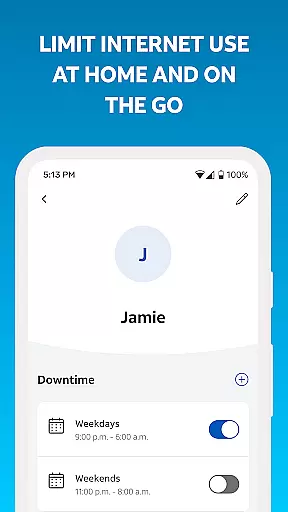
This app is particularly useful for families looking to establish healthy digital habits. By creating customizable profiles, parents can set parental controls and schedule downtime for their children's devices. Whether you're managing your network or ensuring responsible device usage, Smart Home Manager offers practical solutions for modern households.
Smart Home Manager stands out with its extensive range of features tailored for efficient home network management. One of its primary functions is enabling users to modify Wi-Fi network names and passwords effortlessly. This ensures that your network remains secure and personalized according to your preferences.
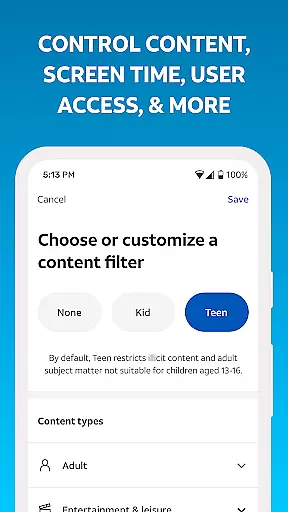
Beyond basic network adjustments, the app provides advanced capabilities such as device personalization and parental controls. Users can assign unique names to each connected device, making it easier to identify them on the network. Additionally, the app allows for the creation of detailed user profiles where parents can enforce screen time limits and content restrictions for their children.
The app also includes diagnostic tools that help maintain network health. Users can run speed tests, locate dead zones within their home, and receive alerts about service disruptions. These proactive measures empower users to address connectivity issues promptly, ensuring a consistently reliable internet experience.
Smart Home Manager excels in core task management by offering a centralized platform to handle various aspects of your home network. The app allows users to easily view and update their Wi-Fi network name and password, ensuring that security measures are always up-to-date.
With the ability to see what's connected to your network and personalize all your device names, it simplifies the complexity of network management. This functionality is crucial for maintaining an organized and secure smart home environment.
The app goes further by enabling users to create profiles and set parental controls along with downtime schedules. These features help manage family screen time effectively, making it an essential tool for modern households.
By providing comprehensive tools such as pausing Wi-Fi access for any device and testing Internet speed, Smart Home Manager ensures users have complete control over their home networks, enhancing both productivity and security.
Cross-device synchronization is a standout feature of Smart Home Manager, ensuring that all your devices are in sync with the latest network settings and updates. This reliability is vital for maintaining a seamless smart home experience across multiple devices.
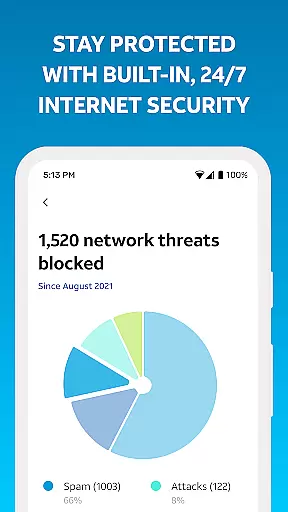
The app provides notifications of issues and service outages, allowing users to stay informed about the status of their network. With this feature, users can quickly address any disruptions, minimizing downtime and maintaining productivity.
Smart Home Manager also supports restarting your Wi-Fi gateway directly from the app, which enhances synchronization by ensuring all devices reconnect to an updated network state. This process helps maintain optimal performance and connectivity.
Overall, the app's robust cross-device synchronization capabilities ensure that every device in your home benefits from the latest network improvements and security updates, delivering a reliable and efficient user experience.
User-friendly interface
Comprehensive network tools
Customizable device profiles
Effective parental controls
Proactive issue detection
Limited to AT&T customers
Gateway model dependent
No offline functionality
Premium features may require subscription
Occasional connectivity issues

A Revolutionary All-in-One Artificial Intelligence Tools
 3.80
3.80
QuickBooks Workforce lets teams view pay info and track time in one place.
4.70
Native client for Forgejo and Gitea
5.00
Total remote control for your Android device, PC and cloud services (IFTTT)!
4.20
8 custom complications. Custom Time Fonts. Beautiful color schemes. A++ Design.
5.00
A lightweight JSON & XML files creator, editor and viewer (Premium Version)
4.40
CalenGoo is a very flexible and feature-rich calendar app
4.40
Cloud storage, automatic phone backup, and more.
4.10
Best Tool for the professionals Electrician, Electrical contractors, etc.
4.90
aCalendar+ makes your day, week and month
4.70
Scan paperwork into PDF/JPG, generate your own e-signature and send fax or email
4.70
A simple Whisper AI keyboard for reliable speech transcription and rewording
4.60
Enjoy classic gameplay with customizable features and retro-style graphics.
4.30
All in One PDF Reader: Manage, Read and Edit your Documents
4.20
Customizable calendar widget for seamless event sync, planning & scheduling.
4.00
Take control of your clipboard with Clipper!
3.90
Access your phone's notifications, calls, apps, photos & texts on your PC
3.90
Auto-shutoff Alarm with Sunrise, Sunset & Fixed Options.
3.50
Code on-the-go with VScode for Android. Edit,debug and collaborate from mobile!!
3.10


User Reviews