


Microsoft Copilot represents a breakthrough in AI-powered productivity tools, serving as your personal AI companion for both professional and creative tasks. This application combines the latest advancements from OpenAI and Microsoft's AI models to deliver an intuitive experience that simplifies complex workflows.
The app offers versatile functionalities including AI chat assistance, photo generation from text prompts, content creation, and language translation across hundreds of languages. Whether you need help drafting emails, generating visuals, or organizing ideas, Copilot provides tailored support to enhance efficiency and creativity.
Designed for users seeking smarter work solutions, Copilot is ideal for professionals, creatives, and anyone looking to streamline daily tasks. Its ability to generate instant summaries, assist with writing projects, and create high-quality visuals makes it an invaluable tool for boosting productivity while fostering innovation.
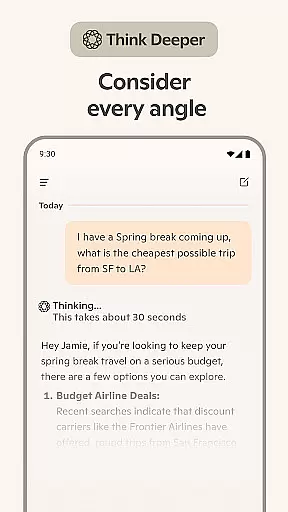
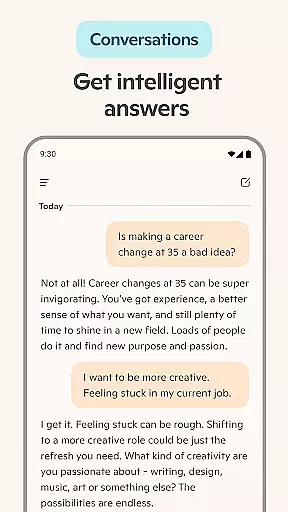
Microsoft Copilot stands out with its robust feature set designed to cater to diverse user needs. One of its core strengths is the AI chat assistant, which delivers concise answers to complex queries through simple conversations. This functionality extends to practical uses such as creating shopping lists, drafting emails, and proofreading multilingual texts.
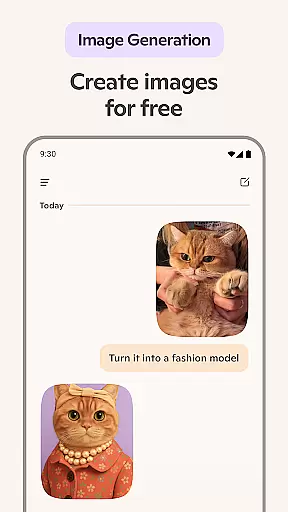
A key highlight is the AI photo generator, enabling users to transform textual descriptions into stunning visuals—ranging from abstract designs to photorealistic images. The voice chat capability further enhances accessibility by allowing users to compose stories, generate artwork, and spark new ideas effortlessly.
Additional features include logo design assistance, social media content curation, and visualization tools for storyboarding films or videos. These capabilities empower users to explore creative avenues while maintaining professional standards, making Copilot an indispensable asset for modern workflows.
Microsoft Copilot excels in core task management by integrating advanced AI capabilities to streamline daily activities. The application leverages the latest OpenAI and Microsoft AI models to provide users with an intuitive platform for organizing tasks efficiently.
Through its AI chat assistant, Copilot simplifies complex operations such as drafting emails, creating shopping lists, and even proofreading across multiple languages. This ensures that users can accomplish their objectives quickly and accurately without being bogged down by routine chores.
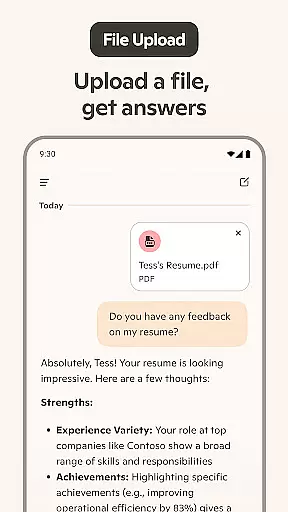
Moreover, Copilot's ability to generate instant sharp summaries and helpful rewrites enhances productivity. Whether you need to condense lengthy documents or refine your writing, this feature provides substantial support, allowing users to focus on more strategic activities.
The true value of Copilot's task management lies in its adaptability. It acts as a personal AI writing assistant, boosts productivity, and drives business outcomes, making it an indispensable tool for both personal and professional use.
Cross-device synchronization is a pivotal feature of Microsoft Copilot, ensuring that users have a seamless experience across all their devices. By maintaining reliable and real-time updates, Copilot allows users to transition smoothly between their desktop, tablet, and smartphone without missing a beat.
This synchronization is powered by robust cloud infrastructure, which guarantees that all user data, preferences, and ongoing tasks are consistently updated. As a result, whether you're composing an email on your desktop or generating AI images on your mobile device, the transition is fluid and uninterrupted.
Furthermore, Copilot's synchronization extends to its AI photo generator and other creative tools. Users can start a design project on one device and continue refining it on another, with all changes reflected instantly. This flexibility empowers users to work from anywhere, at any time, without compromising on quality or efficiency.
Ultimately, the reliability of cross-device synchronization in Microsoft Copilot not only enhances user convenience but also amplifies productivity by providing a cohesive ecosystem where all tasks and creative projects are interconnected and up-to-date.
Advanced AI technology
Versatile content creation
Multilingual support
User-friendly interface
Innovative photo generator
Limited offline functionality
Premium features require subscription
Occasional response delays
Steep learning curve for beginners
Resource-intensive on older devices

Experience Reading - Night Mode for Documents
 4.40
4.40
Take control of your clipboard with Clipper!
3.90
Smart PDF reader & editor to view, organize and manage PDF documents easily.
3.70
Pwnagotchi companion app
4.20
Code on-the-go with VScode for Android. Edit,debug and collaborate from mobile!!
3.10
Use powerful, industry-leading AI tools to generate visual charts from any data
4.80
Simple notepad & memo. Take notes, to-do list, shopping list with reminders.
4.80
Okta MFA
4.70
Browse and view your photos and videos from the phone with photo & video hide.
4.10
Direct Chat without saving contacts & Dual WA Account on Single Device
4.70
aCalendar+ makes your day, week and month
4.70
Send files, sync SMS, notifications & clipboard across devices via local network
4.40 4.20
4.20
Make apps & sites with natural language prompts
4.10
* block pre-roll ads, pop-up and forced redirect ads * Samsung certification app
4.00
⏰ Finally a timer app which can run multiple timers simultaneously on your watch
3.90
A Revolutionary All-in-One Artificial Intelligence Tools
3.80
All in one sketching tool. Technical and General drawing. Online Maps support.
3.70
Ads Free App! Editor, Hide File, Copy, Move, Delete and Rename.. all facility av
1.70


User Reviews