
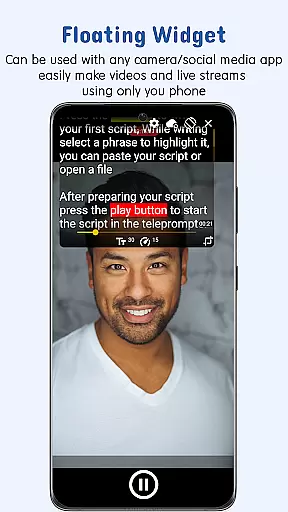
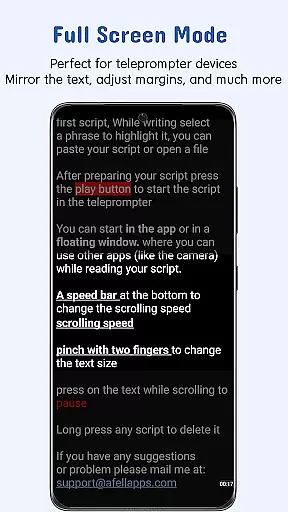
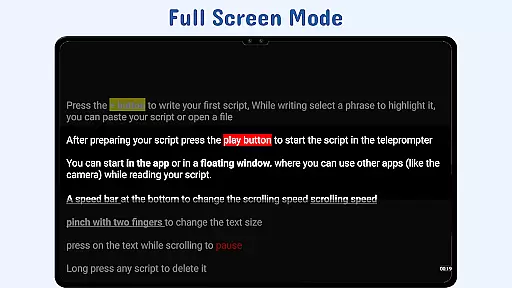
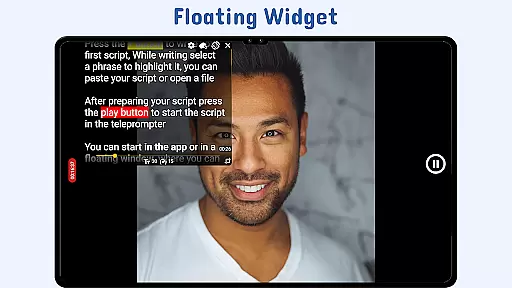
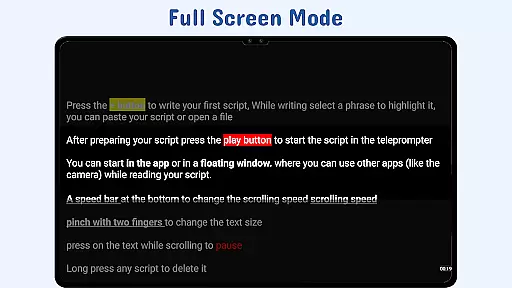
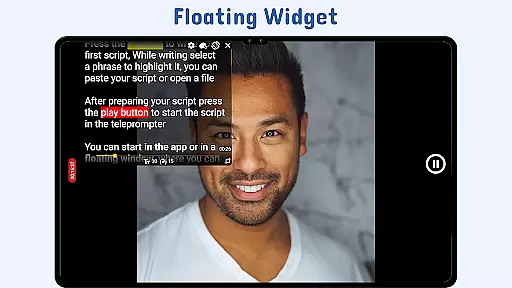
Nano Teleprompter is a versatile productivity tool designed to streamline the process of script management and delivery for video recording, live streaming, or public speaking. The app's standout feature is its floating teleprompter widget, which allows users to overlay scripts on top of any camera app while freely resizing and positioning it in both landscape and portrait modes. This ensures seamless integration with various recording setups.
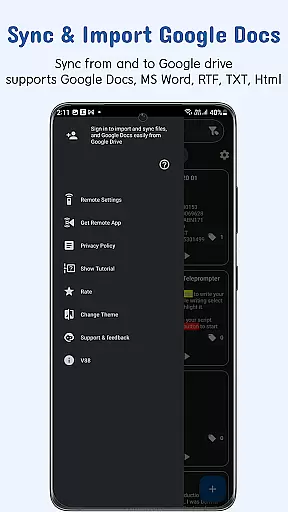
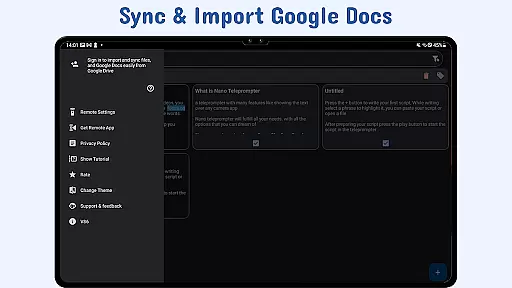
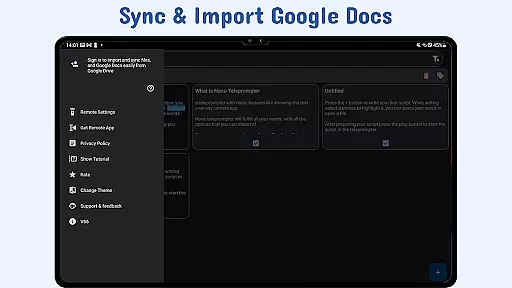
Another key highlight is its real-time Google Drive sync functionality, enabling users to create, edit, and manage scripts directly from Google Drive. Whether you're working on Google Docs, MS Word, or plain text files, Nano Teleprompter automatically updates scripts in real time. With customizable text settings, gesture controls, and remote support, this app provides a professional-grade teleprompting experience that enhances workflow efficiency.
Ideal for content creators, educators, and professionals, Nano Teleprompter simplifies script handling by combining advanced features like adjustable scroll delay, highlighted key phrases, and cross-device syncing. Its intuitive design and robust functionality make it an indispensable tool for anyone needing reliable teleprompting capabilities.
Nano Teleprompter stands out with its comprehensive set of features tailored to meet diverse teleprompting needs. One of its most notable aspects is the floating teleprompter widget, which can be resized and moved freely across the screen. This flexibility allows users to position their scripts precisely where needed, ensuring uninterrupted visibility during recordings or presentations.
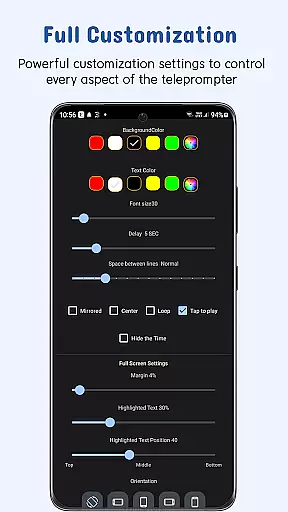
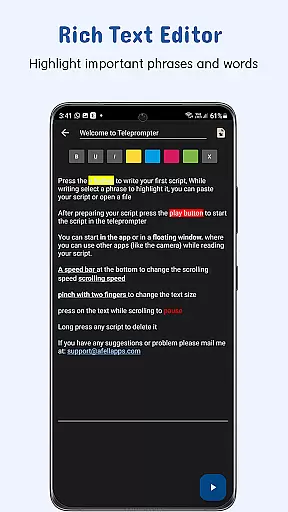
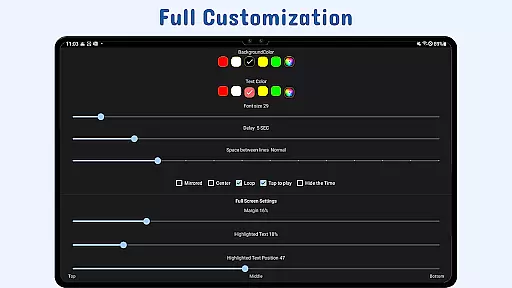
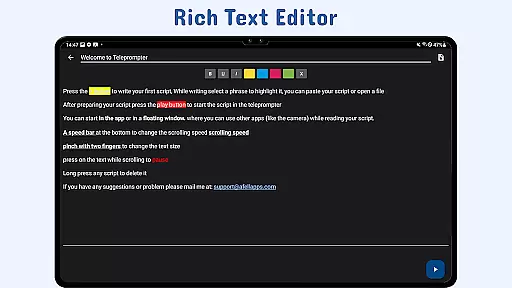
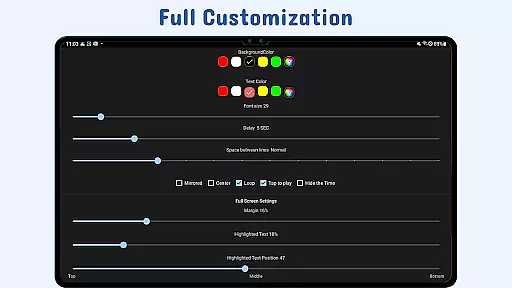
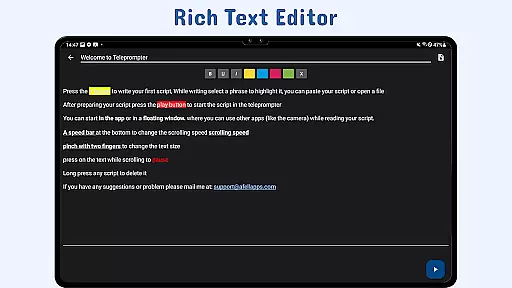
The app also excels in cloud integration, offering real-time Google Drive synchronization. Users can import files in multiple formats such as Google Docs, MS Word, RTF, TXT, and HTML, making it adaptable to various workflows. Additionally, Nano Teleprompter supports extensive customization options, including text size, color, background opacity, margins, and line spacing, allowing users to tailor the display to their preferences.
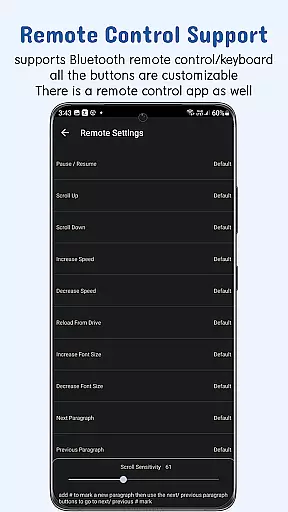
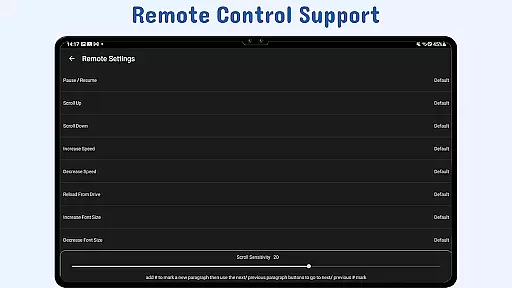
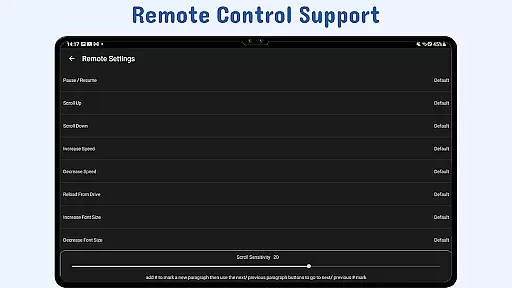
Other innovative features include gesture controls for zooming and resizing, adjustable scroll delays for better pacing, and remote control support for hands-free operation. These functionalities collectively enhance user convenience and ensure smooth, professional-quality teleprompting experiences across different devices and scenarios.
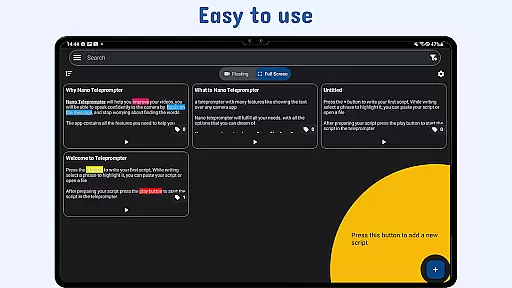
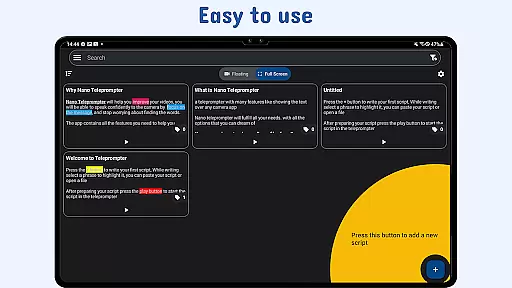
At the heart of Nano Teleprompter lies its robust core task management system, designed to streamline your workflow. This feature allows users to create, edit, and manage scripts directly through an intuitive interface or via seamless Google Drive integration.
The app automatically syncs any changes made in Google Drive, ensuring that your scripts are always up-to-date. Whether you're working on a PC or within the app itself, every modification is instantly reflected, providing unparalleled convenience.
With options like text customization and real-time syncing across devices, users can tailor their experience for optimal readability and accessibility. This ensures that whether you're recording videos or delivering speeches, your content is clear and readily available.
Nano Teleprompter excels in cross-device synchronization reliability, making it a dependable tool for professionals who use multiple devices. By leveraging Google Drive, the app provides a seamless experience where all your scripts are backed up and accessible from anywhere.
This synchronization process is not only reliable but also automatic. Any updates made to your scripts are immediately available across all linked devices, eliminating the risk of working with outdated information. This feature is crucial for maintaining consistency and efficiency in dynamic work environments.
Moreover, the ability to open text files directly from the file explorer or share text from other apps enhances workflow flexibility. With Nano Teleprompter, you can be confident that your scripts are always current and synchronized, empowering you to focus on delivering your best performance.
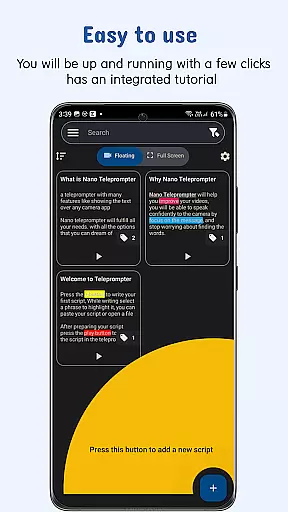
User-friendly interface
Real-time sync
Customizable display
Remote control support
Cross-device compatibility
Limited offline functionality
Premium feature costs
Occasional sync delays
Complex setup for beginners
Device-specific issues

AI Video AI Image Private LLM AI Browser Llama Gemma Ollama Connect LLM Studio
 4.5
4.5
All in one sketching tool. Technical and General drawing. Online Maps support.
3.70
Automates browsing any website and notifies you of important changes or events
4.30
Make your handwriting beautiful, even more than pen on paper.
3.60
Customizable calendar widget for seamless event sync, planning & scheduling.
4.00
A simple Whisper AI keyboard for reliable speech transcription and rewording
4.60
Understand anything with a personalized AI research assistant
4.80
Simple notepad & memo. Take notes, to-do list, shopping list with reminders.
4.80
QuickEdit is a fast, stable and full featured text and code editor.
4.20
Android Wallet Password Manager
4.80
Protect and view your important info on your phone and tablet with eWallet®
4.80
Absolutely the best CNC machinist speed and feed calculator around. fswizard.com
4.60
To do list widget with a notebook organizer, checklist, simple shopping list
4.60
A lightweight JSON & XML files creator, editor and viewer (Premium Version)
4.40
Font maker keyboard with your own handwriting
4.10
Create and edit presentations with Google Slides, part of Google Workspace.
4.00
The ultimate file manager for rooted devices. The original and still the best.
4.00
Find and delete junk files & block unwanted notifications & manage files
3.70
Ads Free App! Editor, Hide File, Copy, Move, Delete and Rename.. all facility av
1.70


User Reviews