
Google Docs is a powerful productivity application that allows users to create, edit, and collaborate on documents directly from their Android devices. The app supports real-time collaboration, enabling teams to work together seamlessly by sharing documents, editing content, leaving comments, and assigning action items without any delays. With its offline mode functionality, users can capture ideas and continue working even without an internet connection. Google Docs also offers easy-to-use templates that help save time while adding professional polish to documents.
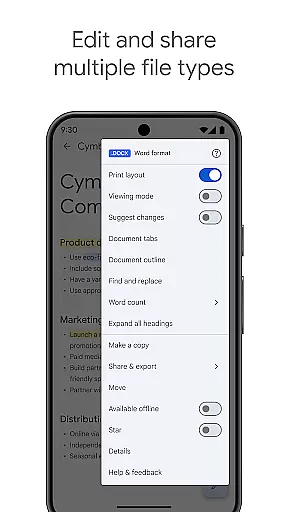
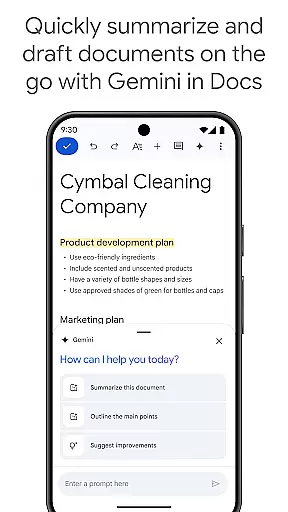
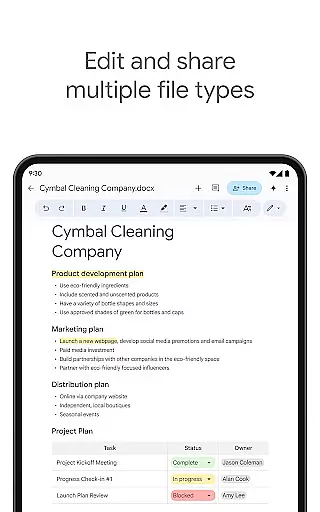
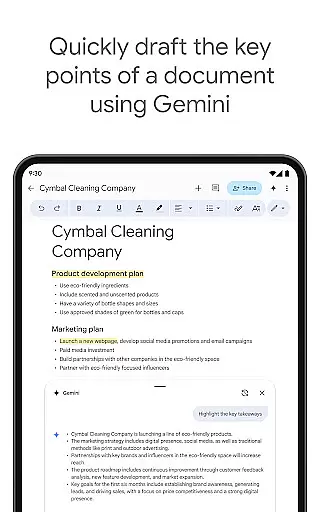
In addition to supporting multiple file types, including Microsoft Word files, the app provides frictionless collaboration regardless of the applications used by team members. Files can be converted and exported effortlessly. For Google Workspace paid subscribers, Google Docs offers advanced features such as Gemini-powered AI assistance for drafting and editing content, creating unique images, and improving writing with AI-driven suggestions. Whether you're drafting outlines, blog posts, or professional briefs, Google Docs ensures that teams of all sizes can stay productive and connected.
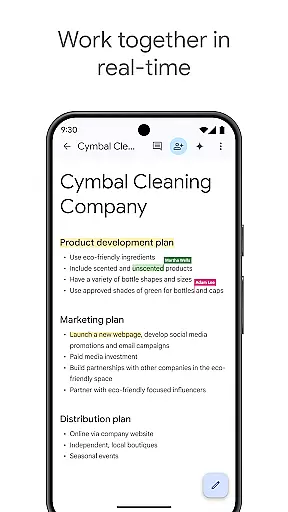
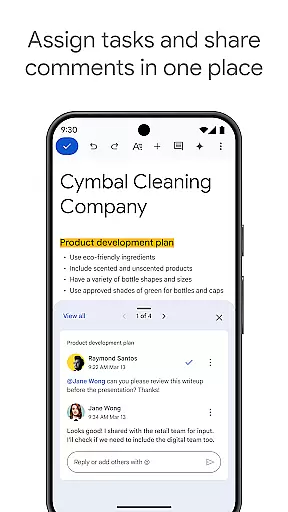
One of the standout features of Google Docs is its robust real-time collaboration capabilities. Users can share documents with their team and make live edits, leave comments, and assign action items, ensuring everyone stays on the same page. This makes it ideal for remote teams or projects requiring frequent updates and communication. Additionally, the app's compatibility with various file formats, including Microsoft Word, ensures seamless integration into existing workflows.
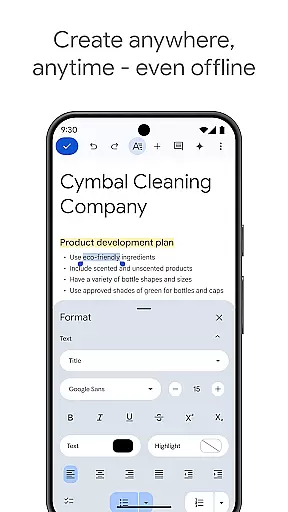
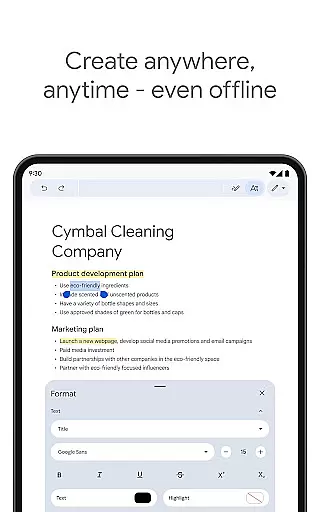
Another key feature is its offline mode, which allows users to create and edit documents anywhere, anytime—even without an internet connection. This flexibility is particularly useful for professionals who are often on the go. Google Docs also includes a variety of easy-to-use templates that help users save time while maintaining a professional appearance in their documents. For Google Workspace subscribers, enhanced features like Gemini AI provide intelligent writing assistance, helping users draft content faster, improve their writing quality, and even generate custom images to enhance their documents.
The app's ability to convert and export files seamlessly further extends its utility, making it simple to work across different platforms and applications. These features collectively ensure that Google Docs remains a versatile and indispensable tool for both individual and team productivity needs.
In the realm of productivity, effective task management is paramount. Google Docs excels in this area by offering a comprehensive suite of tools designed to streamline your workflow.
With real-time collaboration features, users can seamlessly share documents with team members, allowing for simultaneous editing and commenting. This ensures that everyone stays on the same page and can contribute to the project's progress without missing a beat.
Moreover, Google Docs supports working offline, which means you can create and edit documents from anywhere, at any time, even without an internet connection. Once online, all changes sync automatically, ensuring your work is always up-to-date.
The app also provides easy-to-use templates that save time and add a professional touch to your documents, making task initiation quicker and more efficient.
Cross-device synchronization is crucial for maintaining workflow continuity across different platforms. Google Docs shines in this aspect by providing reliable and consistent synchronization across all your devices.
Whether you're switching from your Android phone to a tablet or a desktop computer, Google Docs ensures that your documents are always up-to-date and accessible. This seamless transition allows you to pick up right where you left off, no matter which device you're using.
Additionally, Google Docs supports a wide range of file types, including Microsoft Word files, and offers frictionless collaboration regardless of the application your teammates use. Files can be converted and exported effortlessly, enhancing cross-platform compatibility.
For Google Workspace paid subscribers, advanced features powered by AI, such as Gemini in Docs, further enhance productivity by providing smart suggestions and enabling the creation of unique content on the go.
User-friendly interface
Real-time collaboration
Offline access
AI-powered assistance
Cross-platform compatibility
Limited offline functionality
Requires Google account
Basic formatting tools
Dependent on internet
No advanced templates

QuickBooks Workforce lets teams view pay info and track time in one place.
 4.70
4.70
Mega cloud explorer plugin for Solid Explorer
3.80
Professional calendar app for Google Calendar, MS Outlook & Exchange
4.20
Planet Free VPN - The best Fast Unlimited and Secure VPN Without Logs
4.50
Functional QR scanner and barcode reader that requires little storage space.
4.60
Subscribe to Webcal & .ics calendars and keep them up-to-date!
4.50
Code on-the-go with VScode for Android. Edit,debug and collaborate from mobile!!
3.10
Intelligent AI Assistant
4.10
Understand anything with a personalized AI research assistant
4.80
Great calculator for Android named one of USA TODAY's "25 Essential Apps".
4.90
Best Tool for the professionals Electrician, Electrical contractors, etc.
4.90
Android Wallet Password Manager
4.80
aCalendar+ makes your day, week and month
4.70
Absolutely the best CNC machinist speed and feed calculator around. fswizard.com
4.60
App Lock with fingerprint, password: Lock apps & hide photos with lock screens
4.60
A simple Whisper AI keyboard for reliable speech transcription and rewording
4.60
Share files & memories safely. Keep your photos and videos secure.
4.40
Secure, open-source, SPICE and SSH Remote Desktop for QEMU KVM virtual machines
4.00
A Revolutionary All-in-One Artificial Intelligence Tools
3.80


User Reviews