

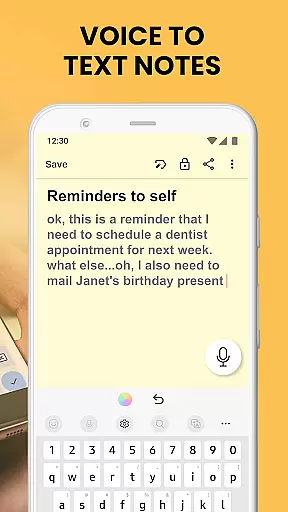
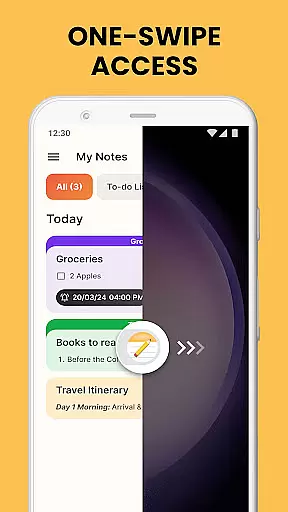
Notes Launcher is a productivity app designed to streamline note-taking and task management. The application allows users to jot down thoughts, create to-do lists, and organize important information with ease. Its intuitive swipe-right feature from the home screen enables instant access to note creation, making it an efficient tool for capturing ideas on the go.
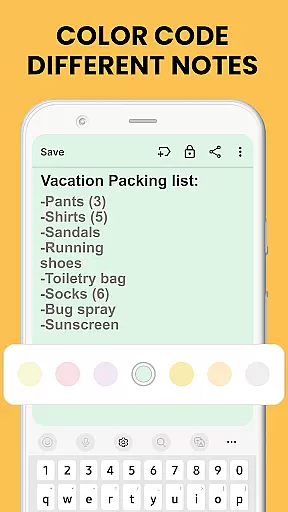
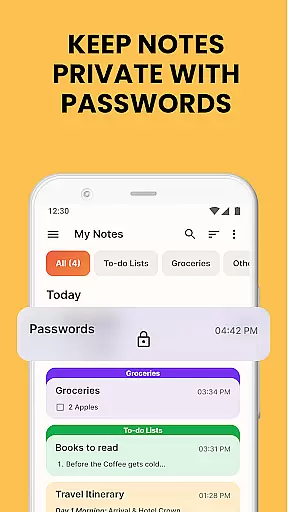
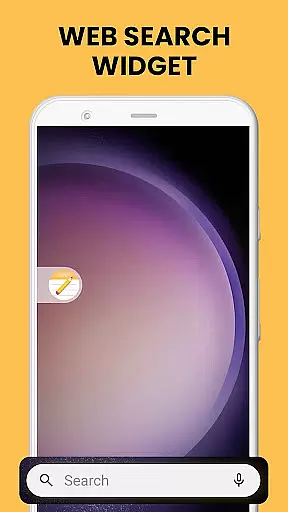
Beyond basic note-taking, the app offers advanced features such as text formatting tools, color-coding for better organization, and locking mechanisms to secure sensitive data. Users can categorize notes into custom groups, sort them by date or creation order, and utilize the powerful search function to quickly retrieve specific content. With additional functionalities like home screen widgets, personalized wallpapers, and multi-touchpoint search capabilities, Notes Launcher provides a comprehensive solution for managing daily tasks and information efficiently.
Notes Launcher stands out with its rich feature set tailored for productivity enthusiasts. The app's one-swipe access functionality revolutionizes note creation, allowing users to instantly record ideas without navigating through multiple screens. This seamless accessibility is complemented by a customizable home screen widget that displays essential information like time and weather, keeping users informed at a glance.
The application's robust note management system includes text formatting tools for creating professional-looking documents, color-coding options for visual organization, and locking features for enhanced security. Advanced organizational tools enable users to categorize notes into meaningful groups, sort them according to various parameters, and quickly find specific content through the intelligent search feature. Additional productivity-boosting features include home screen shortcuts for quick access to to-do lists and a multi-touchpoint search system that integrates both installed apps and web search powered by Yahoo.
Task management is at the heart of productivity applications, and Notes Launcher excels in this area. The app provides users with a comprehensive suite of tools to create, organize, and prioritize tasks effectively.
With features like note-taking, text formatting, color-coding, locking sensitive notes, categorizing, sorting, finding, and sharing, Notes Launcher ensures that users can manage their daily tasks with ease. These functions allow for an organized digital workspace where information is structured and accessible.
Users benefit from the ability to instantly jot down thoughts, ideas, or important information through quick notes or to-do lists. This immediacy in capturing information helps prevent the loss of valuable ideas and keeps users on top of their responsibilities.
The true value lies in its seamless integration into the user's daily routine, offering one-swipe access to notes and checklists, which significantly enhances efficiency and productivity. By transforming the way users interact with their home screens, Notes Launcher becomes an indispensable tool for anyone looking to streamline their task management process.
Cross-device synchronization is crucial for users who operate across multiple devices and need their data to be consistently updated and reliable. Notes Launcher addresses this need by ensuring that all notes and to-do lists are synced accurately across devices.
While the provided description does not explicitly detail cross-device functionality, productivity apps like Notes Launcher typically offer cloud-based synchronization. This feature would enable users to start a note on their phone and continue editing it on a tablet or computer without missing a beat.
The reliability of such synchronization means that no matter where you are or what device you're using, your notes will always be up-to-date. This consistency is vital for professionals and students alike, as it prevents data loss and ensures that critical information is always at hand.
By providing a dependable cross-device experience, Notes Launcher supports a mobile workforce that demands flexibility and continuity in their digital tools, thus enhancing both personal and professional productivity.
User-friendly interface
Comprehensive feature set
Secure note-locking system
Efficient organization tools
Customizable home screen
May alter home screen layout
Limited design customization
No cloud synchronization
Basic collaboration features
Third-party search engine

When you Focus, so will your Bean in this cozy focus timer
 4.30
4.30
Total remote control for your Android device, PC and cloud services (IFTTT)!
4.20
Automates browsing any website and notifies you of important changes or events
4.30
Absolutely the best CNC machinist speed and feed calculator around. fswizard.com
4.60
App Lock with fingerprint, password: Lock apps & hide photos with lock screens
4.60
Multilingual translator for text, voice, and image translation!
4.90
The AI assistant that thinks with you - write, code, and solve complex tasks
4.60
A Pixel Art watchface inspired by other iconic 90s designs for Wear OS devices!
4.40
Scientific calculator for Android - looks and operates like the real thing!
4.90
Mind Map and brainstorm, note taking and idea collection
4.80
We're working to become the best machining app on the market! www.cncdirt.com
4.80
Understand anything with a personalized AI research assistant
4.80
Simple notepad & memo. Take notes, to-do list, shopping list with reminders.
4.80
The Pro Version of Android's tiniest Notepad app. Just 0.3MB but feature-packed!
4.60
Lightweight PDF, Word, Excel reader.
4.60
Unlock AutoNotification
4.00
Create and edit presentations with Google Slides, part of Google Workspace.
4.00
Simple and reliable communication between inmates, friends and family
3.20
IP Camera Viewer - Android TV : RTSP Surveillance camera viewer for Android TV
4.3


User Reviews