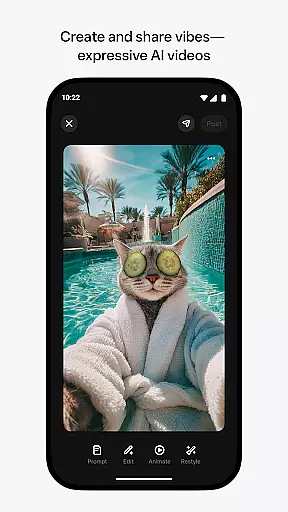
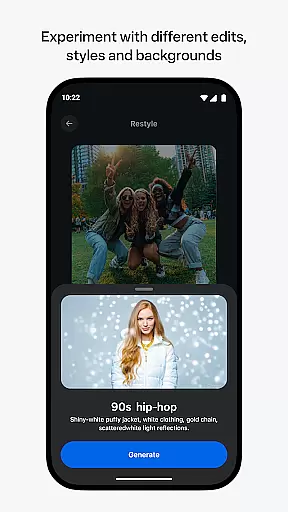
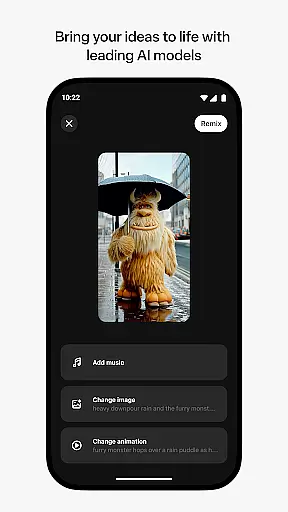
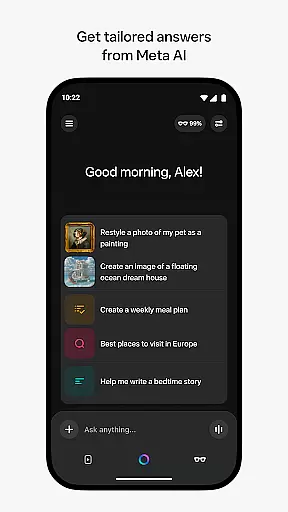
Meta AI is a productivity-focused application that allows users to create and share AI-generated videos with custom animations, music, and styles. The app serves as a creative hub where users can describe their ideas and generate unique video content tailored to their vision. Additionally, it provides personal AI assistance through voice or text for quick answers and recommendations on-the-go.
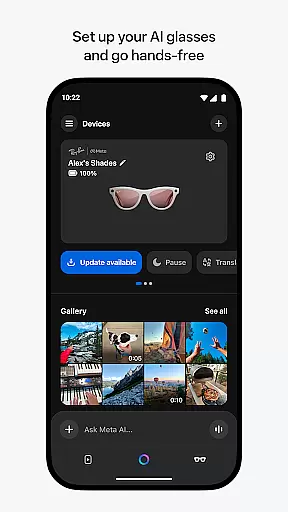
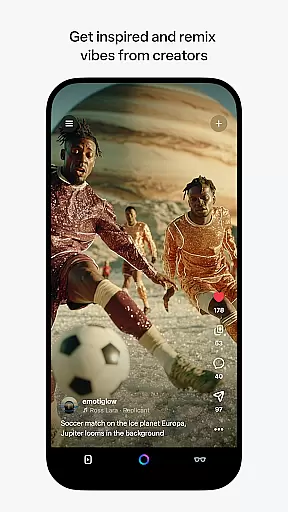
The app also functions as the required companion app for Meta AI glasses, enabling users to manage their smart glasses, import and share media, and go hands-free. With access to industry-leading AI models, Meta AI empowers creators to remix existing content from other users and build something entirely new. Whether you're looking to streamline your workflow or explore creative possibilities, Meta AI offers versatile tools to enhance productivity.
Meta AI stands out with its robust set of features designed to boost productivity and creativity. One of its core functionalities is the ability to generate AI-driven videos based on user descriptions, complete with customizable animations, music, and visual styles. This feature enables users to quickly produce professional-quality content without needing extensive technical skills.
In addition to video creation, Meta AI offers personal AI assistance accessible via voice or text. This assistant helps users get tailored answers, recommendations, and support throughout their day. For users of Meta AI glasses, the app provides essential management tools, including media importing, sharing capabilities, and hands-free operation. These features collectively make Meta AI a comprehensive solution for both creative professionals and everyday users seeking smarter ways to work efficiently.
Meta AI offers a robust platform for creating and managing AI-generated content, ensuring users can efficiently organize their creative projects. The app provides tailored answers and inspiration on-the-go, streamlining the workflow for professionals and hobbyists alike.
With features like custom animations, music, and more, users can describe their vision and let the AI handle the heavy lifting. This allows for seamless task management where ideas are quickly transformed into expressive videos without the usual technical hurdles.
The app's ability to pair and manage AI glasses adds another layer of productivity, enabling hands-free operation. Users can import and share media effortlessly, making it an essential tool for those looking to enhance their creative process while maintaining organization.
Cross-device synchronization is a critical feature of Meta AI, ensuring that all your devices are in sync. Whether you're using your phone, tablet, or AI glasses, the app guarantees reliable data transfer and consistency across platforms.
This synchronization extends to project management as well. Users can start a project on one device and continue on another without missing a beat. The Meta AI app ensures that every edit, remix, and style choice is updated in real-time, providing a seamless experience.
Moreover, certain features roll out slowly over time, allowing for gradual adaptation and integration. This phased approach ensures stability and reliability, giving users peace of mind that their work is always up-to-date and accessible, no matter which device they choose to use.
User-friendly interface
Advanced AI video generation
Versatile customization options
Companion app for AI glasses
On-the-go personal assistance
Limited feature availability
Requires Meta AI glasses
Premium subscription costs
Dependent on internet connection
Steep learning curve

AI Video AI Image Private LLM AI Browser Llama Gemma Ollama Connect LLM Studio
 4.2
4.2
Easily read and manage all your PDF files
4.10
Android Wallet Password Manager
4.80
Stay on top of your to-dos with Google Tasks, part of Google Workspace.
4.60
Secure, open-source, SPICE and SSH Remote Desktop for QEMU KVM virtual machines
4.00
Access your phone's notifications, calls, apps, photos & texts on your PC
3.90
Simple notepad & memo. Take notes, to-do list, shopping list with reminders.
4.80
Okta MFA
4.70
Browse and view your photos and videos from the phone with photo & video hide.
4.10
8 custom complications. Custom Time Fonts. Beautiful color schemes. A++ Design.
5.00
Multilingual translator for text, voice, and image translation!
4.90
When you Focus, so will your Bean in this cozy focus timer
4.30 4.20
4.20
A customizable calendar for your Wear OS watch
4.20
Font maker keyboard with your own handwriting
4.10
Activate Two Factor Authentication (2FA or Multi OTP), Password manager and more
4.10
Smart PDF reader & editor to view, organize and manage PDF documents easily.
3.70
Remotely view listen control and record cameras.
3.70
Find and delete junk files & block unwanted notifications & manage files
3.70


User Reviews